Yes, regarding the event reporting—we don’t actually support binding it directly to automations due to logic constraints. However, we’ve noticed that many Home Assistant users have impressive manual skills and are able to configure their own automations based on the available data, which effectively allows for separating single-click and long-press functions. I’m genuinely amazed by your capabilities—very impressive!
I’ve already raised this with our R&D team, and we plan to restore the remote control event reporting data in the next version, bringing it back to the same state as in 1.3.0. However, due to the underlying logic constraints, our built-in integration will still not support direct binding channels. You would need to capture the reported values and configure your own automations manually. Would that work for you?
Also, this feature has been requested by only a very small number of users, so if we officially release it, it may not be available until sometime next week. We hope this doesn’t inconvenience you too much. If you need this feature urgently, I can apply to R&D for a grayscale build specifically for you, but that may also take some time to prepare.
We have fixed the issue where the update prompt still appeared even after upgrading to version 1.4.0. We sincerely apologize for this bug and any inconvenience it may have caused. We hope you enjoy using our product going forward!
Yes, it’s honestly more convenient to set them up to call a script on my end - that way I can just manage the script if lights or other entities change etc and the remote will still function.
Also I am using my second/other remote in the room where I was using these for now and just have not let it update, so you do not need to rush - please prioritize other features and bug fixes.
Thank you so much for your support and understanding! We hope you enjoy using our product. If you have any other suggestions or needs, please feel free to share them with us—we’re always here to help.
First of all, I sincerely apologize for the confusion and the delay.
I checked our previous records, and it appears this was an error on our side. From the information we have, the missing part should be the small protective cover plate near the charging port, which is fixed with screws — not the desktop charging base itself.
Could you please double-check and confirm that this is the part you are missing?
Once confirmed, we will arrange the replacement part for you as soon as possible and provide the shipping information.
Thank you for your patience and for helping us improve Astrion.
Thank you again for your patience, and we sincerely apologize for the trouble caused by the V1.4 update issue.
We have identified the root cause and have now fixed it. The issue was related to the server-side update process, not the firmware installed on your remote.
The good news is that if you have already upgraded to V1.4, you do not need to do anything further. After our server-side correction was applied, the repeated update notification issue should no longer occur.
Regarding the update process, we also want to be transparent with our community. Many Astrion users are experienced Home Assistant users, integrators, and developers, and we know many of you enjoy testing new capabilities early. At the same time, our engineering team was eager to deliver the new improvements as quickly as possible.
In this case, we moved faster than we should have and did not complete the level of validation we normally aim for before release. Since this was a minor version update rather than a major platform change, we made the wrong assumption that a full beta testing cycle was unnecessary.
This was our mistake, and we appreciate your understanding.
We will improve our release process going forward, including more extensive testing and better staged validation when introducing future updates.
Thank you again for reporting this issue and helping us improve Astrion.
Seperately, is there anyway to show via the navigation action (via HA) to have the option of the added TV cards? Ie so I can create and automation so the tv card opens when certain other conditions are trigger
Things are much better after this update! Venetian blind slat/lamella control has finally arrived. The icons still need an update, though, as they currently still look like regular curtains/drapes.
A few suggestions and feature requests:
Weather Card: It would be great to have a show/hide option for individual elements—for example, hiding the hourly forecast while keeping the 5-day forecast visible. Changing font color and possibly font size would also significantly improve readability.
Show/Hide on Other Cards: This element-visibility toggle would be very useful for other cards too. For instance, hiding playback controls on the media player card makes a lot of sense when controlling playback via physical buttons.
Dynamic Volume Control on HOME View: I’m looking forward to dynamic mapping for the physical volume up/down buttons on the main screen. For example, if I’m listening to music, the buttons adjust the media player volume (as they do now), but if the source switches to TV audio, they should control the TV player directly without having to navigate into the TV card.
Overall, great progress in the right direction. Thank you for these changes!
In version 1.3.0, we have already supported automation event binding via the remote control’s navigation keys (please make sure the integration is also updated to the latest version).
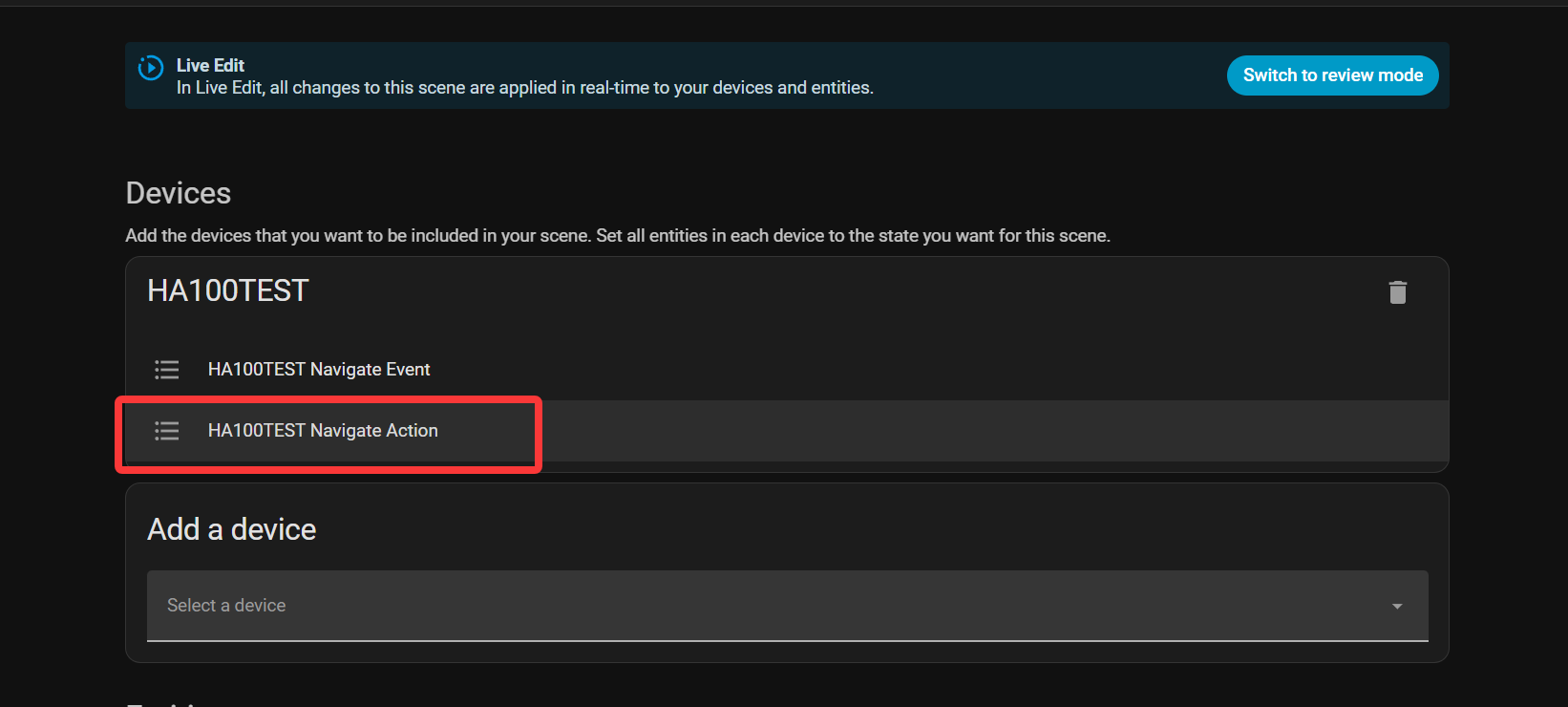
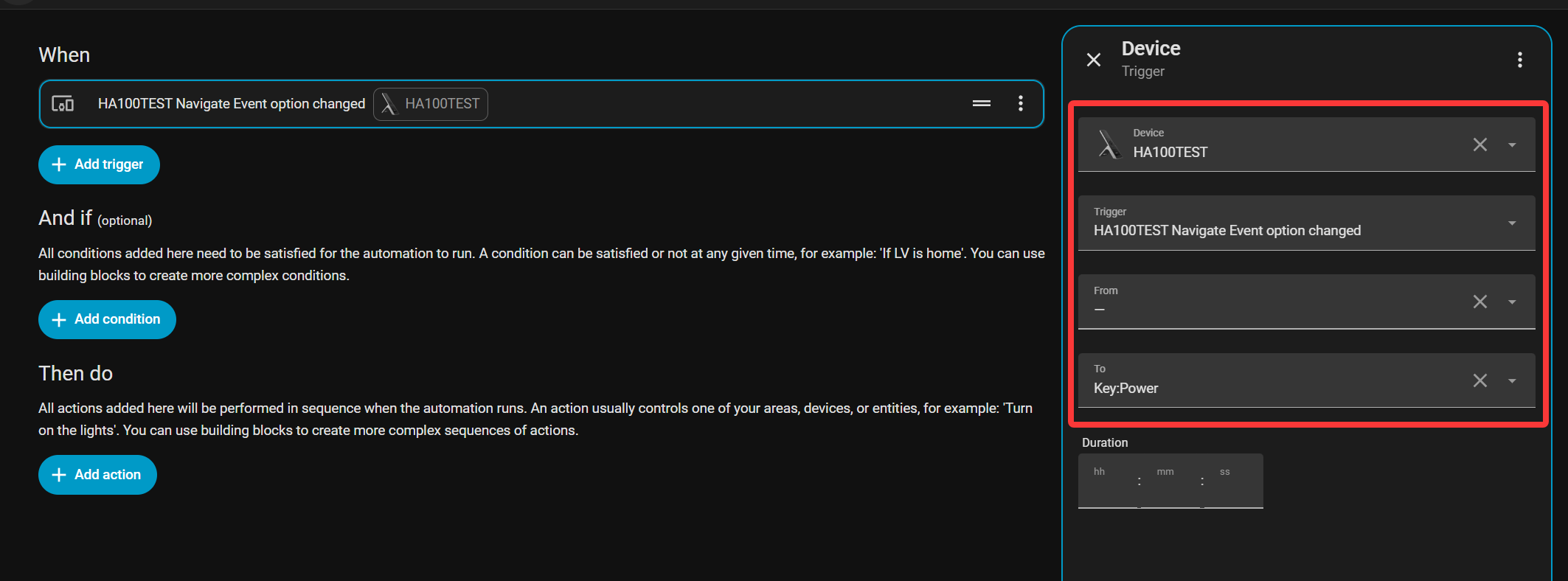
To create and open a detail page using navigation keys, follow the steps below:
Go to Scene Configuration. Under device addition, select our remote control integration, choose the Action action, and select the target page you want to navigate to. Then save.
Go to Automation Configuration and create a new automation. Under the device trigger condition, select our remote control. Set Trigger to Event, set From to “-”, and set To to the desired key event you want to trigger (e.g., the power button).
Regarding the weather card not responding — could you please go to Settings About, enable log upload, and then reproduce the issue again? Once you’ve done that, just send us your Device ID and we’ll take a look at the logs to dig deeper.
Thanks @Leewei - I’ll reproduce and grab the device ID and share.
Was your post about automations off the back of event triggering in relation to my other question?
If so, apologies if I wasn’t clear. I am actually asking whether it is possible to force it to a particular card (ie Tv card) as I don’t see that in the drop down option?
Sorry, I’m not entirely sure what you meant by “force” — could you clarify?
Just to clarify: the four customizable buttons on the remote can actually be bound to jump directly to the TV Card (pull down Settings Button Binding select TV).
And regarding your question about the navigation action — I understood it as you wanting to jump to a specific card via navigation, so I shared that automation method as a possible workaround.
About the dropdown menu — when you mentioned you couldn’t find the TV Card option, were you referring to the scene setup step? Because we do provide detail pages for all devices and views. If your TV Card is set up correctly, you should see a detail page with your TV name listed.
Could you walk us through your idea a bit more? That would help us understand exactly what you need and see if we can make it happen.
Any update on the limitation of the remote having to be discovered by broadcast rather than being able to input an IP for the remote? My media devices are on a different subnet and although m-DNS and LLDP is enabled and firewall rules allow the remote to talk to my HA server, the remote isn’t found by HA.
Hi, I remember you! I’ve reorganized your issue and forwarded it to our R&D team. Here is their response:
"The Astrion remote does not connect to the integration via LAN broadcast or IP address. Instead, the remote actively logs into Home Assistant over WebSocket and uses its unique serial number for identification and pairing. Therefore, as long as the remote can connect to the same Home Assistant instance, it should theoretically work even if they are not on the same network segment. Unlike IP addresses, the unique serial number does not change due to DHCP, reboots, or network switching, ensuring stable identification of the corresponding remote without the need to open additional ports or configure a fixed IP.
Our preliminary assessment suggests that this may be related to the event subscription permissions of a standard Home Assistant user account. We recommend that you temporarily switch to an administrator account, or use a long-lived access token generated by an administrator account. After making this change, please log in again or restart the remote to ensure the new account permissions and WebSocket connection take effect. Then, re-enter the Astrion integration’s add device page and search for the remote. If it can be discovered successfully, please let us know the test results so that we can further confirm the issue."
Thanks for the update. In my case at least, the remote definitely has access to HA as the cards are loading correctly and the remote is signed in using a long life token already.

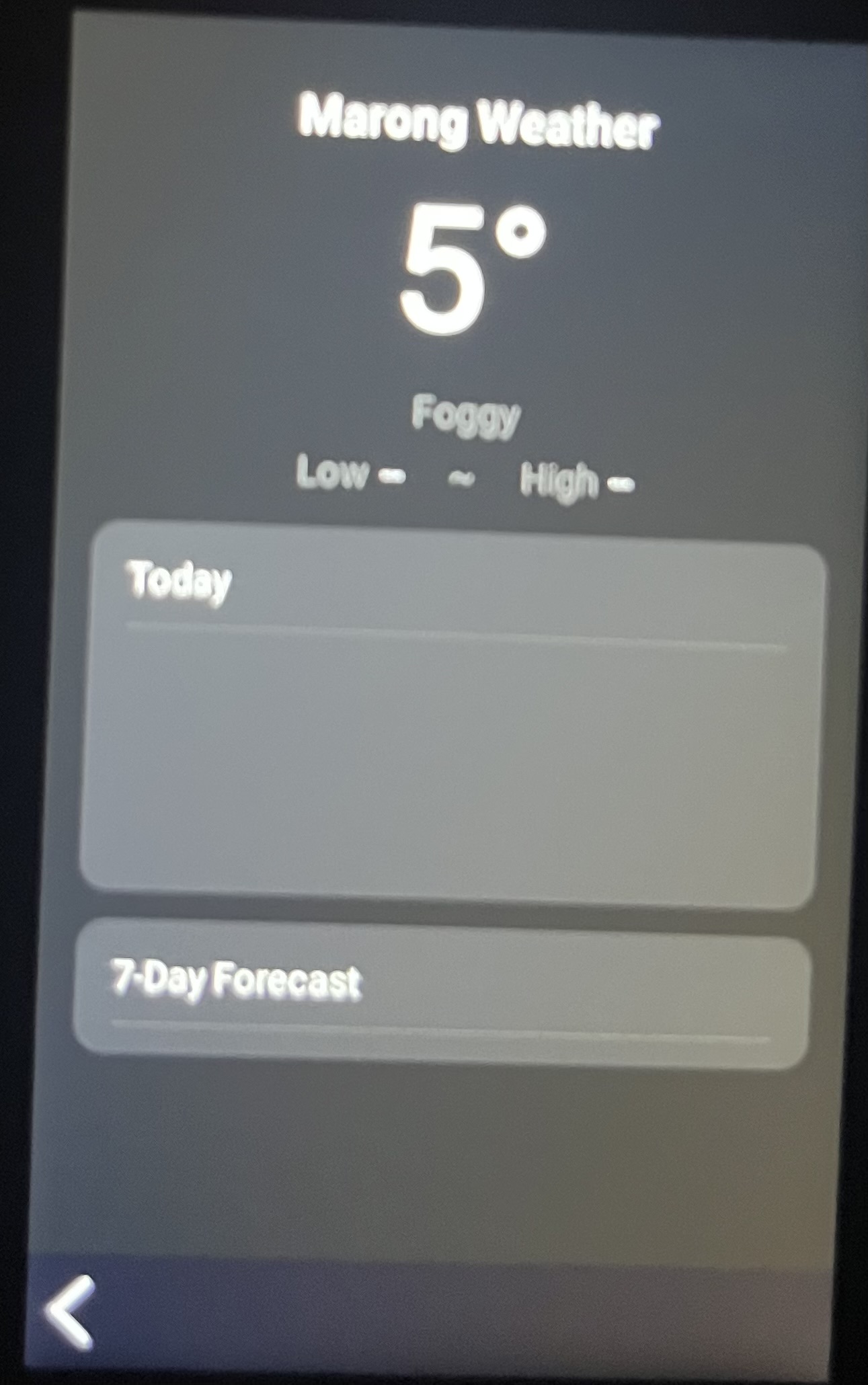
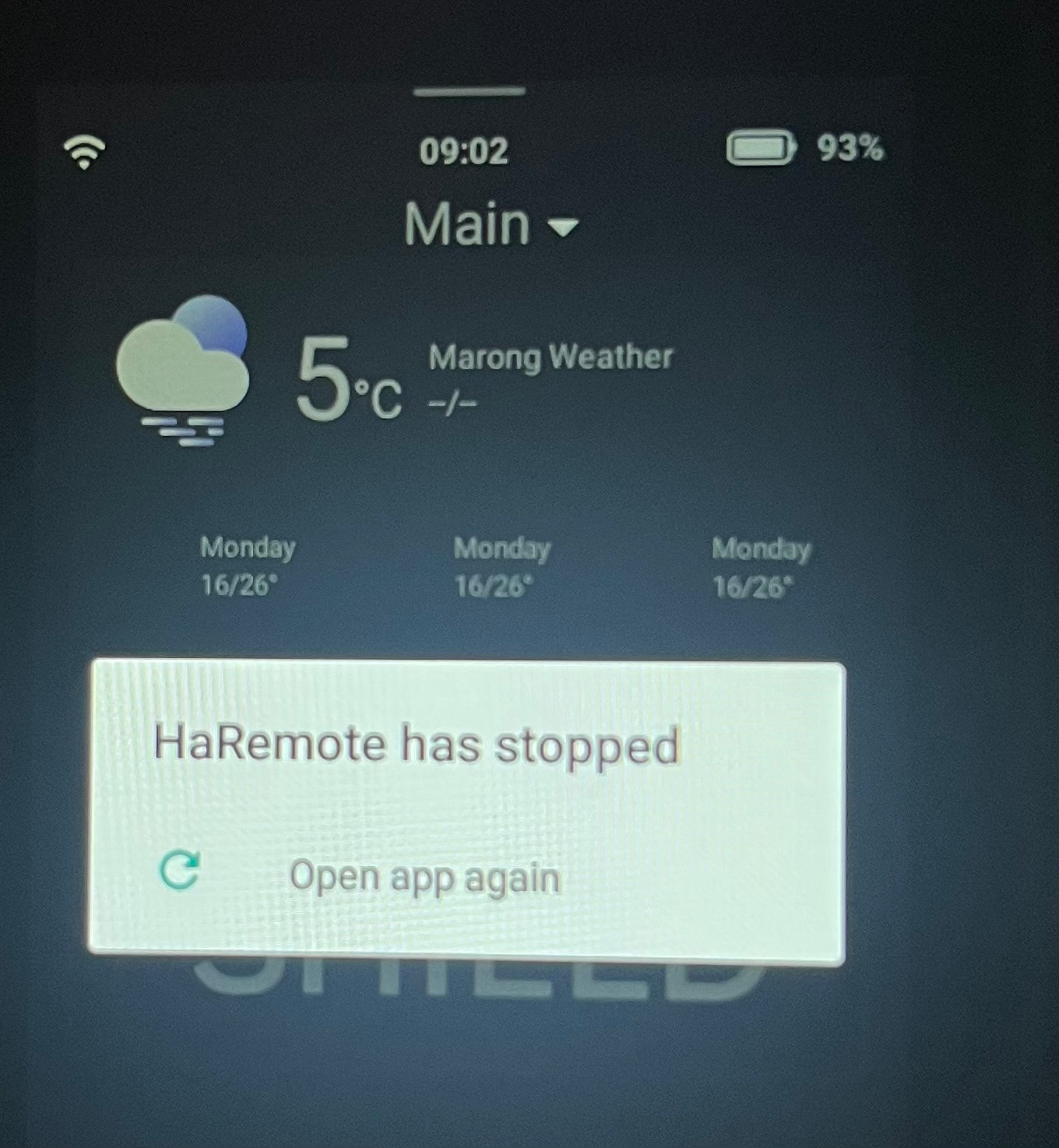
 About, enable log upload, and then reproduce the issue again? Once you’ve done that, just send us your Device ID and we’ll take a look at the logs to dig deeper.