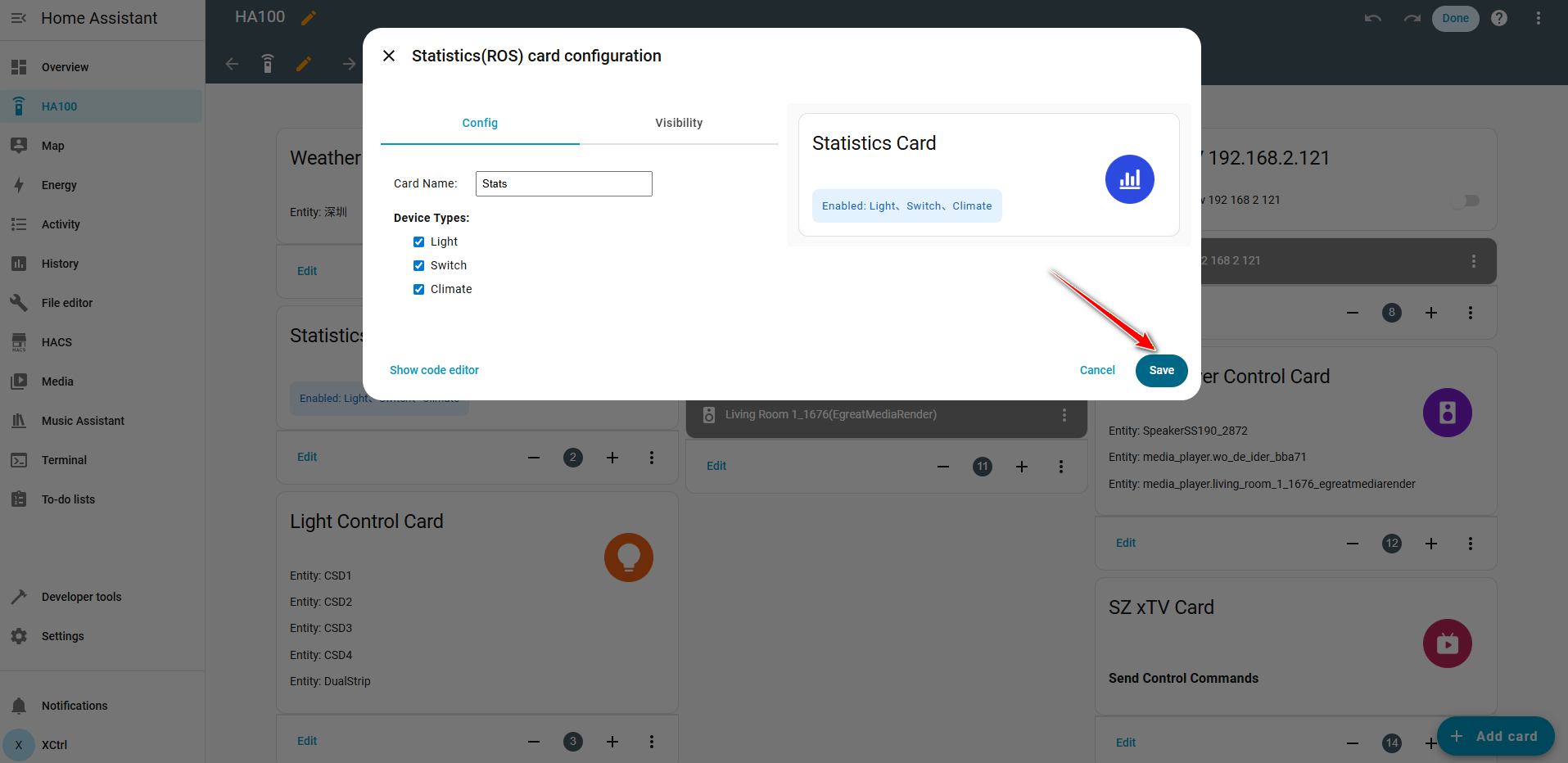
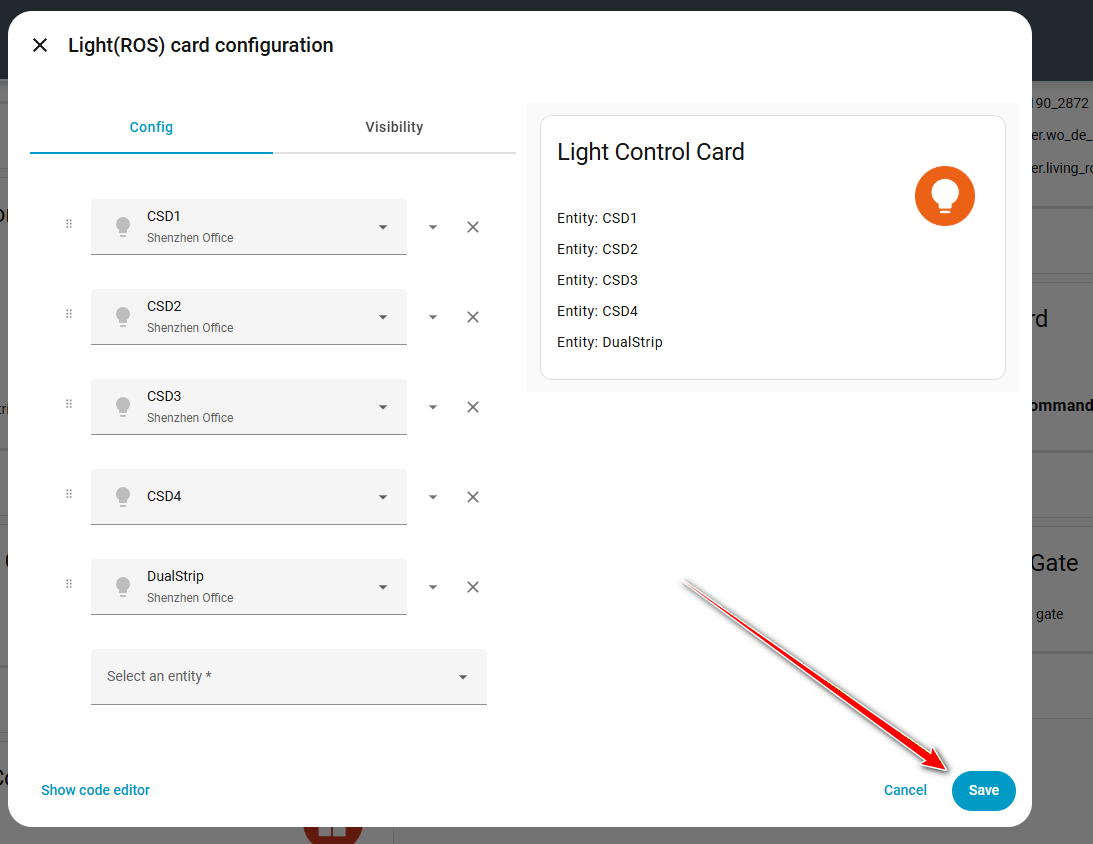
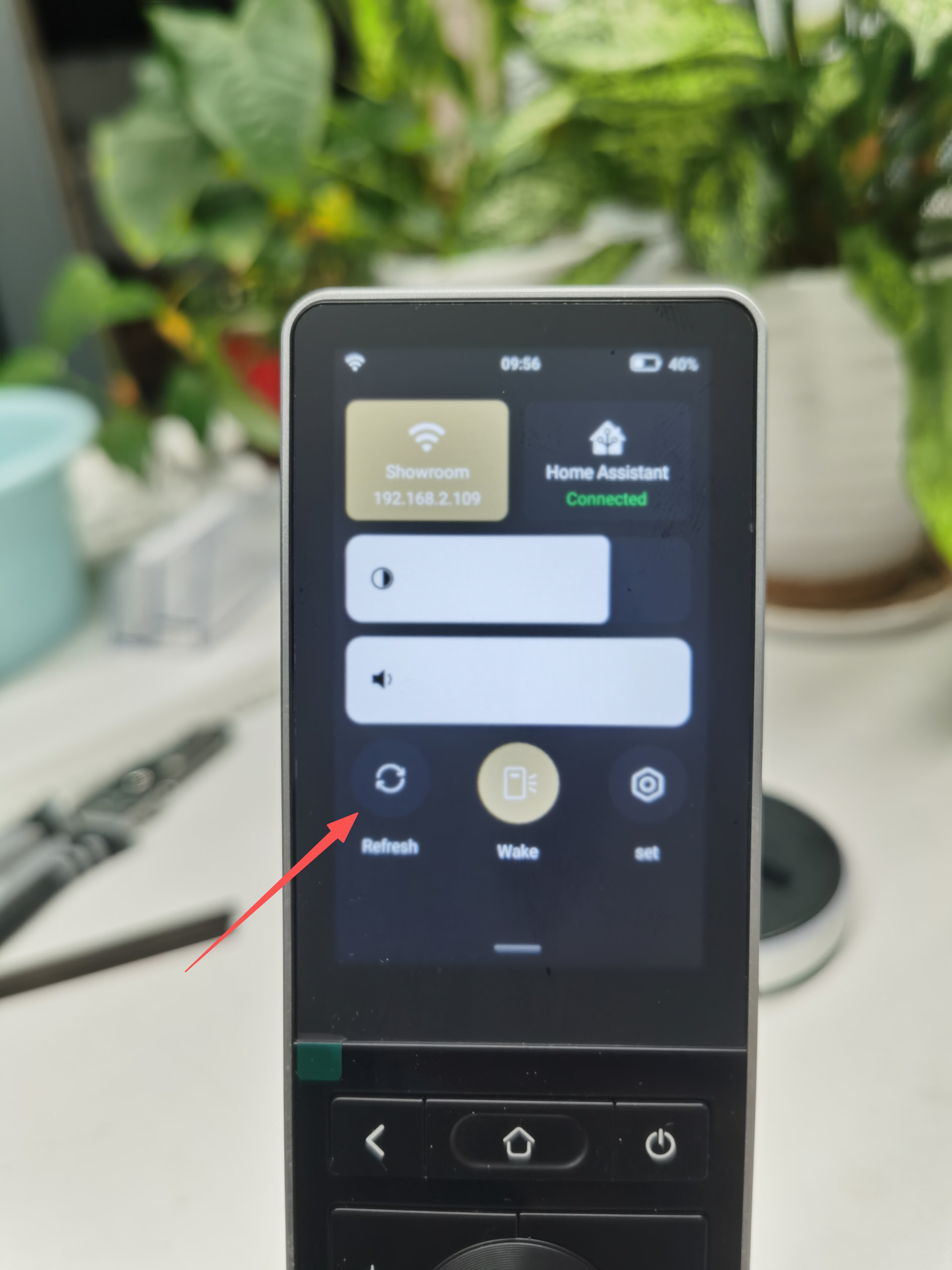
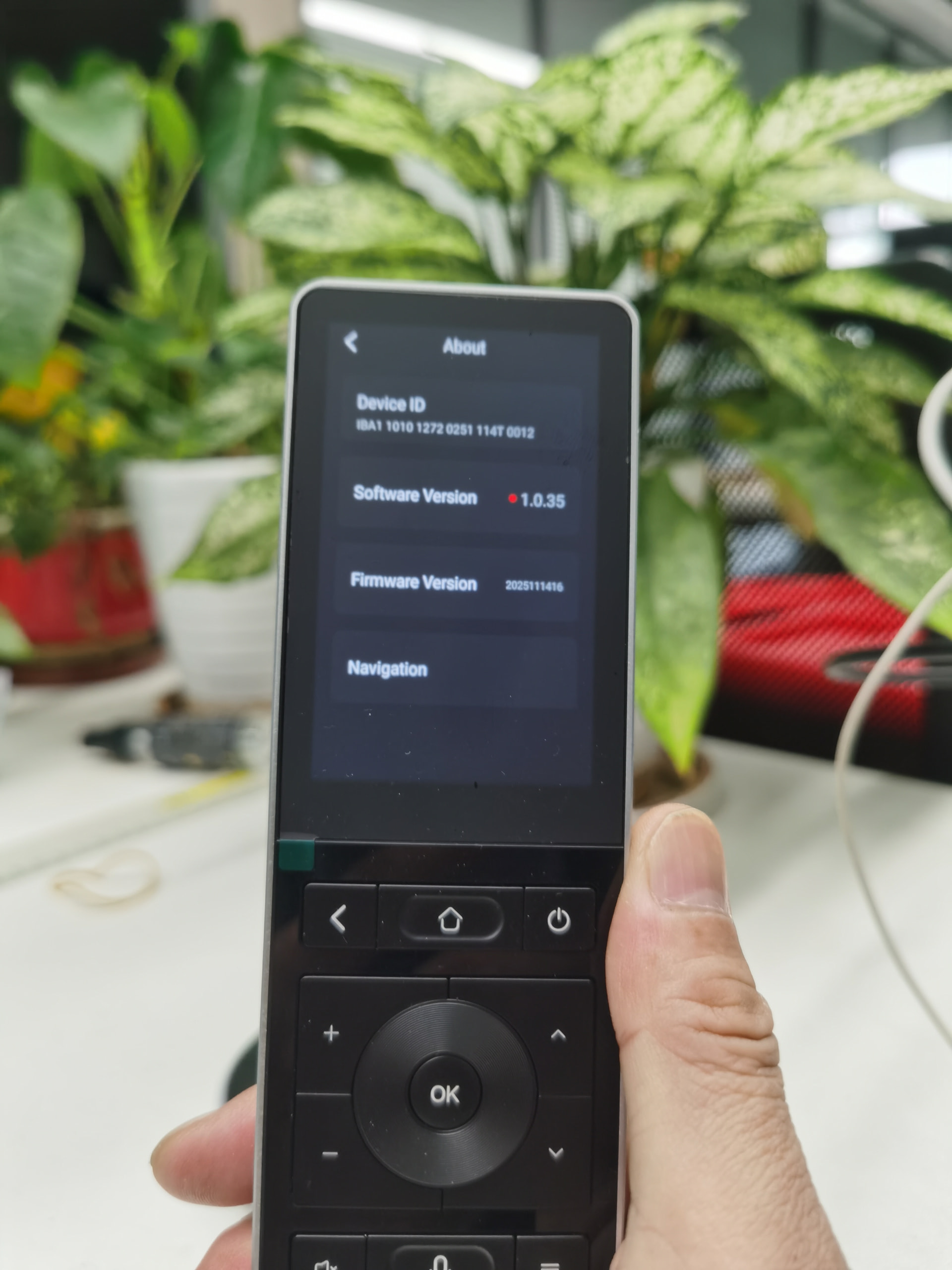
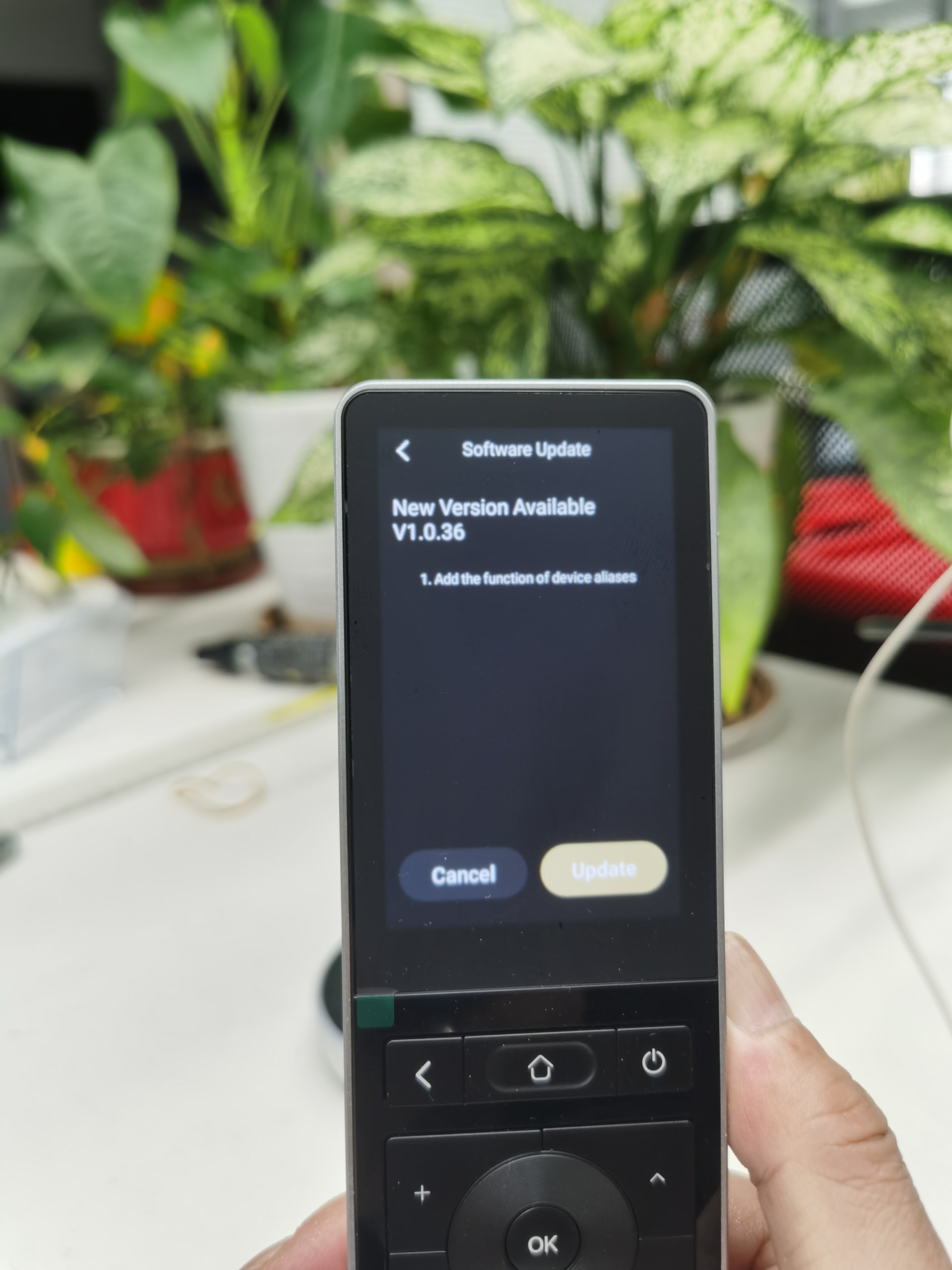
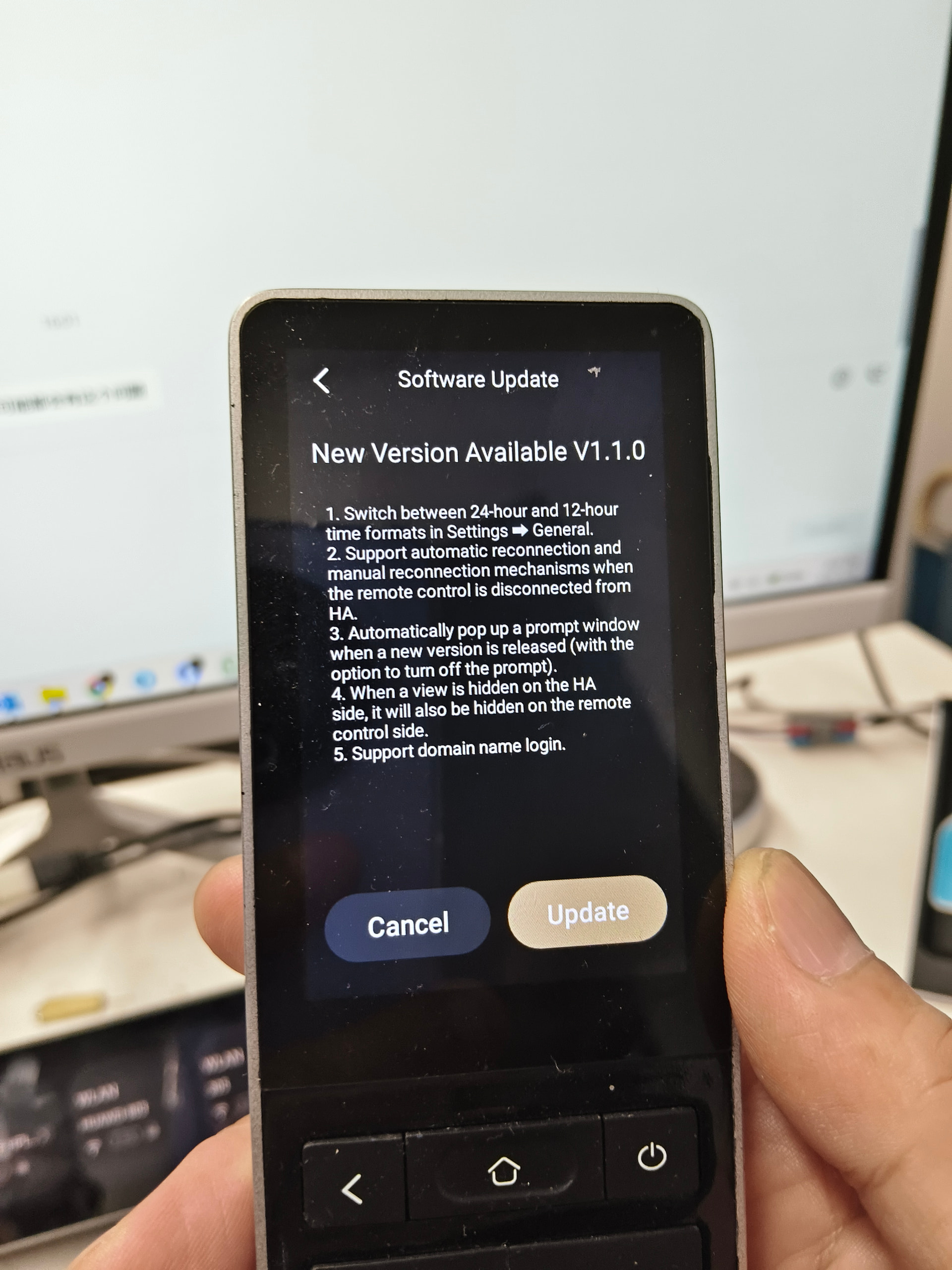
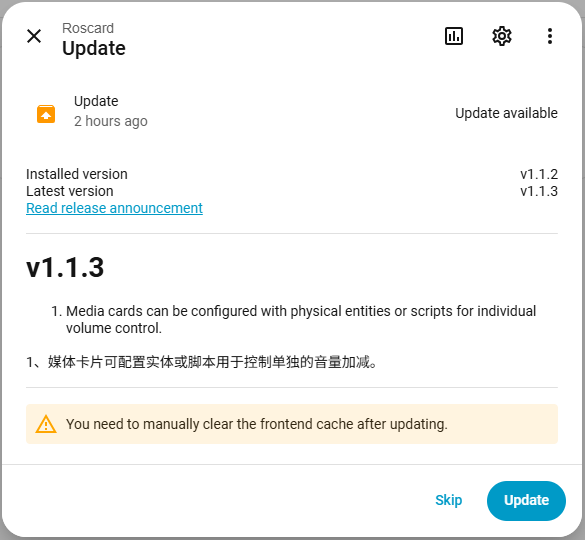
🆕 Latest Astrion Firmware & RosCard Updates

This topic contains the latest official software and RosCard updates for Astrion Remote.


:package: Current Versions

  • Astrion Firmware: vX.X.X
  • RosCard: vX.X.X
  • Minimum Home Assistant Version: XXXX.X

:sparkles: What’s New

  • Improved system stability
  • UI and responsiveness optimizations
  • Enhanced device compatibility
  • Bug fixes and performance improvements

:warning: Update Notes

  • Firmware updates are delivered via OTA
  • Please ensure sufficient battery level before updating
  • Do not interrupt the update process

:lady_beetle: Known Issues

A list of known issues and workarounds can be found in:
:pushpin: Technical Support → Known Issues & Workarounds


:page_facing_up: Full Changelog

Detailed changelogs will be posted as replies to this thread for each release.

If you encounter issues after updating, please report them in Technical Support using the bug report template.

— Sanytron Team

:new_button: Astrion Remote Software v1.0.33

Release Type: Feature Update & Compatibility Improvement
Target Device: Astrion Remote HA100
Platform: Home Assistant
Status: Released


:thermometer: Climate (Temperature Control) Improvements

  • Climate entities are now fully supported without restrictive conditions

  • Fan speed (wind speed) adjustment is now available where supported by the device

  • When a climate device does not support fan speed, the wind speed button will be automatically disabled (grayed out) to reflect actual device capabilities

:white_check_mark: This ensures a clearer and more accurate control experience across different climate device types.


:musical_note: Media Device Enhancements

Dynamic Control Button Display

  • Media control buttons are now dynamically generated on the device details page

  • Buttons that are not supported by the current media entity will appear grayed out

  • This behavior is determined directly from Home Assistant’s reported capabilities

Smart Media Type Detection

  • The system automatically detects whether the current playback is:

    • :musical_notes: Music, or

    • :television: Other media types (TV, video, streaming sources)

Cover Image Interaction:

  • When playing music → tapping the cover image opens the music list

  • When playing non-music media → tapping the cover image opens the playback source list


:speaker_high_volume: Media Volume Control (Important Notes)

Media device volume now supports two independent control methods:

  1. Sliding adjustment

    • Mapped to the touchscreen
  2. Click adjustment

    • Mapped to physical buttons

:warning: Troubleshooting Note:
If one volume control method works but the other does not, in approximately 90% of cases, this is caused by Home Assistant entity configuration or integration limitations, rather than an Astrion Remote software issue.

  • Different HA media integrations expose volume services differently

  • Some integrations may not support incremental or absolute volume control simultaneously

:pushpin: If you encounter such issues, please report them in Technical Support with:

  • Media device model

  • Integration type

  • Home Assistant version

  • Which volume method works / does not work

Our development team will analyze each case individually.


:hammer_and_wrench: General Notes

  • This update improves compatibility accuracy rather than forcing unsupported controls

  • UI feedback (enabled / disabled buttons) now better reflects real device capabilities

  • No changes to existing user configurations are required


:megaphone: Feedback & Issue Reporting

If you experience unexpected behavior after updating:

  • Please post in :hammer_and_wrench: Technical Support

  • Use the Bug Report Template

  • Include logs and screenshots when possible

Thank you for helping us improve Astrion Remote.
— Sanytron Team

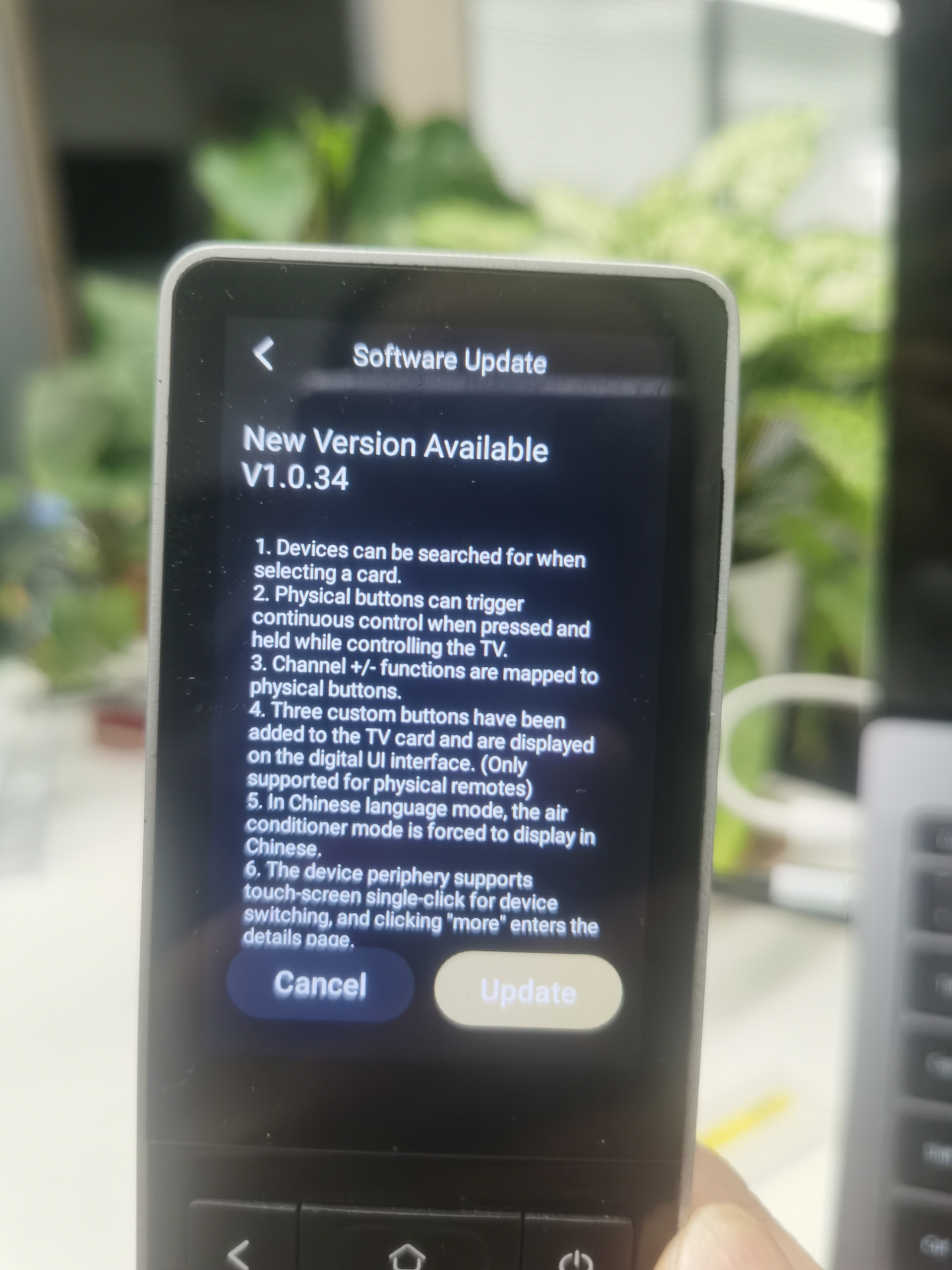
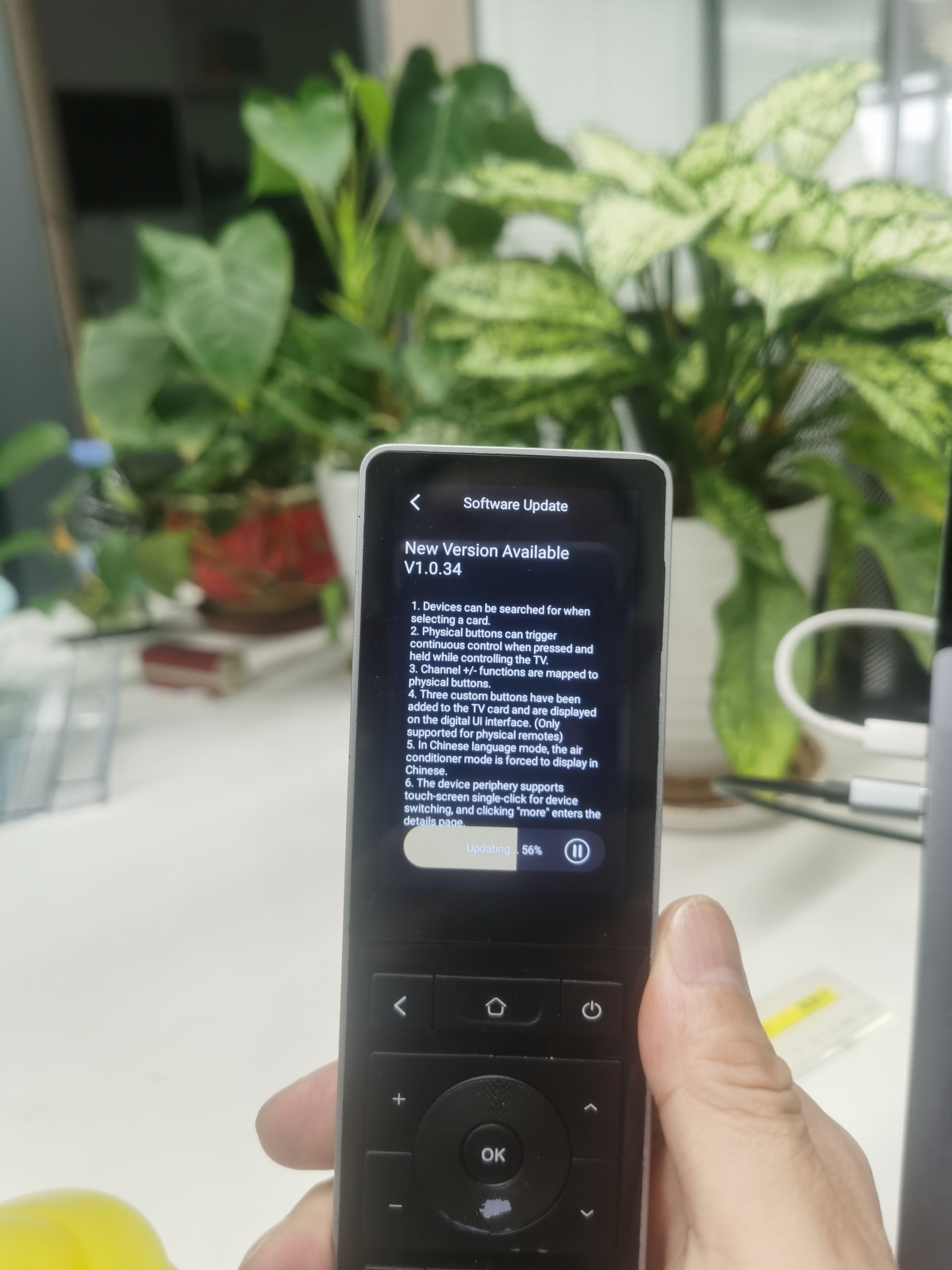
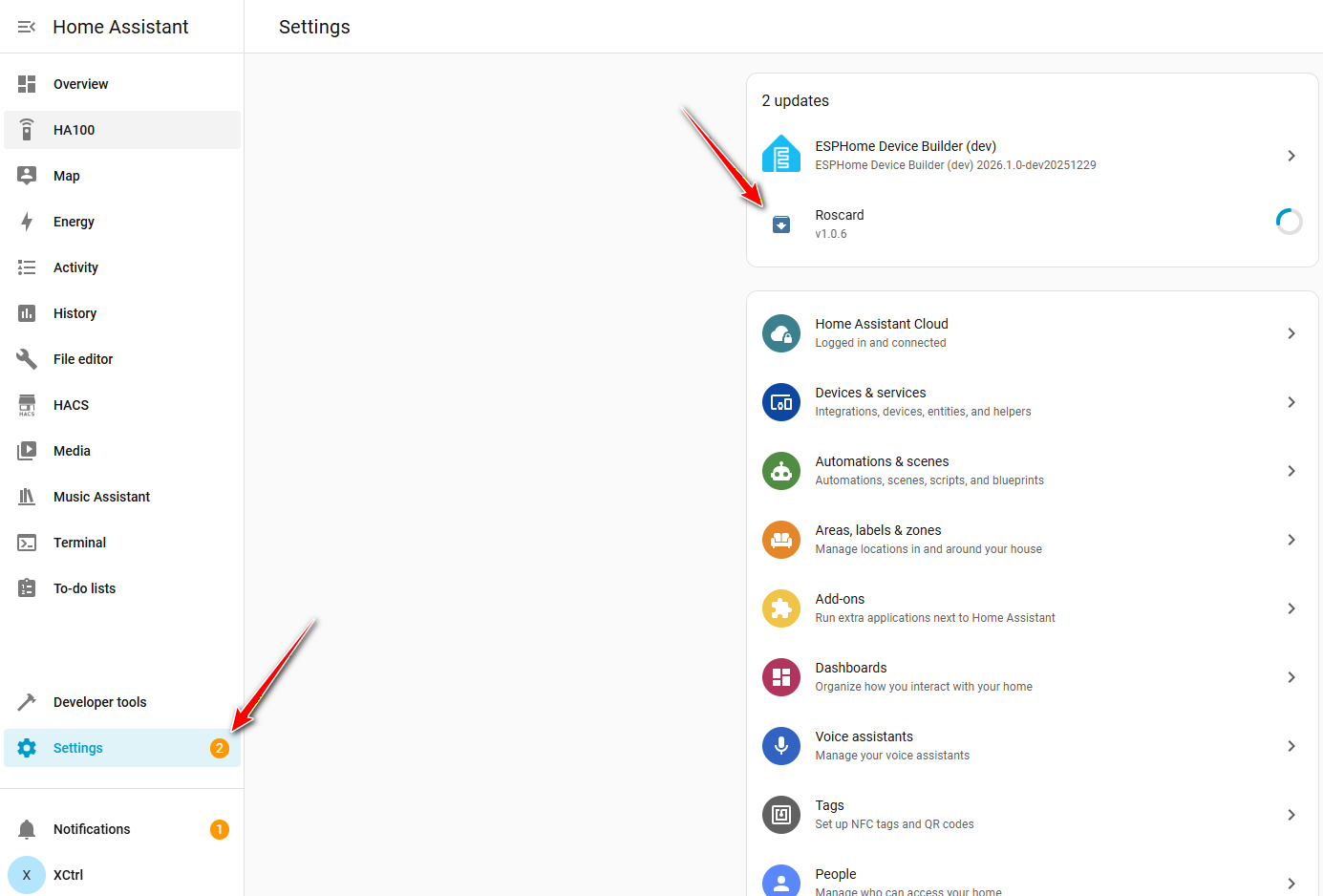
:rocket: Astrion Remote v1.0.34 & RosCard v1.0.6 – Release Notes

We’re pleased to announce the release of Astrion Remote v1.0.34 and RosCard for Home Assistant v1.0.6.
This update focuses on usability improvements, TV control enhancements, and better device navigation.


:new_button: What’s New

:one: Device Search Support

  • Devices can now be searched when selecting entities for a card
  • Improves setup speed in systems with large numbers of entities

:two: Enhanced TV Control (Physical Buttons)

  • Physical buttons now support long-press actions to trigger multiple consecutive commands
  • Suitable for macros such as:
    • Power on → HDMI switch → App launch

:three: Channel +/- Button Mapping

  • Channel Up / Down functions are now mapped directly to physical buttons
  • Provides a more traditional TV remote experience

:four: New Custom TV Buttons (Astrion Remote UI)

  • Added 3 custom buttons to the TV card
  • Displayed on the digital UI interface
  • Available on Astrion Remote only

:five: AC Mode Language Optimization

  • When the system language is set to Chinese, air conditioner modes are now forced to display in Chinese
  • Ensures consistent UX for localized installations

:six: Improved Peripheral Device Switching

  • Peripheral devices now support single-tap switching on the touchscreen
  • Tapping “More” enters the device’s detailed control page

:brain: Notes

  • These changes do not alter Home Assistant’s core behavior
  • All actions and states still follow HA’s entity and service model
  • If an entity works correctly in HA, it is expected to behave the same way on Astrion

As always, feedback is welcome.
If you encounter issues or have suggestions, please reply in this thread or open a new topic in Astrion – Core Discussions :raising_hands:

:shopping_cart: Direct Purchase Link (Quick Order):


:loudspeaker: Astrion Remote V1.0.35 – Update Notes

We’re happy to announce the release of Astrion Remote firmware V1.0.35, focused on improving media player behavior and usability.

:new_button: Changes in V1.0.35

:one: Media Player Power Control
Media players now support explicit ON / OFF functionality.

:two: Auto Power-On from Card List
When a media player is powered off:

  • Tapping its card will automatically turn it on
  • Playback will start without additional steps

:three: Audio Sources & Playlists
Media player cards now support:

  • Selecting audio sources
  • Selecting playlists

This update further aligns Astrion’s behavior with real-world daily media usage and Home Assistant entity logic.

:pushpin: As always, feedback and feature requests are welcome — please share your experience or ideas in the relevant categories.

—
Sanytron Team

:shopping_cart: Direct Purchase Link (Quick Order):


:white_check_mark: What’s New

:one: Custom Entity Naming Support
Users can now customize entity names, allowing:

  • Clearer labels on the Astrion Remote
  • Better differentiation between similar devices
  • Improved readability in complex HA setups

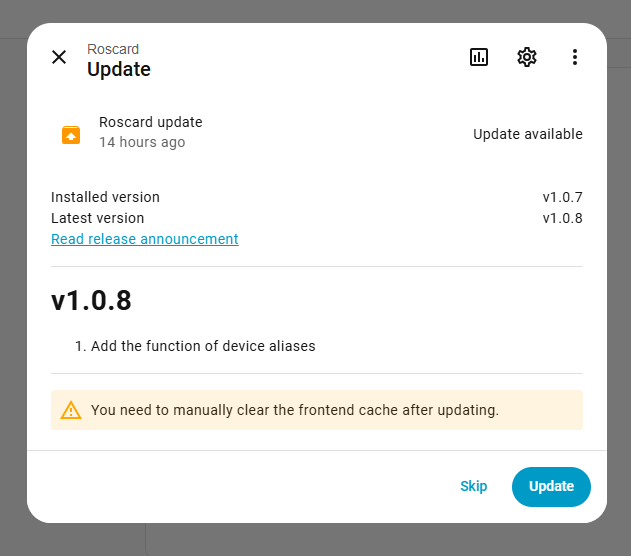
:warning: Important: One-Time Resave Required

Because custom naming introduces new attributes, existing cards may not immediately load updated data.

If you experience issues loading the latest views:

Please do the following once:

  1. Clear your browser cache/data
  2. On a PC, open each RosCard in Home Assistant
  3. Click Save on each card (no changes needed)

This ensures all new attributes are properly stored and synchronized with the Astrion Remote.


As always, thank you for your feedback and detailed testing — it directly influences how Astrion and RosCard evolve.

If you encounter any issues after updating, please reply below with:

  • HA version
  • RosCard version
  • Astrion firmware version

— Sanytron Team


:loudspeaker: Important Notice: Astrion Remote v1.0.36–1.0.38 & RosCard v1.0.8 Update Explanation

Dear Astrion users,

Thank you for your continued support and valuable feedback.
We’d like to provide some important clarification regarding recent updates to Astrion Remote and RosCard, along with solutions to issues some users may have encountered.


:white_check_mark: What’s New

  • Astrion Remote: v1.0.36 → v1.0.38
  • RosCard: v1.0.8

:small_blue_diamond: Key New Feature

Custom device and scene naming

This update allows users to rename devices and scenes freely, making it easier to distinguish between similar devices and improving overall usability—especially in complex setups.

This feature was implemented directly based on community feedback :heart:


:warning: Known Issues & How to Fix Them

:red_exclamation_mark: Issue 1: Dashboard cards fail to load or do nothing when tapped

Cause:
In v1.0.36, we changed the internal identification method from entity ID to card ID.
This caused older bindings to become invalid.

Solution:

  1. Open your Home Assistant dashboard
  2. Edit each configured RosCard card
  3. Click Save again

(You can also rename devices at this stage if you wish.)


:red_exclamation_mark: Issue 2: Quick-access buttons or binding detail pages crash

Cause:
Abnormal legacy data parameters caused a crash during data parsing.

Status:
:white_check_mark: Fixed in Astrion Remote v1.0.38

Recommendation:
Please update to v1.0.38 for a more stable experience.


:red_exclamation_mark: Issue 3: After updating to v1.0.38, physical buttons show

“No matching device found” or “Room does not exist”

Important:
Your data is not lost.

Cause:
A change in how bindings are read after the update.

Solution (either method works):

  • Long-press the affected physical button and rebind it
  • OR go to Settings → Button Binding and manually select the device again

Once rebound, the button will function normally.


:folded_hands: Our Apology & Commitment

We sincerely apologize for any inconvenience caused by the v1.0.36 transition.
Your feedback is extremely valuable to us, and every report directly influences our development priorities.

We will continue to:

  • Improve stability
  • Expand customization options
  • Communicate changes more clearly

:speech_balloon: Need Help or Want to Share Feedback?

If you experience any other issues or have suggestions:

  • Please post in the forum
  • Screenshots and logs are always helpful

Our team actively monitors discussions and will respond as quickly as possible.

Thank you again for your patience, understanding, and continued support.

— The Sanytron Development Team :rocket:

:loudspeaker: [Release] Astrion Remote Software v1.1.0


:warning: Important Upgrade Notice (Please Read First)

If you are upgrading from Astrion Remote v1.0.35 or earlier, please complete the following steps after upgrading:

  1. Update to RosCard v1.0.8
  2. Resave all existing cards
  3. Rebind all shortcut / physical keys

These steps are required due to recent internal structure changes.


:sparkles: New Features & Improvements

1. Time format support

  • 12-hour / 24-hour format
  • Location: Settings → General

2. Home Assistant reconnection improvements

  • Automatic reconnection on disconnect
  • Manual reconnect option added

3. Version update notifications

  • New version alerts added
  • Can be disabled if desired

4. View visibility synchronization

  • Views hidden in Home Assistant will now also be hidden on Astrion Remote

5. Domain-based HA login

  • Supports domain URLs and HTTPS

6. Bug fixes & stability enhancements


If you encounter any issues after upgrading, please open a new thread with:

  • Software version
  • RosCard version
  • A brief description of the issue

Thank you for your continued support and feedback.
— Sanytron Team

2 Likes

:rocket: Astrion Remote – Latest Updates & Release Notes

We’ve been continuously improving the Astrion Remote experience based on your feedback. Here are the latest updates across software and firmware:


:small_blue_diamond: Software Version V1.1.2.1 (Latest)

Fixes:

  • :white_check_mark: Resolved issue where certain scenes failed to execute

:small_blue_diamond: Software Version V1.1.2

Security Upgrade & Voice Improvements:

  • :locked_with_key: Added support for self-signed certificates on the login interface for enhanced security

  • :locked: WebSocket now supports TLS authentication (no more certificate bypassing)

  • :microphone: Fixed issue where Home Assistant voice control did not work under HTTPS


:small_blue_diamond: Software Version V1.1.1

:warning: Please also update RosCard to v1.1.1 for full compatibility

New Features:

  • :television: TV Card now supports script binding (more flexible control!)

  • :clapper_board: Scene Card upgraded → “Scene & Script Card” (you can now add scripts directly)

  • :gear: Improved dropdown menu behavior and usability


:small_blue_diamond: Firmware Version V2026020210

Improvements:

  • :high_voltage: Optimized charging performance

  • :battery: Faster time to reach full charge


:light_bulb: Summary

These updates bring:

  • Better reliability (scene execution fix)

  • Stronger security (TLS + certificate support)

  • More flexibility (script binding in TV & Scene cards)

  • Improved user experience (faster charging & UI tweaks)


:folded_hands: Thanks again to our community for the valuable feedback — keep it coming!

1 Like

:rocket: Astrion Remote — Latest Update Released

We are happy to announce the release of the latest Astrion Remote update.

Remote Software Version: V1.1.3
RosCard Version: V1.1.2

This update brings new customization options, expanded control capabilities, and improved troubleshooting support.


:sparkles: What’s New

:artist_palette: 1. Scene & Script Card Customization

  • Scene & Script cards now support custom background colors.

  • Custom text color settings are also available.

You can now better organize rooms, activities, and automation visually on the remote interface.


:gear: 2. ROS Card Function Control Support

  • ROS cards now support direct function control.

  • Applies to most ROS cards (except TV cards and Statistics cards).

This enables more flexible interaction with Home Assistant entities directly from the remote.


:toolbox: 3. Log Upload Function Added

  • A new log upload feature has been added in:

Settings → About

:warning: Log upload must be manually enabled by the user.

This helps our support team diagnose issues faster when assistance is required.


:white_check_mark: Recommended Action

Please update both:

  • Remote Software → V1.1.3

  • RosCard → V1.1.2

Keeping versions aligned ensures best compatibility and performance.


Thank you to everyone in the Astrion community for your continued feedback and support — many improvements come directly from your suggestions.

If you experience any issues after updating, feel free to report them in the forum or community.

— Astrion / Sanytron Team

1 Like

Can you show photos or video of 1. and 2.?
very interested to see example of custom background photos?
interested in seeing direction function control too please

Hi Rapine_Carnage :waving_hand:
Welcome to the Astrion community — great to have you here!

Thanks for the question — happy to clarify :+1:

:framed_picture: Custom Background Photos

At the moment, custom background images are supported on Scene Cards.

This allows you to personalize scenes such as:

  • Living Room

  • Cinema Mode

  • Night Scene

  • Smart Home shortcuts

Support for custom backgrounds on additional card types is already planned and will be introduced progressively as the card system evolves.

We’ll soon post new photos and demo videos showing real examples of customized setups across:

  • the forum

  • our YouTube channel

  • the Facebook community

So you’ll be able to see practical configurations and design ideas from both the team and users.

:video_game: Direction / Navigation Control

Directional navigation is part of ongoing development.
We are working toward more consistent control behavior across Media, TV, and future card types to make navigation faster and more intuitive for remote-first interaction.


Thanks again for the interest — and please feel free to share ideas or feature wishes anytime. Community feedback directly influences our development priorities :+1:

Astrion Remote Control Software Update Notes

I. Astrion Remote Control Firmware Update

  • Software Version: v1.1.5

  • Release Date: May 23, 2026

  • Upgrade Method: Online OTA Upgrade

:warning: Important:
To use the new features properly, please also update the Roscard cards to v1.1.3.


II. Roscard Card Update

  • Version: v1.1.3

  • Release Date: May 23, 2026

  • Upgrade Method: Update directly through the HACS Store


III. Update Details

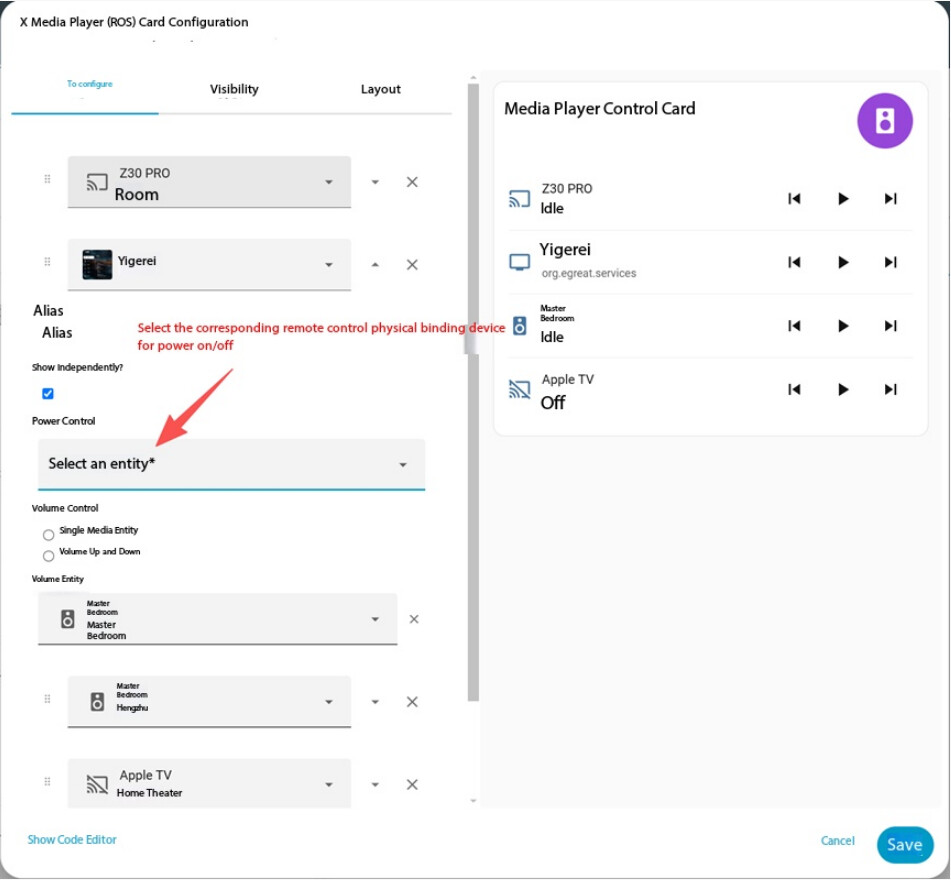
1. Media Player Power Control via Remote Entity

Media player cards can now bind the power on/off function to a separate remote control entity.

Example:

Some media player entities do not provide native power control through their own API. However, power commands may still be available through the corresponding remote entity.

Since Roscard normally uses the media player’s own entity commands by default, users can now manually bind:

  • Power ON

  • Power OFF

to the appropriate remote control entity for proper operation.


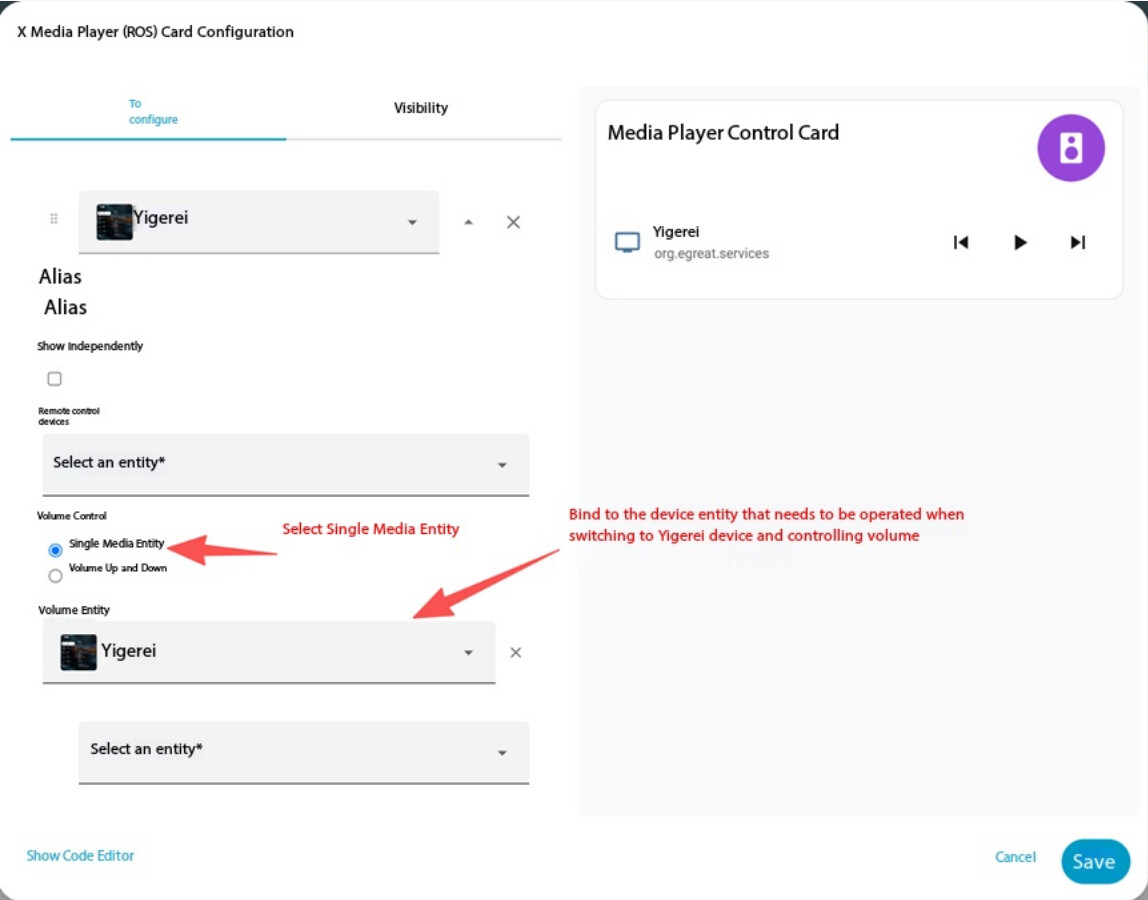
2. Flexible Volume Control Binding

Media card volume control can now:

  • bind to another media player entity

  • or execute custom scripts

This allows volume adjustment for external audio devices such as AV receivers or amplifiers.

Example:

A media player may output audio through an external amplifier. In this situation, users usually want the Astrion volume buttons to control the amplifier volume rather than the player itself.

You can now:

  • bind the volume control directly to the amplifier entity

  • or use custom scripts for advanced control logic


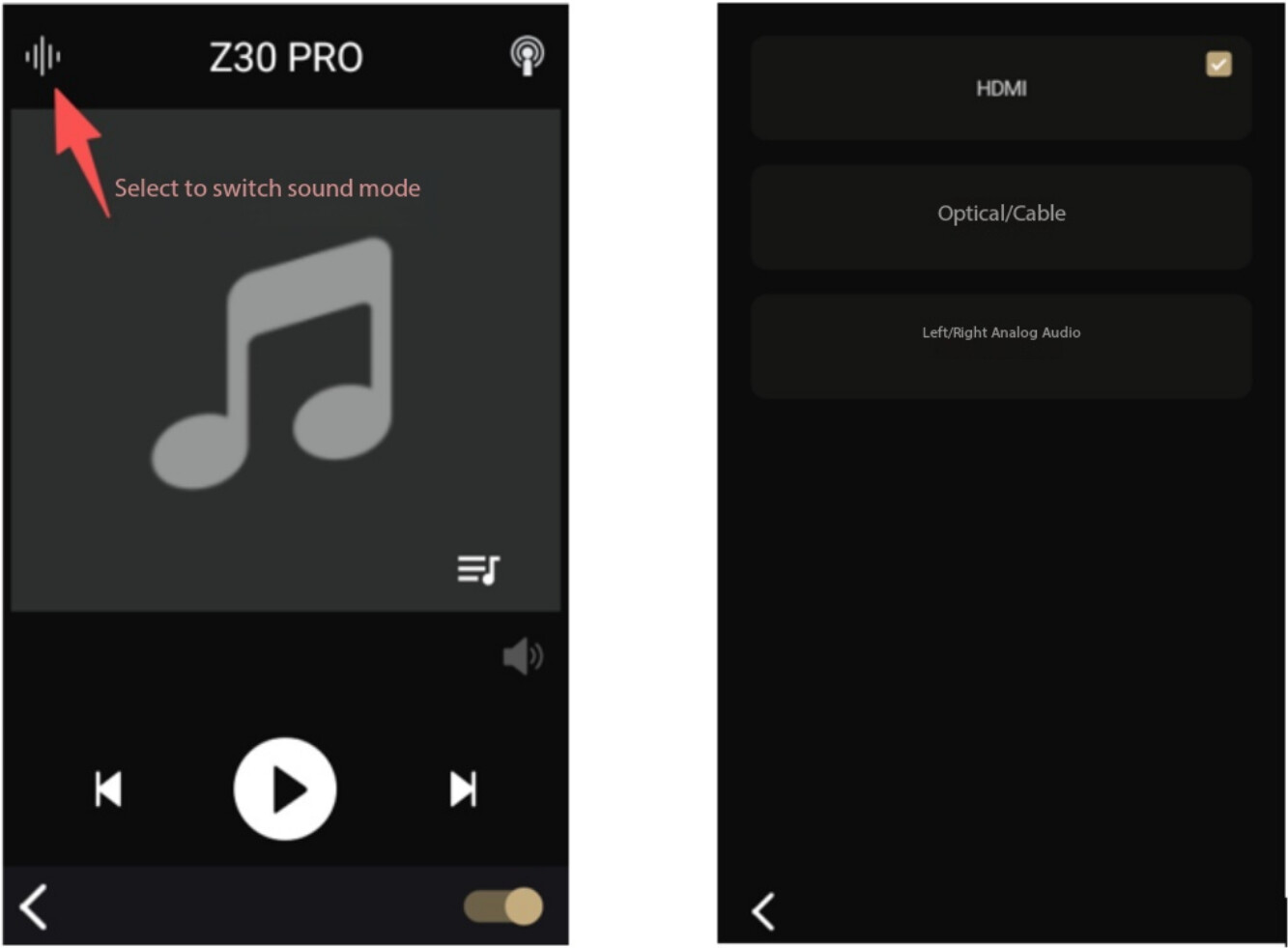
3. Added Sound Mode Selection Support

The remote control UI now supports switching media player sound modes.

If the device associated with the media card supports sound mode switching, users can directly control:

  • Movie Mode

  • Music Mode

  • Surround Modes

  • or other supported sound profiles

through the Astrion interface.


IV. Astrion Firmware Upgrade Instructions

To update the Astrion remote control firmware:

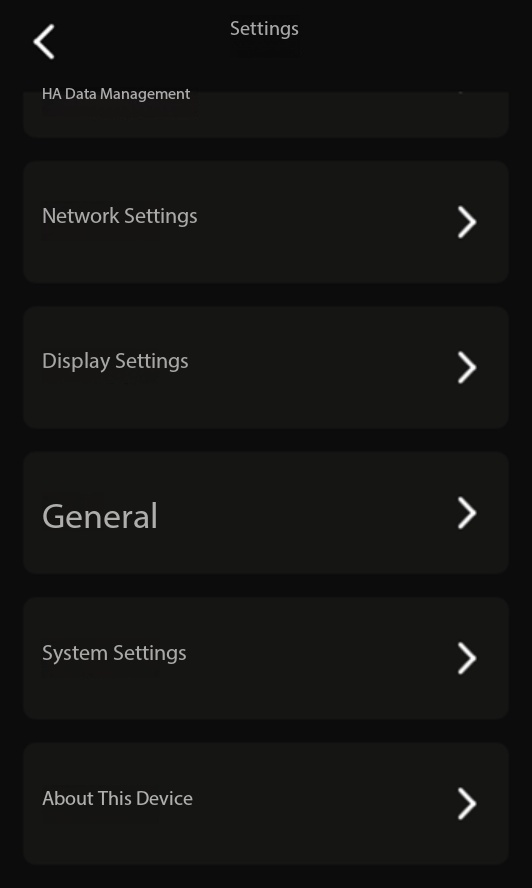
  1. Pull down the top menu on the Astrion main interface

  2. Open Settings

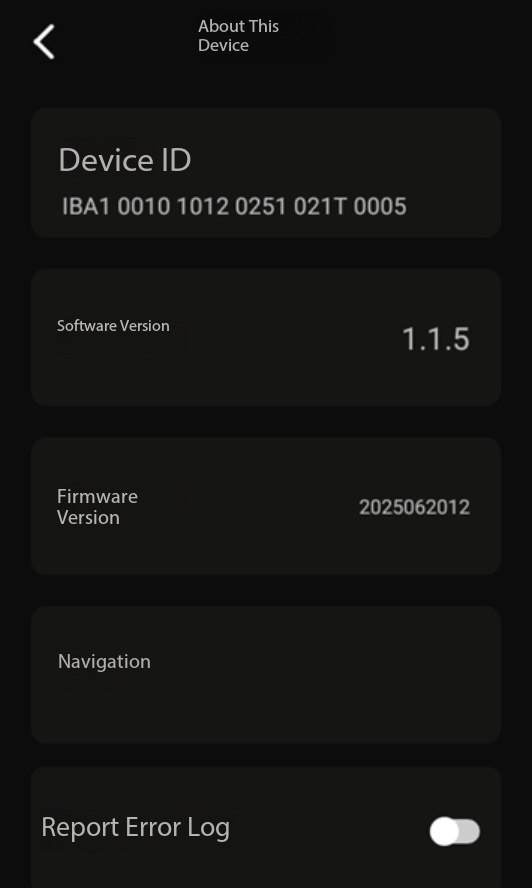
  3. Enter About This Device

  4. Tap Software Version

  5. Follow the on-screen instructions to complete the upgrade


Thank you again to all users who continue providing valuable feedback and testing support.

Your suggestions directly help improve Astrion and shape the future development roadmap :heart:

Does this mean button.* entities are now supported?

Unfortunately, probably not. The volume still only works within the media card itself. The volume definition doesn’t carry over to global button behavior, which is a real shame.

@Chykan_Hunter @Robert_P
At the moment, the new volume binding functionality is primarily implemented inside the Media Card layer itself, so Robert is correct that it does not yet fully extend to global button behavior across the entire remote system.

However, the purpose of this update was to introduce the underlying abstraction layer first:

  • binding volume to different entities,

  • binding to scripts,

  • and separating media transport logic from audio-device logic.

This is actually an important foundation step toward broader customization support later.

Regarding button.* entities specifically:
currently they are not officially supported as direct global volume targets in all scenarios yet, because Home Assistant button entities behave differently from media_player or remote entities (stateless trigger behavior vs stateful entities).

That said, using scripts as an intermediary is now possible, which already enables many advanced workflows indirectly.

For example:

  • volume buttons → trigger HA script

  • script → call button.press

  • or script → execute multiple synchronized actions

The implementation of direct button.* entity support is already included in our future development plans as part of the broader customization roadmap we previously published.

We are also internally discussing:

  • global button mapping layers,

  • context-aware button behavior,

  • short/long press actions,

  • and more flexible entity abstraction.

The current update is essentially the first infrastructure step toward those larger goals :+1:

1 Like

:rocket: Astrion Smart Remote Firmware V1.2.0 Release Notes

Firmware Version: V1.2.0
Release Date: June 6, 2026
Update Method: OTA (Over-the-Air)

Note: New features require updating the Roscard card to V1.2.0 to function properly.

:warning: Important Before Updating

To use the new features introduced in Firmware V1.2.0, please make sure you have updated the following components:

Roscard Card

Version: V1.2.0
Update Method: Update via HACS

Astrion Home Integration

The Astrion Home Integration is currently not listed in the default HACS repository search.

Like the ROS Card, it must first be added as a custom repository before installation.

GitHub Repository:

https://github.com/yyqclhy/Astrion-integration

Add Custom Repository

  1. Open HACS

  2. Click the three-dot menu (â‹®)

  3. Select Custom Repositories

  4. Paste the repository URL above

  5. Select Integration as the repository type

  6. Click Add

  7. Search for Astrion Home Integration

  8. Install and restart Home Assistant

:pushpin: Note: If you cannot find Astrion Home in HACS search results, it usually means the custom repository has not yet been added.

:sparkles: What’s New in Version 1.2.0

New Features

Local IR (Infrared) Control

Added support for local infrared control directly through the Astrion Smart Remote.

TV Card Support for Astrion IR

TV Cards can now directly control Astrion IR entities.

TV Card Support for Harmony HUB

Added support for binding Harmony HUB entities to TV Cards.

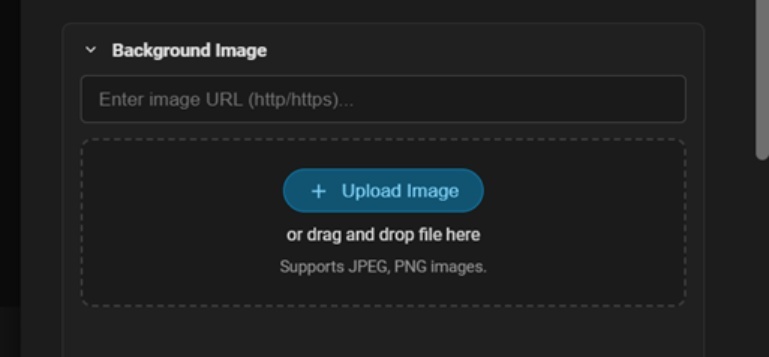
Custom TV Card Backgrounds

TV Cards now support custom background image URLs.

TV Card Experience Improvements

Multiple UI and usability optimizations have been implemented to improve the overall remote control experience.

:satellite_antenna: Adding the Astrion Home Integration

Step 1 – Add Integration

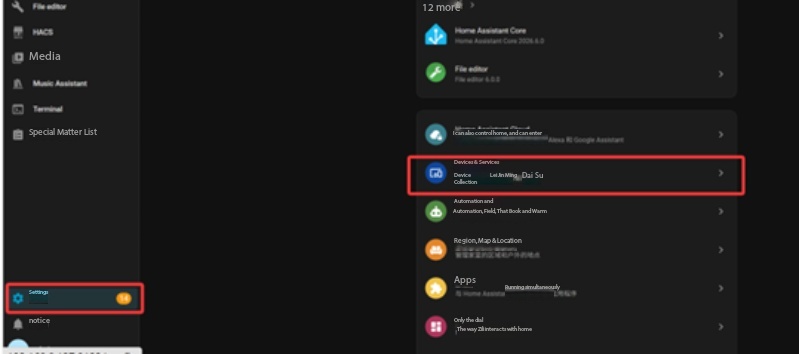
Open Home Assistant and navigate to:

Settings → Devices & Services

Click:

Add Integration

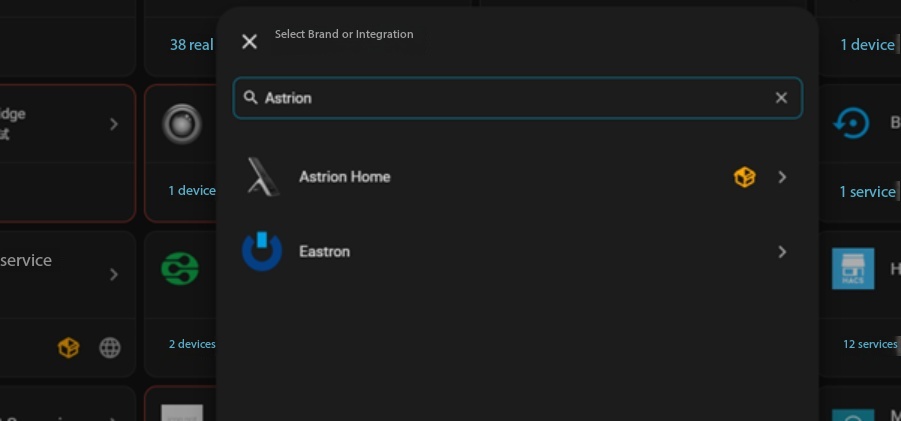
Step 2 – Search for Astrion Home

Search for:

Astrion Home

Select the integration to begin setup.

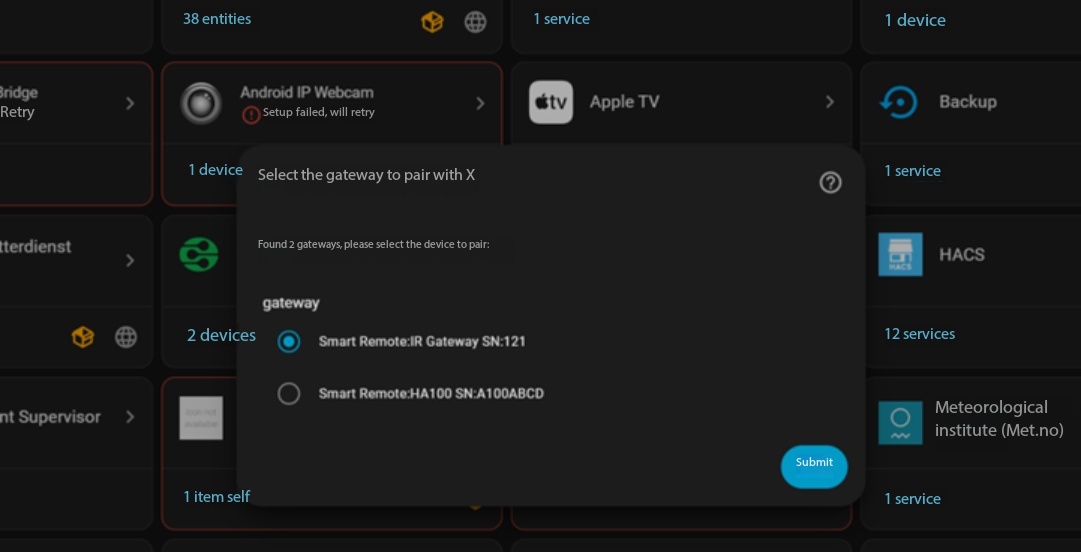
Step 3 – Select Remote Gateway

The integration will automatically scan for Astrion Smart Remote gateways available on your network.

Select the appropriate gateway and click:

Submit

Gateways are identified by their unique Serial Number (SN).

You can find the SN from:

Remote → Settings → About

:pushpin: If no gateway is discovered, verify that both Home Assistant and the Astrion Smart Remote are connected to the same local network.

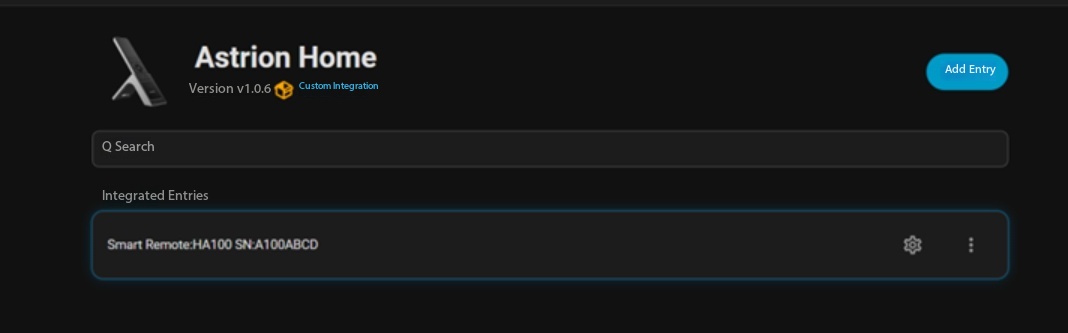
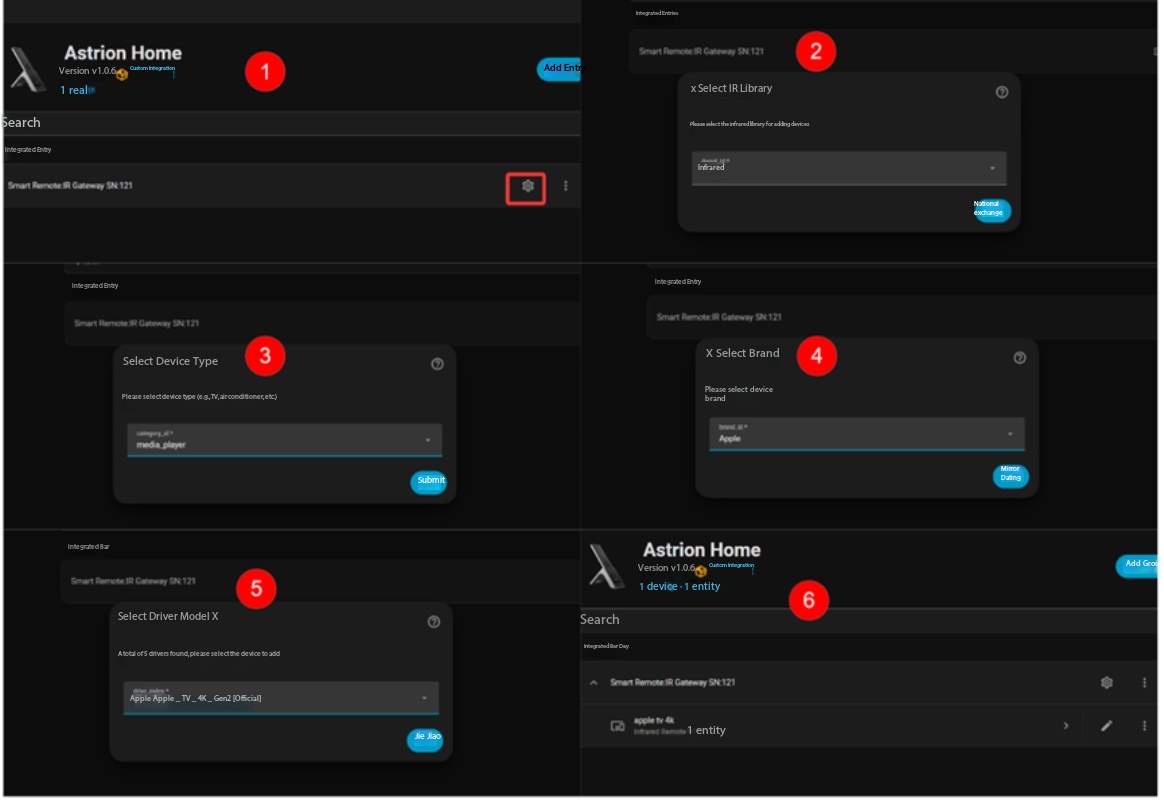
Step 4 – Configure Your Remote

Select the desired remote and click the Settings (:gear:) icon.

Follow the setup wizard to complete configuration.

Current Recommendation

Although the Astrion IR library already supports a wide variety of devices, the TV Card is currently the primary interface optimized for IR control.

For the best experience, we recommend adding:

  • TVs

  • Streaming boxes

  • Media players

Additional IR device categories will be introduced in future updates based on community feedback.

:television: TV Card Optimizations

1. Background Customization (New)

You can now assign custom image URLs to personalize TV Card backgrounds.

2. Improved Terminology

The previous label:

Signal Source

has been replaced with more intuitive naming throughout the interface.


3. Media Entity Binding Support

TV Cards now support direct binding to Home Assistant media entities

How It Works

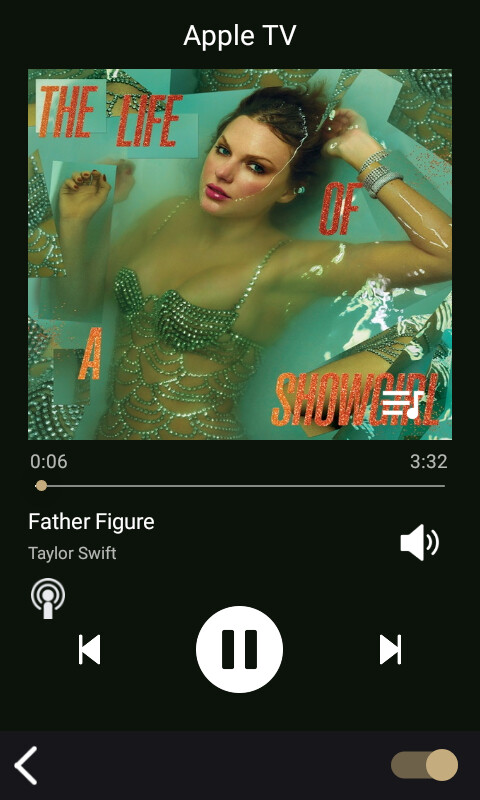
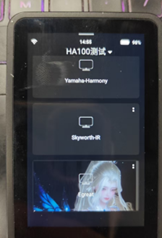
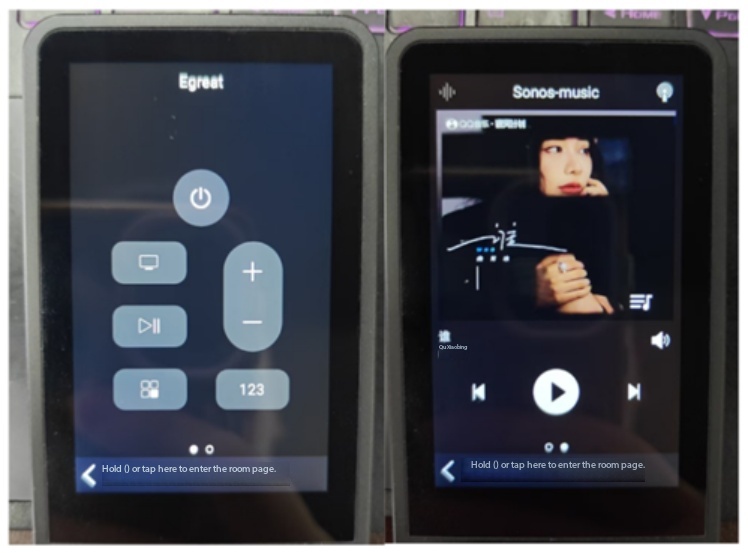
When a media entity is attached to a TV Card, the remote interface automatically creates two swipeable pages:

Page 1 – Device Control

Includes:

  • Power

  • Direction Keys

  • Enter

  • Navigation Controls

Page 2 – Media Playback

Includes:

  • Play / Pause

  • Previous Track

  • Next Track

  • Media Controls

Example: Apple TV

You can bind:

  • Apple TV device entity

  • Apple TV media player entity

to the same TV Card.

Simply swipe between pages to switch from navigation controls to media playback controls without leaving the card.

This provides a smoother and more efficient user experience.

4. Expanded Button Mapping

TV Cards now support button mapping for:

  • Astrion IR

  • Harmony HUB

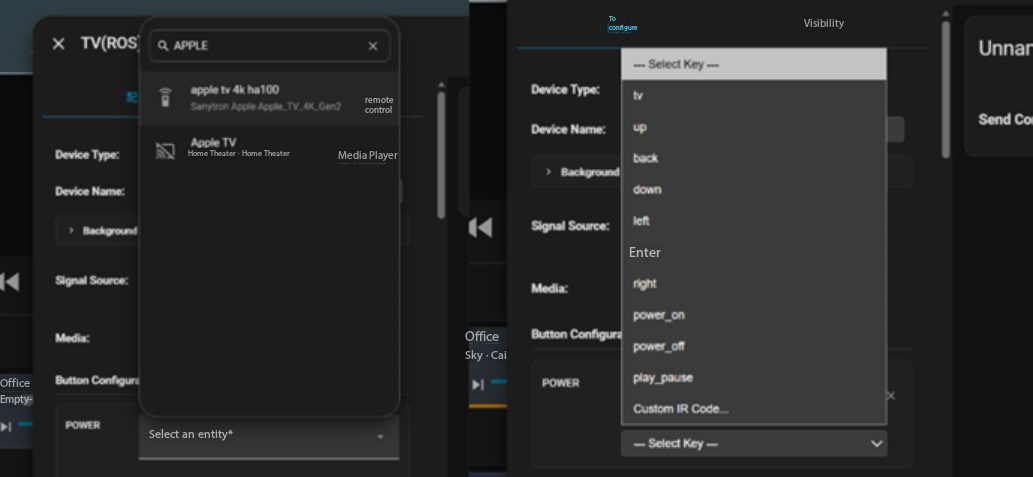
:video_game: Astrion IR Button Mapping

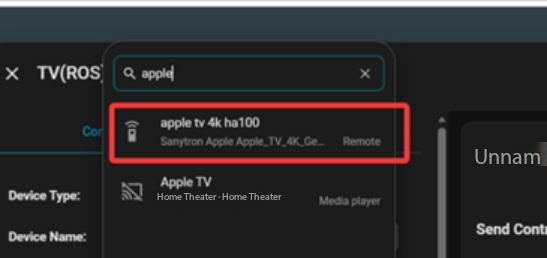
  1. Open TV Card Settings

  2. Navigate to Button Configuration

  3. Search for your Astrion IR entity

  4. Assign commands to the desired buttons

The example below demonstrates Apple TV remote control mapping.

:control_knobs: Harmony HUB Integration

Requirements

  • Harmony HUB added to Home Assistant

  • Harmony HUB online and functioning correctly


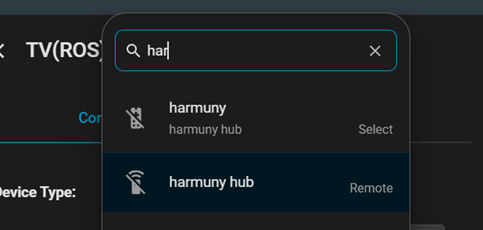
Step 1 – Select Harmony HUB

Open TV Card Settings.

Under Button Mapping, choose:

  • Harmony Remote Mode

  • Harmony Select Mode

depending on your preferred workflow.

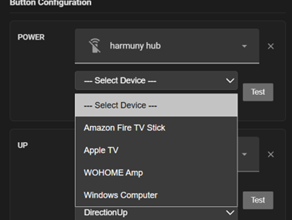
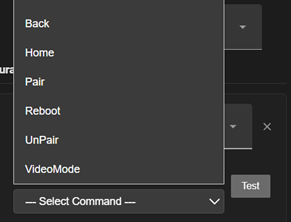
Step 2 – Configure Button Mapping

Step 3 – Refresh Configuration

Save your settings.

Then pull down on the Astrion Smart Remote screen to perform a manual refresh and synchronize the latest configuration.

IV. Video Demonstration

:movie_camera: Setup Tutorial Included

This video focuses on installing the Astrion Home Integration and configuring your first IR device.

A separate feature showcase video covering TV Cards, Harmony HUB integration, media-player binding, and real-world usage scenarios will be released later.

:speech_balloon: Feedback Welcome

This release lays the foundation for broader IR device support within the Astrion ecosystem.

We welcome feature requests, bug reports, and integration ideas from the community as we continue expanding supported device categories and card types in future releases.

@Charles Update does not seem available. Astrion remote has no update notification and cannot find Astrion Home integration.