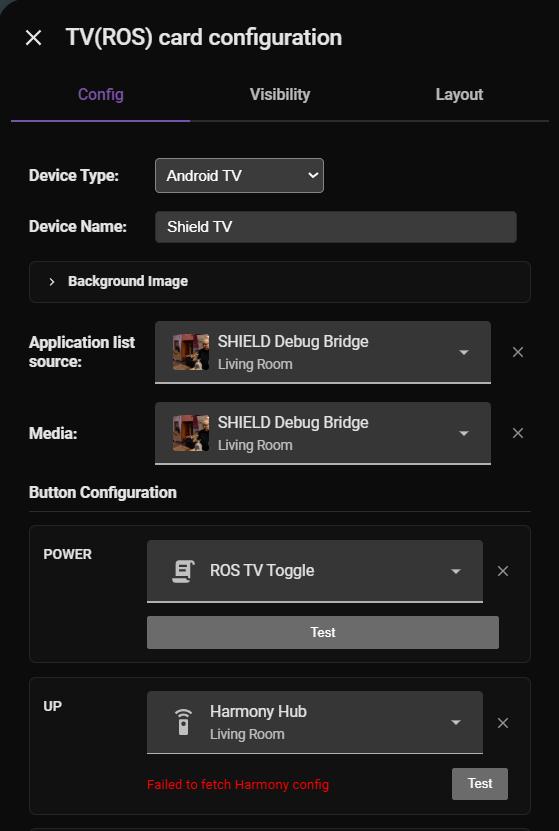
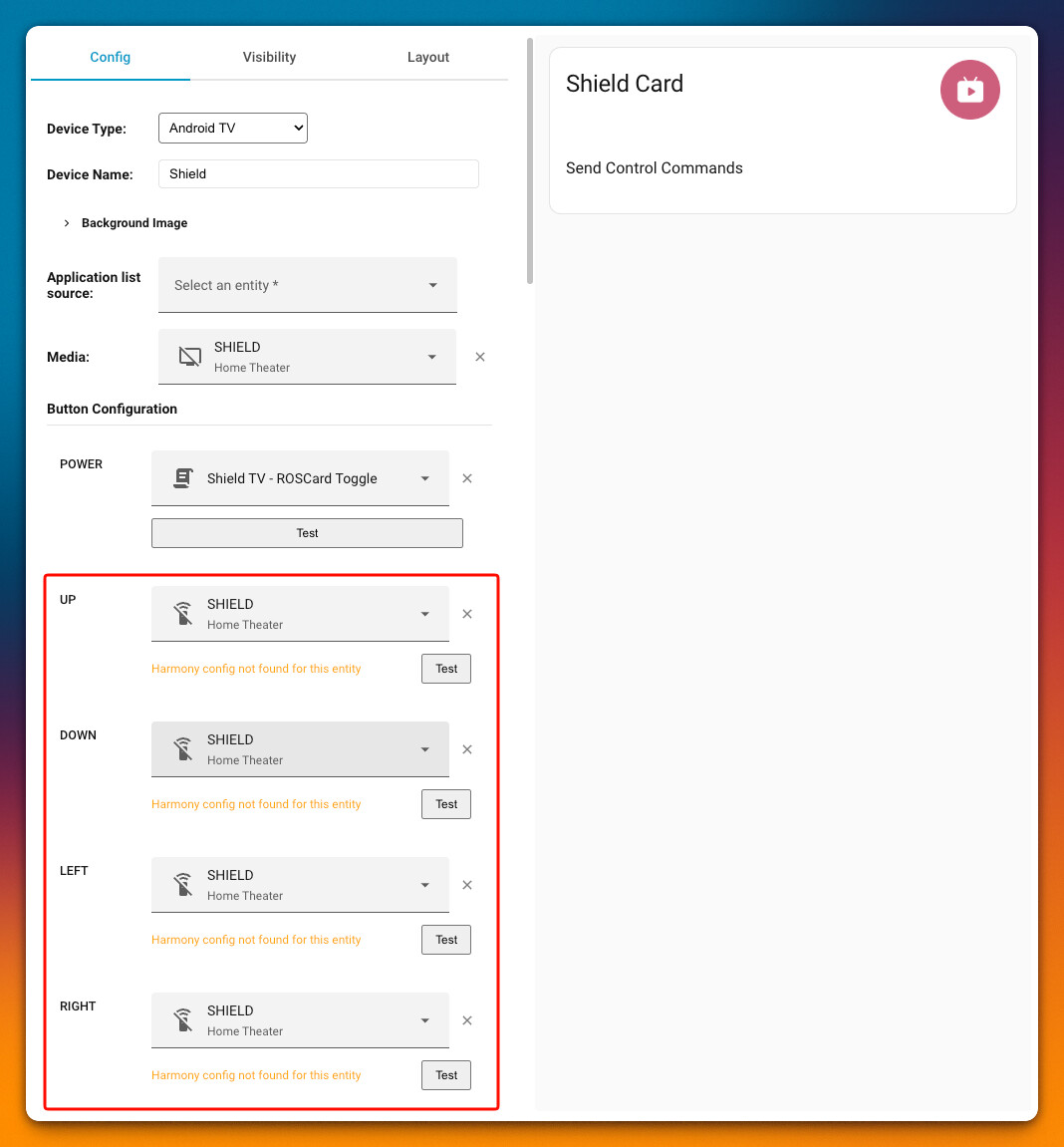
Roscard 1.2.0 has broken interface.
Showing config error in HA dashboard.
See GitHub for full details under issue.
Roscard 1.2.0 has broken interface.
Showing config error in HA dashboard.
See GitHub for full details under issue.
i’ve successfully upgraded to 1.2.0 on two remotes. no config issues.
however, im not seeing the Astrion Integration when searching within Home Assistant. @Charles
I would say they need to give us a HACS link to be able to add the integration.
I’m going to guess this is the Astrion integration HACS repository: GitHub - yyqclhy/Astrion-integration · GitHub
I haven’t added it yet myself; not going to look into setting it up yet. I found it on the same owner of RosCard.
thank you for point out. I posted about the new version early because I wanted everyone to see the content beforehand, which might have made the official release time seem delayed; it appears I forgot to clarify this in the post—my apologies. It looks like everyone is able to update to the new version now.
good idea, I will ask the engineer to add. Please check that I have modified the post.
Hi Joshua,
Thank you for reporting this and for opening a GitHub issue.
We’ve seen your report and are currently investigating the Roscard V1.2.0 configuration error. Since several users have upgraded successfully while others are encountering issues, we’d like to gather a bit more information to identify the root cause.
We’ll continue the investigation through the GitHub issue and provide updates there as soon as we have findings or a fix available.
Thank you for your patience and for helping us improve the release.
but I think you might check if you can try to delete the RosCard and re download?
Hi brasko,
Thank you for confirming your upgrade experience and for the feedback.
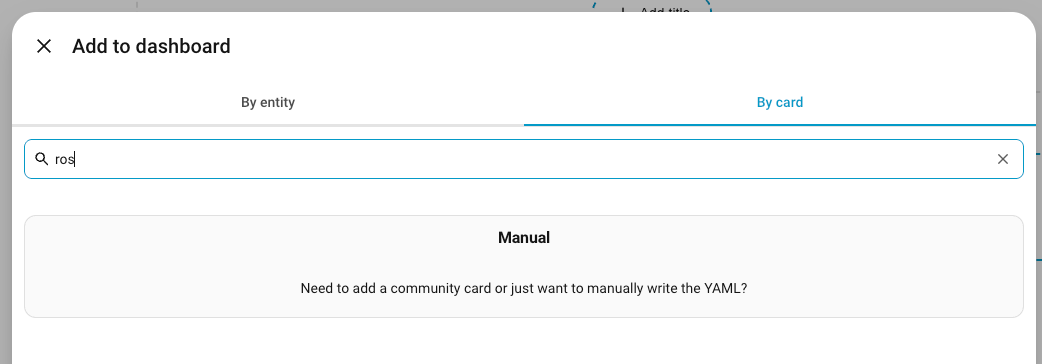
You’re correct—the Astrion Home Integration will not appear in Home Assistant or HACS search by default.
Unlike Roscard, the Astrion Home Integration currently needs to be added as a Custom Repository first.
Repository URL:
https://github.com/yyqclhy/Astrion-integration
To install:
Open HACS
Go to Custom Repositories
Add the repository URL above
Select Integration as the repository type
Install the integration and restart Home Assistant
We’ve updated the release notes to clarify this since several users have asked the same question.
Thank you for bringing it to our attention.
Hi yolk,
Thank you for helping the community and sharing the repository link.
Yes, that’s the correct Astrion Home Integration repository:
https://github.com/yyqclhy/Astrion-integration
The integration is maintained alongside the Astrion Smart Remote ecosystem and is required for the new local IR functionality introduced in Firmware V1.2.0.
We’ve now updated the release notes with the repository URL and installation instructions so future users can find it more easily.
Thanks again for helping other users while we were updating the documentation.
 Quick Clarification Regarding the Astrion Home Integration
We’ve noticed several users searching for the Astrion Home Integration directly within HACS.
The integration is currently not included in the default HACS repository list, so it will not appear in search results until the repository is added manually.
Repository:
https://github.com/yyqclhy/Astrion-integration
When adding the repository in HACS, please select:
Type: Integration
We’ve updated the release notes and setup guide accordingly.
Thank you everyone for the feedback and for helping us improve the documentation. Please continue sharing any issues, suggestions, or setup experiences as we monitor the V1.2.0 rollout.
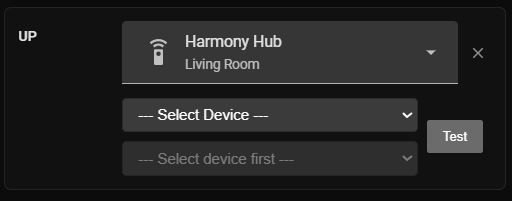
@Charles I am getting “Failed to fetch harmony config” when trying to add a harmony command.
Hunter, thank you for feedback. well, my engineer suggested that the Harmony Hub might be offline. So could you take a screenshot of the remote’s properties and attributes of the Harmony Hub— the ones shown in developer mode—so I can show to them?
Did you try Ctrl+R? Refreshing may help.
@ Charles Harmony Hub working well directly on the remote.
I was able to easily setup control for my Nvida Shield (Navigation) and NAD Amplifier (Volume / Mute). Good if you have a single stereo component used for navigation.
Switching between TV Card and media player views with a swipe works well
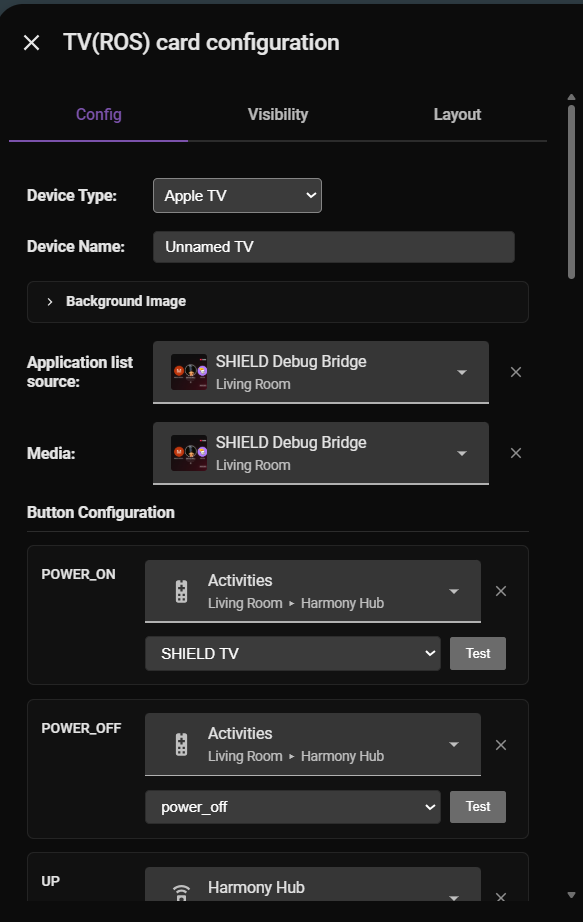
I selected the Apple TV device to give me the separate Power ON and OFF behavior via the select.harmony_activity.
type: custom:aiks-tv-card
uuid: b8fe4e39-1cc4-4e5a-a07a-b5dc8037203b
tv_type: apple_tv
tv_name: Unnamed TV
media_play_entity: media_player.shield_debug_bridge
source: media_player.shield_debug_bridge
background_path: ""
entities:
  - key: POWER_ON
    type: select
    entity_id: select.harmony_hub_activities
    value: SHIELD TV
  - key: POWER_OFF
    type: select
    entity_id: select.harmony_hub_activities
    value: power_off
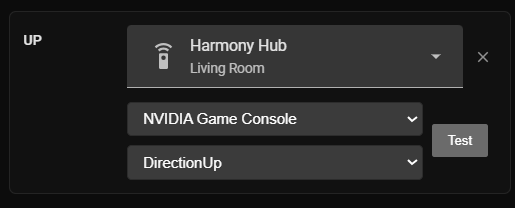
  - key: UP
    type: remote
    entity_id: remote.harmony_hub
    value: DirectionUp
    harmony_device: NVIDIA Game Console
  - key: DOWN
    type: remote
    entity_id: remote.harmony_hub
    value: DirectionDown
    harmony_device: NVIDIA Game Console
  - key: LEFT
    type: remote
    entity_id: remote.harmony_hub
    value: DirectionLeft
    harmony_device: NVIDIA Game Console
  - key: RIGHT
    type: remote
    entity_id: remote.harmony_hub
    value: DirectionRight
    harmony_device: NVIDIA Game Console
  - key: CENTER
    type: remote
    entity_id: remote.harmony_hub
    value: Select
    harmony_device: NVIDIA Game Console
  - key: BACK
    type: remote
    entity_id: remote.harmony_hub
    value: Back
    harmony_device: NVIDIA Game Console
  - key: PLAY
    type: remote
    entity_id: remote.harmony_hub
    value: Play
    harmony_device: NVIDIA Game Console
  - key: PAUSE
    type: remote
    entity_id: remote.harmony_hub
    value: Pause
    harmony_device: NVIDIA Game Console
  - key: VOLUME_UP
    type: remote
    entity_id: remote.harmony_hub
    value: VolumeUp
    harmony_device: NAD AV Receiver
  - key: VOLUME_DOWN
    type: remote
    entity_id: remote.harmony_hub
    value: VolumeDown
    harmony_device: NAD AV Receiver
  - key: MUTE
    type: remote
    entity_id: remote.harmony_hub
    value: Mute
    harmony_device: NAD AV Receiver
  - key: UN_MUTE
    type: remote
    entity_id: remote.harmony_hub
    value: Mute
    harmony_device: NAD AV Receiver
  - key: SETTINGS
    type: ""
    entity_id: ""
    value: ""
  - key: HOME
    type: remote
    entity_id: remote.harmony_hub
    value: Home
    harmony_device: NVIDIA Game Console
  - key: MENU
    type: remote
    entity_id: remote.harmony_hub
    value: Menu
    harmony_device: NVIDIA Game Console
I still need my NodeRED and scripts if trying to switch between multiple components (activities) in my system and having the Navigation switch to those stereo components. Astrion is not Harmony Activity aware.
After updating to 1.2, the android tv card is reporting a Harmony config error while I don’t have a Harmony Hub.
The plugin also crashes after a while, and I can’t find ROSCARD after making some configuration changes.
Great update Charles and Team!
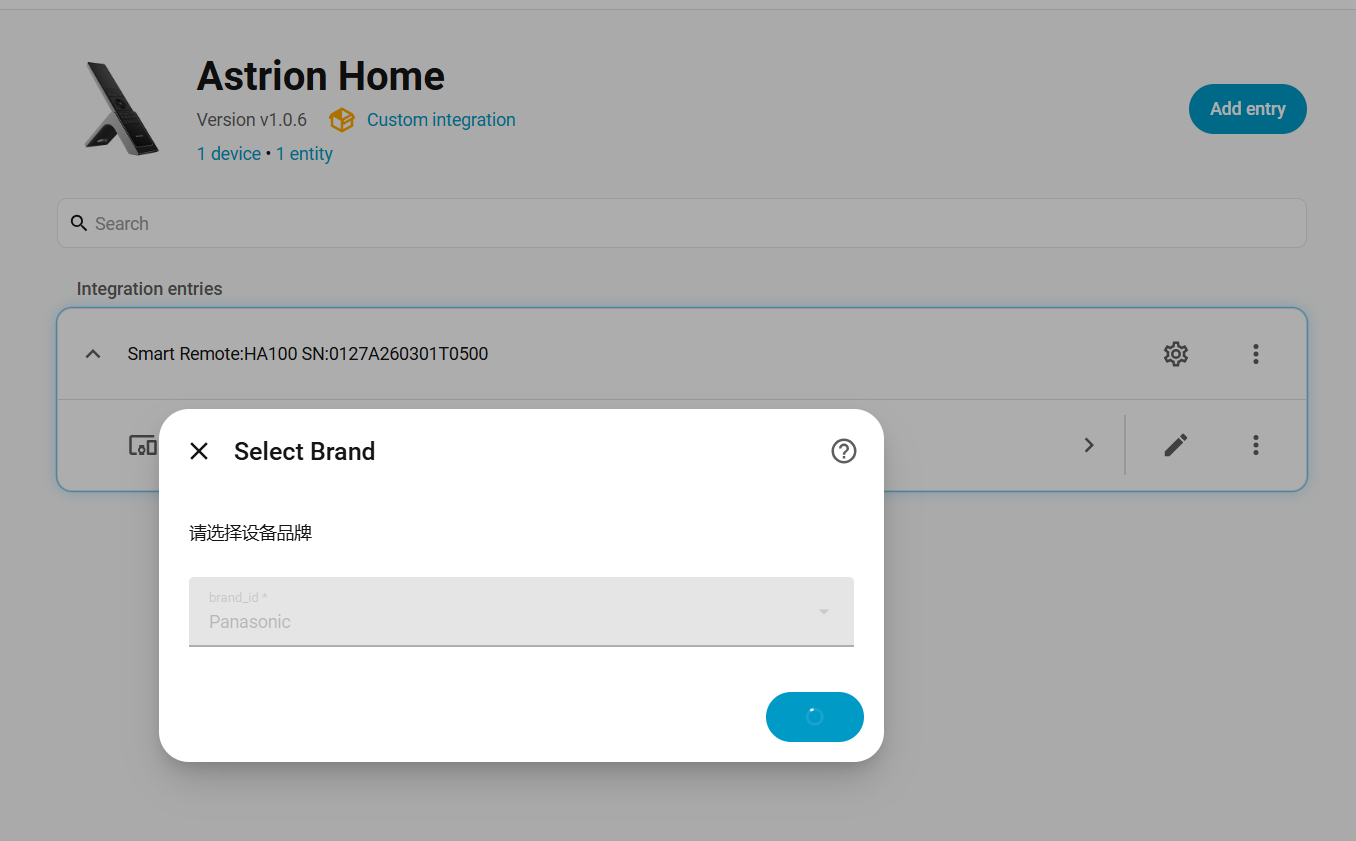
I’m just exploring the new capabilities and for some reason it will not add a Panasonic TV, it just hangs on this screen
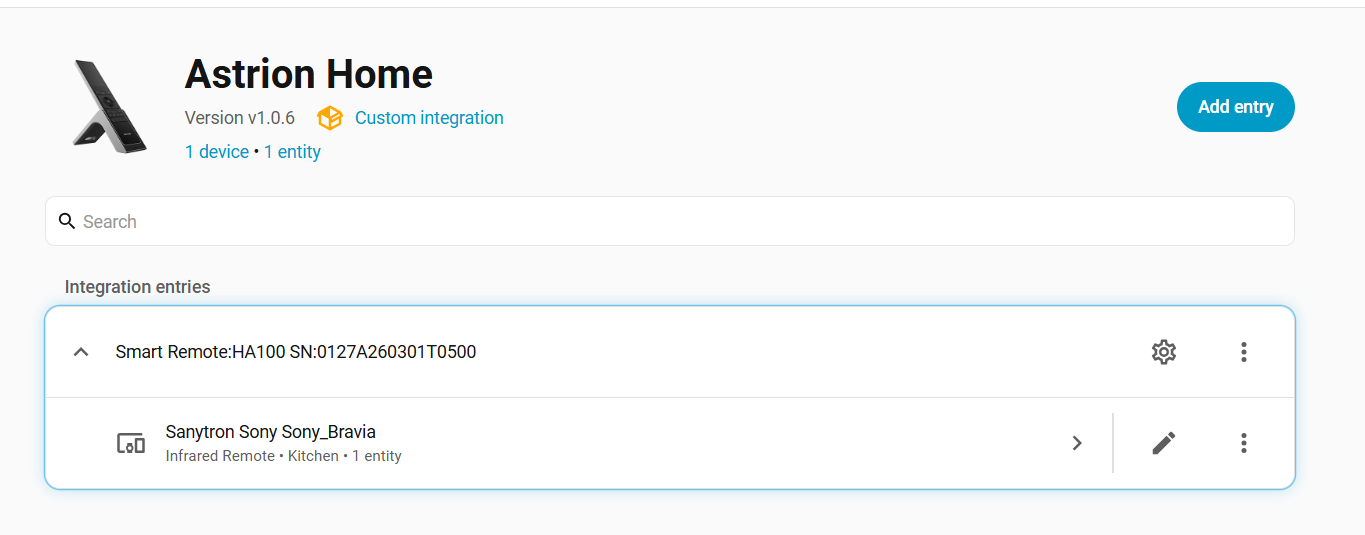
I had no issues adding a Sony Bravia TV.
Has anyone else had similar issues with other brands?
also having this issue. The ADB remote entity still works, but on my TV it’s slower than the native Android TV integration so I’m hoping this will be fixed soon.
any tips for connecting to the remote gateway? im not discovering either of my remotes after adding the Astrion Home integration.
theyre both connecting and able to control devices in HA.