🆕 Latest Astrion Firmware & RosCard Updates

:rocket: Astrion v1.3.0 is Now Available!

We’re happy to announce the release of Astrion v1.3.0, bringing new automation capabilities, Android TV improvements, compatibility enhancements, and numerous bug fixes.

:package: Version Information

Astrion Remote

  • Version: 1.3.0

  • Release Date: June 27, 2026

  • Upgrade: OTA (Online Update)

RosCard

  • Version: 1.3.0

  • Upgrade: Update via HACS

Astrion Home

  • Version: 1.3.0

  • Upgrade: Update via HACS

Important: Some new features require Astrion Remote, RosCard, and Astrion Home to all be updated to v1.3.0.


:sparkles: New Features

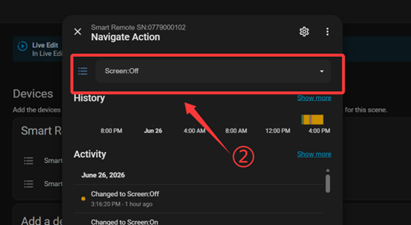
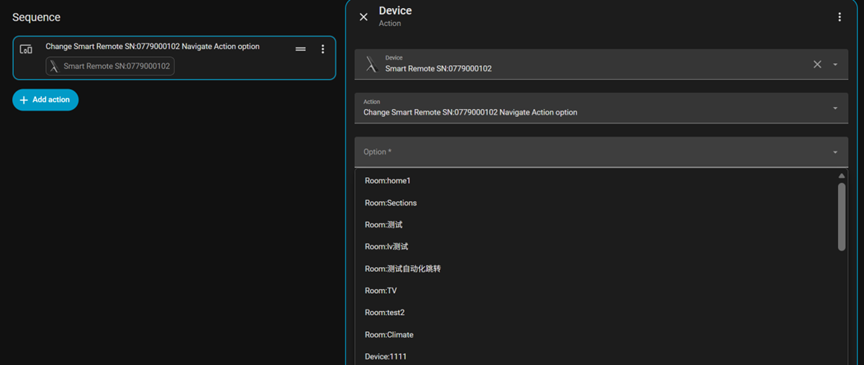
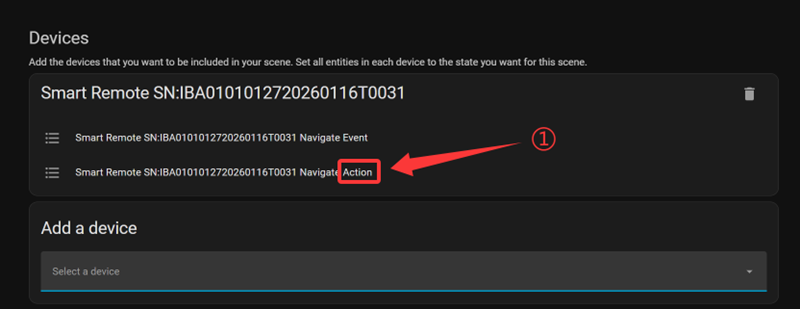
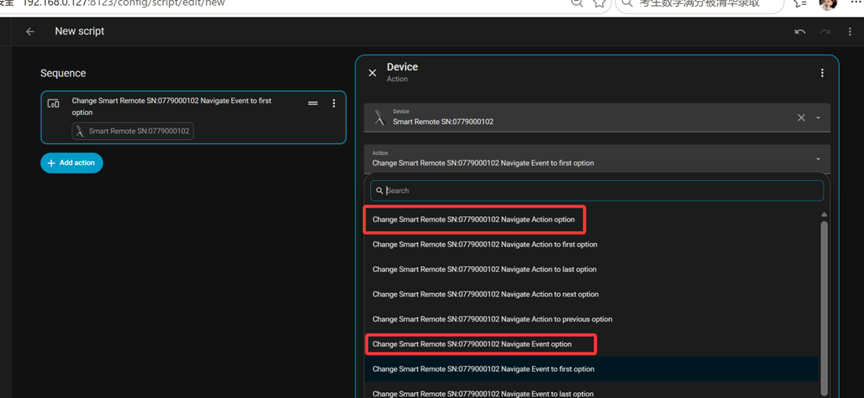
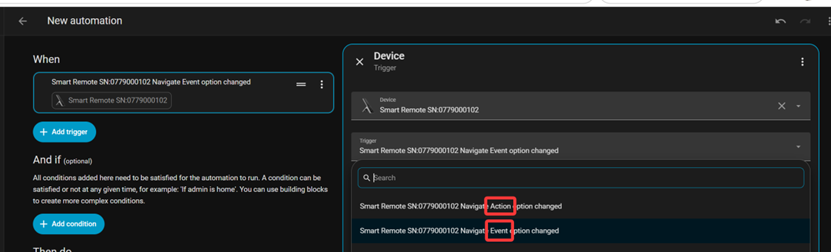
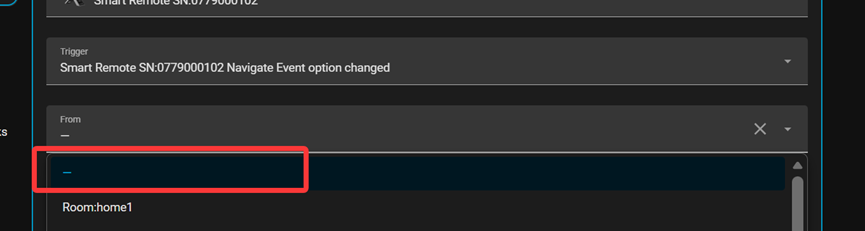
:bullseye: Dashboard & Device Navigation as Actions

One of the biggest additions in this release is the ability to use dashboard pages and device detail pages as automation targets.
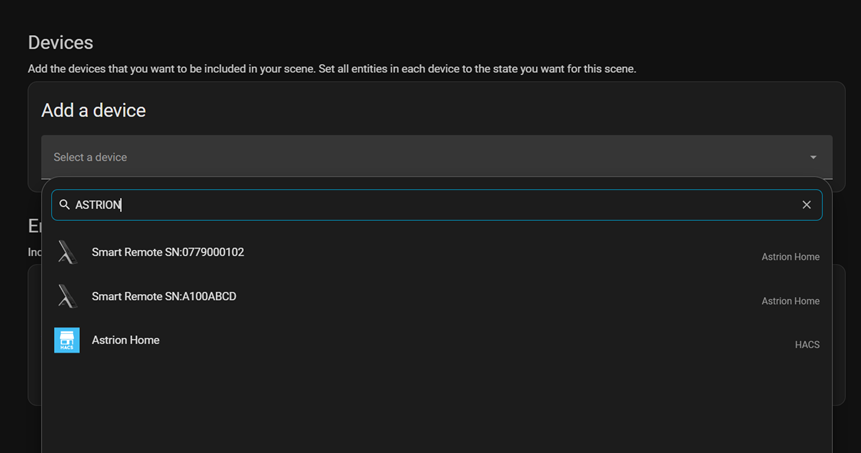
You can now trigger page navigation directly from:

  • :white_check_mark: Home Assistant Automations

  • :white_check_mark: Scripts

  • :white_check_mark: Scenes

This enables much richer workflows, for example:
  • “Movie Time” scene → Turn on TV → Dim lights → Switch Astrion to your TV control page

  • “Good Night” → Lock doors → Turn off lights → Automatically display the Security dashboard

  • Create activity-based experiences similar to Harmony or other high-end universal remotes.

:television: Android TV Card Improvements

Android TV cards now support dedicated Power On / Power Off actions.
Behavior:

  • Configure only one command → the same command is always sent.

  • Configure both commands → Astrion automatically alternates between Power On and Power Off.


:control_knobs: New Signal Source “Select” Support

Signal Source now supports Select entities.

This makes integrations much more flexible, including scenarios such as:


:high_voltage: Improvements

:thermometer: Air Conditioner Compatibility

Improved compatibility with HVAC devices by:
  • fixing temperature control on certain air conditioners

  • automatically using a default step size of 1°C when the device doesn’t specify one

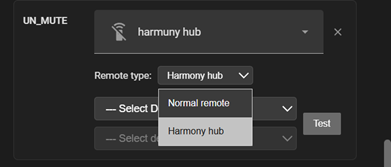
:video_game: Smarter Remote Entity Detection

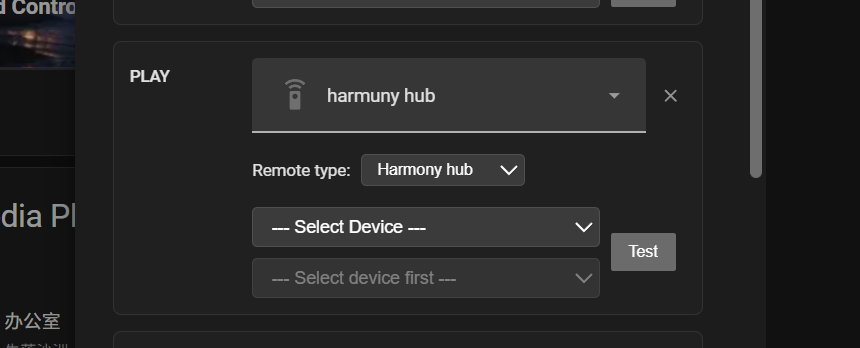
Astrion now automatically detects the appropriate remote entity type.

Improvements include:
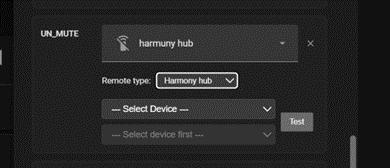
  • better compatibility with non-Harmony remotes

  • improved Harmony Hub detection

  • manual selection remains available whenever needed


:globe_showing_europe_africa: Better English Localization

Several language issues have been corrected, including:

  • improved English translations

  • removal of Chinese labels appearing in English environments

  • more consistent interface terminology


:hammer_and_wrench: For Advanced Users

The new navigation actions can be configured directly inside Home Assistant:

  • Automations

  • Scripts

  • Scenes

This opens the door to creating much more dynamic, activity-based remote experiences where your smart home and Astrion interface stay perfectly synchronized.
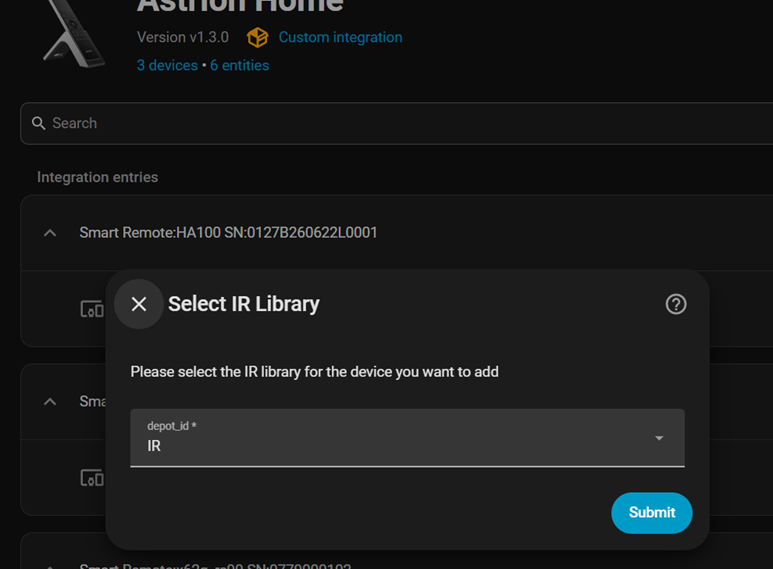

Thank you to everyone in the community who continues to share feedback, bug reports, and feature ideas. Many of the improvements in this release are a direct result of your suggestions.

As always, we’d love to hear what you think after upgrading!

Happy automating! :rocket:
Hi Team,

A couple of bugs/feature requests;

  • popup pages should disappear when button pressed again. Is does with my AC button (linked to device) but doesn’t with lighting button (linked to a dashboard as popup)
  • Music device should be able to be linked to media device. At moment can only be linked to dashboard.

Thanks

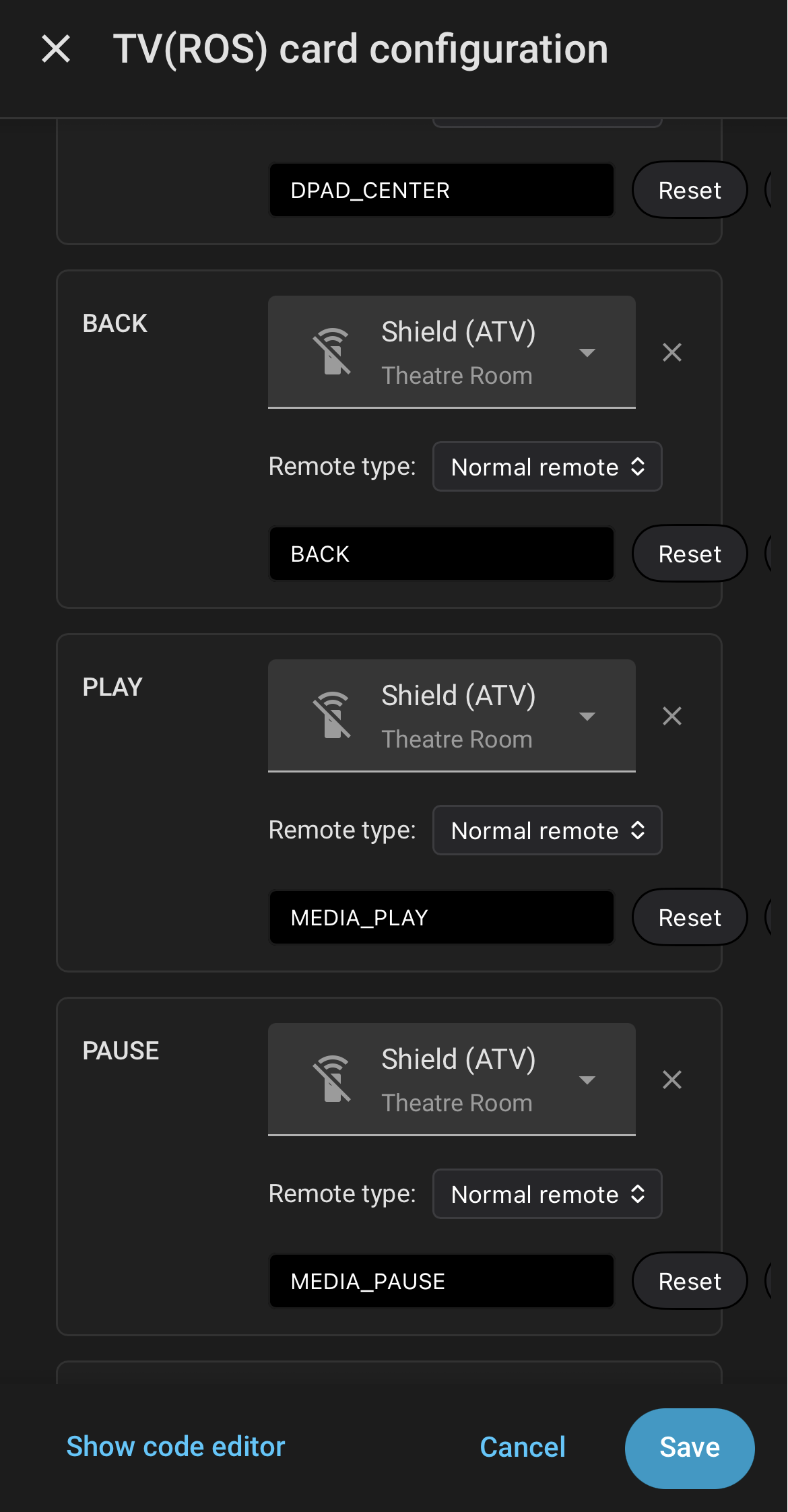
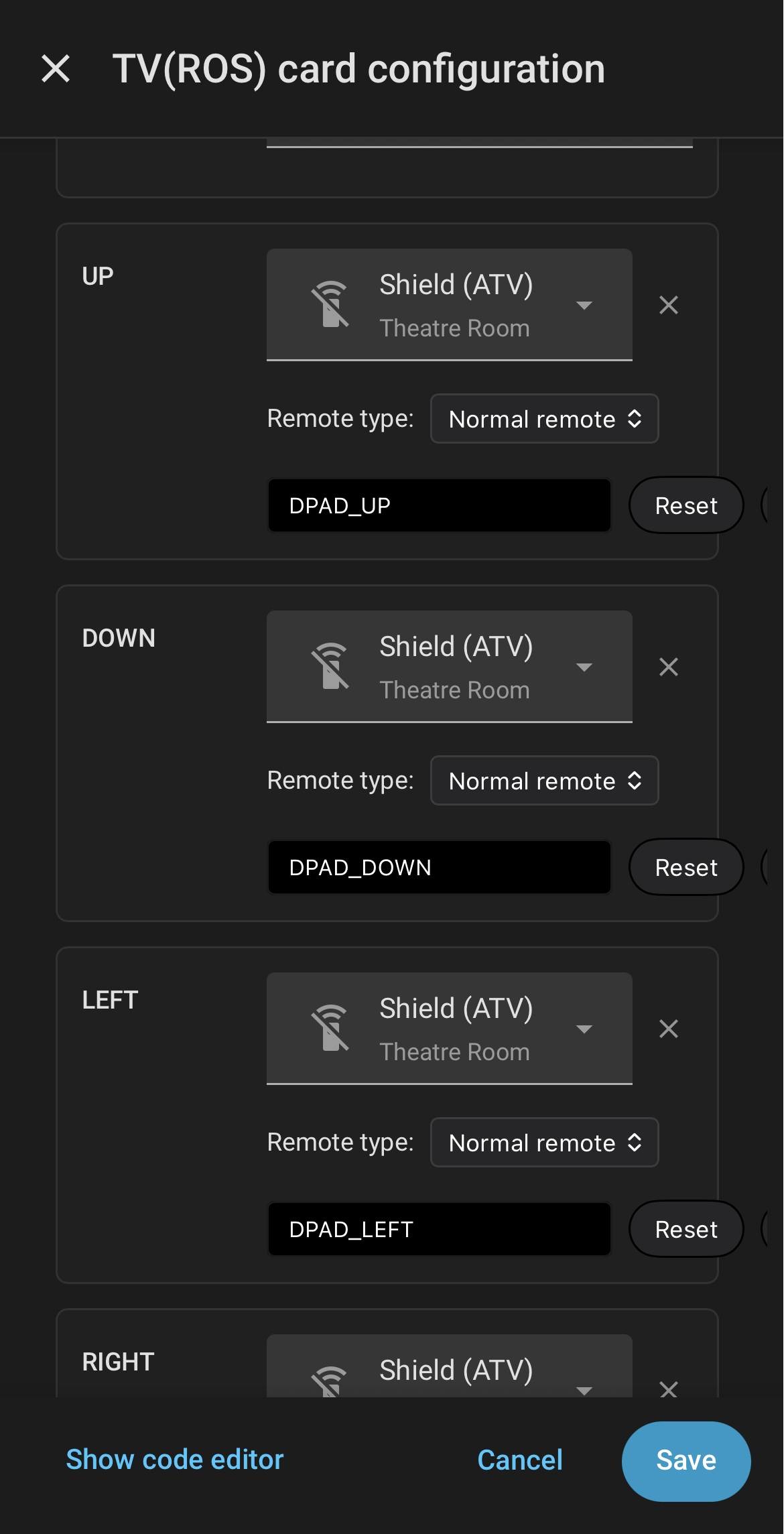
Shield TV remotes on the TV card still don’t appear to work like they did a month ago. Seeing errors like:

"Failed to perform the action remote/send_command.

Enum RemoteKeyCode has no value defined for name

‘KEYCODE_PAUSE’"

when trying to send commands via the Shield remote entity

@stealthwang - Are you using the Android TV integration?

I have it working on shield.

these are all different codes (eg. MEDIA_PAUSE vs PAUSE) then what is used on my configuration, I had been trying to use the default codes from the card

I will customize my config to use different codes.

Latest update is looking very good, some nice functionality improvements that allow me to clean up some of my own scripts.

one thing that is starting to get to me though is the sleep/wake functionality.

the remote doesn’t wake immediately when moved and doesn’t remember the button pressed when sleeping, so I find myself pressing a button like the Dpad or Volume without looking at the remote, finding that it was asleep, then having to press the button again to perform the function.

Is the hardware capable of a partial sleep that only blanks the screen, but leaves the system running for button presses, then only goes into regular sleep after an extended period. Or is it capable of buffering the key that was pressed to wake up, then sending the command when the wake up is complete.

Hi,

I have logged the bug regarding “the key binding dashboard cannot be collapsed when pressed again” and have reported it to the development team.

As for the music key not being able to bind to a music device, this is because we initially defined it as a scene key, so it currently does not support binding to music devices. I will record this in our feature requests for future evaluation.

In the meantime, if you need to quickly navigate to the media page, we recommend using the four customizable buttons at the bottom in the current version.

Hi, we have received your feedback and have forwarded it to our R&D team.

In addition, if you’d like to pick up the remote and use it directly, we recommend disabling the “Screen Saver” function. This way, the remote will go straight to the home page upon wake-up.

To disable it, go to: Settings → Display Settings → Lock Settings → Screen Lock → toggle off "Enable Lock

Hello,

I have reported your issue to the development team. We have confirmed that the error you encountered is an error originating from Home Assistant itself.

To further investigate why your device cannot be controlled properly, we will need you to provide us with the following additional information:

¡Please provide us with all the relevant data from your TV configuration.

¡Please take a screenshot of the specific key configuration that triggered the error, as shown in the example image below.

¡Additionally, we suggest that you try entering the following keycode value directly into the key configuration that triggered the error, to see if it works properly: KEYCODE_MEDIA_PAUSE.

We apologize for any inconvenience this may have caused you.

I tried and still the remote is not discoverable on HA. Even with the updates to 1.3.0

My network is slightly large and has IPs from 192.168.1.x all the way to 4.x
HA is on 2.x and so is the remote. Do presume it might be something to do with subnet?

I had to make my remote user an admin account

Hi,

We generally recommend that you create a Long-Lived Access Token under your administrator account. This way, you don’t need to grant administrator privileges to your remote user. Please rest assured that we will never access your home data.

We sincerely apologize for the issue with the remote control not being able to pair. We suggest that you first clear your browser’s “Cached images and files” cache, and then proceed with the relevant operations. The steps after clearing the cache are as follows:

1、Restart the remote control.
2、
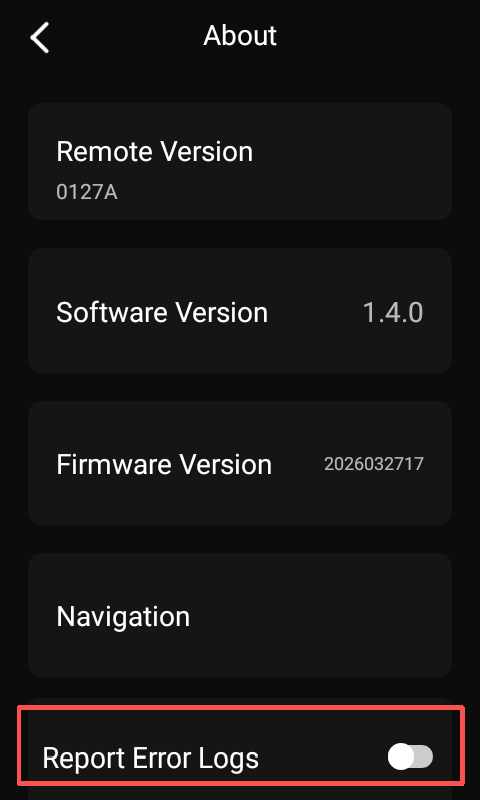
Turn on the log upload switch on the remote control (path: Settings :right_arrow: About :right_arrow: Log Upload Switch).

3、Enable system log prompts in Home Assistant.

After completing the above steps, try pairing again and check whether Home Assistant can discover the remote control and proceed with the pairing process.

If the pairing still fails but Home Assistant displays any prompt messages, please provide us with both the Home Assistant logs and the serial number of the Astrion remote control (found under Settings :right_arrow: About).

I know this is a great forum for collecting feedback, but I just wanted to thank the devs for the hard work on this update. I’ve had this remote for a while now but it’s finally at the point where the rest of my family can use it.

It actually outperforms the old Logitech Harmony remote it was designed to replace now that I can trigger automations based on remote navigation and use IR directly from the remote.

Hi Jamie_McInally, thank you so much for your kind feedback! We are truly, truly overjoyed to receive it!!!

We would also like to thank everyone for your suggestions and patience. It is because of your support that our remote control has evolved step by step from its basic initial features to where it is today.

A heartfelt thank you as well to every member of our community — you are what makes this community a warm and welcoming family. Astrion has always been built on the spirit of community co-creation, and it belongs to all of you who have contributed to it.

We will continue to work even harder from here!

--Warmest regards and gratitude from the Sanytron Team

Can I flash firmware over USB, I disabled com.aiks.HaRemote and the remote is stuck in a bootloop.

Thanks

Hi Lim,

Don’t worry—we’re here to help you out. I’ve already recorded a video showing how to enter Safe Mode and passed it to my colleague. Once he uploads it, I’ll share the link with you, so you won’t need to flash the firmware right away. If that method still doesn’t work, we’ll provide you with the firmware flashing instructions as well.

Please don’t hesitate—we’ve got your back.

Awesome! Thanks so much for that :slight_smile:

Hello,
I’m unable to connect the Home Assistant integration. I keep getting the error “No Gateway found.” I’ve already tried restarting the remote control and Home Assistant. Nothing has changed. I have a valid login. I can also create dashboards, and the lighting controls work as well.

What can i do to fix?

Hi Chris, welcome to our community! Feel free to share any suggestions or questions you have with us.

Regarding the integration accessibility issue, here are the steps we recommend:

  1. Restart your remote control.

  2. Go to Home Assistant and check the system logs (navigate to the Astrion Home integration and view the logs there).

  3. Also, enable the log upload button on the APK, then try pairing again. (You can find log upload under Settings :right_arrow: About :right_arrow: Log Upload.)

  4. Send us the following information so our engineers can review the logs:

    • Home Assistant integration version number
    • Remote control firmware version number
    • Device ID (found under Settings :right_arrow: About)

We’ll look into it as soon as possible.