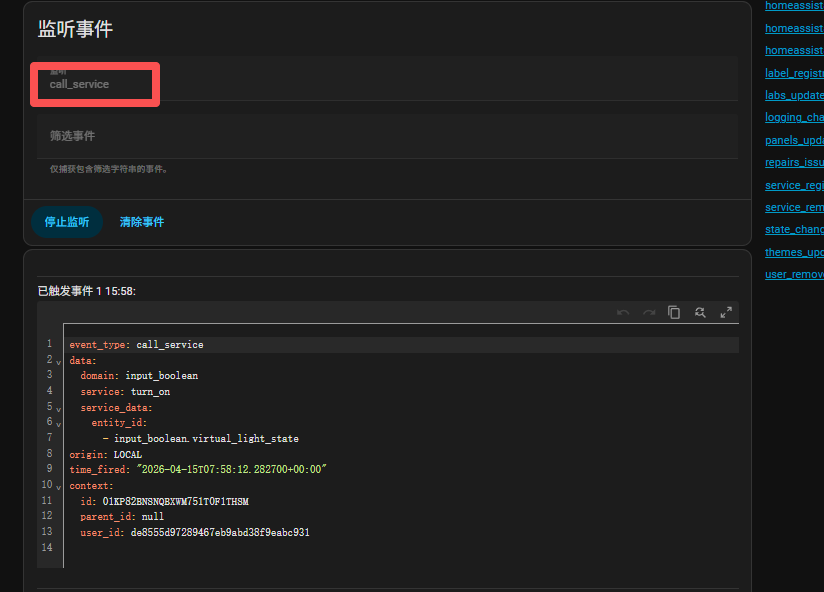
Hi Charles - yes, that works now.
1 Like
Hello,
I have 2 bugs:
Govee light does not have rgb control in light roscard
supported_color_modes:
- color_temp
- rgb
For Tado smart thermostat i cannot change temperature with +/-
hvac_modes:
- “off”
- heat
min_temp: 5
max_temp: 25
current_temperature: 24.6
temperature: 23.5
current_humidity: 36
hvac_action: idle
friendly_name: Incalzire
supported_features: 385
RosCard: v1.1.1
Remote: 1.1.1
HA: 2026.3.1
Thank you!
Thank you for the detailed report — this is very helpful 
I’ll go through both points:
 Govee Light – Missing RGB Control
From what you shared:
supported_color_modes:
- color_temp
- rgb
In theory, RosCard should display RGB controls when rgb is available.
A couple of things to check:
• Is the light currently in color_temp mode?
→ Some integrations (including Govee) report multiple modes, but only expose controls based on the active mode.
• Try switching the light to color mode in Home Assistant first, then refresh RosCard
• Also check if the entity supports:
hs_color / rgb_color
because RosCard may rely on those attributes for rendering the color picker
 If possible, could you share the full Developer Tools → States attributes for that light? That will help us confirm if it’s a rendering issue or an entity capability mismatch.
 Tado Thermostat – +/- Not Working
Your entity shows:
hvac_modes: off, heat
min_temp: 5
max_temp: 25
temperature: 23.5
This means the thermostat should support temperature adjustment, so the +/- buttons should work.
A few things to check:
 1. HVAC Mode
Make sure the thermostat is in:
heat
If it’s off, temperature changes will not apply.
2. Service Call Test
Please test this in Developer Tools → Services:
Service:
climate.set_temperature
Target:
climate.your_entity
Data:
temperature: 24
If this works, then the issue is likely RosCard mapping, not the device.
3. Step / Precision Issue
Some integrations (like Tado) require specific step values (e.g. 0.5°C).
If RosCard is sending integer steps only, it may be ignored.
 Likely Cause
Based on your setup, both issues are likely related to:
• Entity attribute interpretation in RosCard v1.1.1
• Not a Home Assistant or device-side problem
 Next Step
We’ll review:
• RGB rendering logic for lights with mixed modes
• Climate step handling for integrations like Tado
If you can share:
• Govee light full attributes
• Your climate entity ID
I can help you verify and suggest a temporary workaround if needed.
Thanks again for reporting this — this kind of feedback directly helps improve the next RosCard version 
TV ROS Card not showing on the remote? I just tried adding scripts for volume and on refreshing the remote (also power cycling) the card no longer shows on the remote.
Also tried setting up a fresh TV ROS Card, not displaying on the remote.
Hello,
For Govee:
min_color_temp_kelvin: 2000
max_color_temp_kelvin: 9009
effect_list: Action, Asleep, Aurora, Bloom, Breathe, Candlelight, Colorful, Comedies, Crossing, Desert B, Documentaries, Drumbeat, Energetic, Fire, Fright, Glitter, Literary, Meteor, Movie, Party, Rainbow, Reading, Romance, Romantic, Sand Grains, Science Fiction, Seasonal, Siren, Snow flake, Stream, Suspense, Tunnel, War Films, White Light
supported_color_modes: color_temp, rgb
icon: mdi:television-ambient-light
supported_features: 44
friendly_name: H6046_1379
effect: null
color_mode: color_temp
brightness: 255
color_temp_kelvin: 2000
hs_color: 30.601, 94.547
rgb_color: 255, 137, 14
xy_color: 0.598, 0.383
Only when i change to rgb works, you are right, if i am in temp_mode i cannot change.
For Tado:
climate.tado_smart_thermostat_su3880471808
hvac_modes: off, heat
min_temp: 5
max_temp: 25
current_temperature: 23.3
temperature: 23
current_humidity: 41
hvac_action: heating
friendly_name: Incalzire
supported_features: 385
Thank you!
Hi @Chykan_Hunter,
Thanks for reporting this — based on what you described, this usually points to a sync / configuration issue rather than the TV Card itself being broken
 Most Common Causes
1. Card not syncing properly
Sometimes the card is created in HA but not pushed correctly to the remote.
Try:
-
Re-enter Edit Mode
-
Slightly move/reorder the card
-
Click Save
-
Then Sync to Astrion again
This often forces a full refresh.
2. Missing or invalid required fields in TV Card
The TV Card is stricter than other cards — if something is incomplete, it may not render at all.
Please double-check:
-
uuidis present -
media_play_entityis valid -
At least one valid key mapping exists (with correct
entity_id)
Even a small issue (like an empty value or wrong entity type) can cause the card to not show.
 Quick Test (Important)
Create a very minimal TV Card, for example:
type: custom:aiks-tv-card
uuid: test-tv-card-001
tv_name: Test TV
media_play_entity: media_player.your_tv

entities:
  - key: POWER
    type: remote
    entity_id: remote.your_remote
    value: POWER
If this shows up:
- Then the issue is likely in your original config (scripts / mappings)
 About Using Scripts for Volume
Since you mentioned adding scripts for volume:
-
Make sure:
-
type: scriptis correctly set -
entity_idpoints to a valid script
-
-
Avoid leaving
valueempty when using script bindings
Misconfigured keys can sometimes prevent the card from rendering.
 3. Known Sync Quirk
Occasionally the remote UI may not refresh correctly even after sync.
Try:
-
Reordering cards
-
Removing and re-adding the card
-
Sync again
This has resolved similar cases.
 Summary
-
Most likely: sync issue or invalid config
-
TV Card will not display if config is incomplete
-
Minimal test card is the fastest way to isolate the issue
If you can share your current TV Card YAML, I can help pinpoint exactly what’s causing it
1 Like
Thanks a lot for sharing the detailed attributes — this really helps
 1. Govee Light (RGB vs Color Temp)
What you’re seeing is expected behavior based on how the light reports its state:
-
When:
color_mode: color_temp The light is in white temperature mode, so:-
RGB controls are not active
-
Only color temperature should be adjustable
-
-
When:
color_mode: rgb RGB control becomes available
 Why it behaves this way
Even though your device supports both:
supported_color_modes: color_temp, rgb
Home Assistant (and therefore RosCard) will only allow control of the active mode, not both at the same time.
Recommendation
-
Switch the light to RGB mode when you want color control
-
Stay in color_temp mode for white temperature adjustments
This is a limitation of the HA light model rather than the card itself.
 2. Tado Thermostat (+/- not working)
Your entity looks mostly standard:
hvac_modes: off, heat
min_temp: 5
max_temp: 25
temperature: 23
supported_features: 385
So in theory, temperature adjustment should work
Likely Cause
The issue is likely due to how the AC (ROS) Card currently handles:
-
Limited
hvac_modes(onlyheat, noauto/cool) -
Or how the integration processes
set_temperature
Some integrations (including Tado) behave slightly differently from “generic” climate devices.
Quick Test
Please try in Developer Tools → Services:
service: climate.set_temperature
target:
  entity_id: climate.tado_smart_thermostat_su3880471808
data:
  temperature: 24
If this works:
- Then the issue is card compatibility, not the device
Workaround
You can use scripts like:
alias: Increase Temperature
sequence:
  - service: climate.set_temperature
    target:
      entity_id: climate.tado_smart_thermostat_su3880471808
    data:
      temperature: "{{ state_attr('climate.tado_smart_thermostat_su3880471808','temperature') + 1 }}"
Then bind to buttons
Summary
Govee:
-
 Works as designed
 -
 RGB only works when in RGB mode
Tado:
-
Entity looks correct
-
Likely compatibility issue with AC Card
-
Scripts are a solid workaround
We’ll continue improving compatibility for both light modes and climate integrations in future updates.
Really appreciate the detailed feedback — this helps us improve a lot
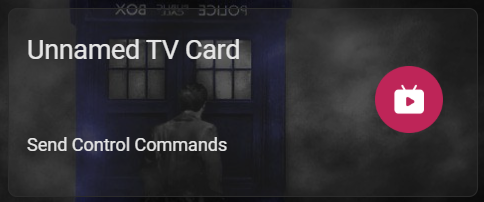
Minimal YAML not working
type: custom:aiks-tv-card
uuid: 2b144720-0854-4230-9a53-4dcce9016678
tv_type: android_tv
tv_name: Unnamed TV
media_play_entity: media_player.shield_debug_bridge
entities:
  - key: POWER
    type: remote
    entity_id: remote.shield_debug_bridge_remote
    value: POWER
  - key: UP
    type: ""
    entity_id: ""
    value: ""
  - key: DOWN
    type: ""
    entity_id: ""
    value: ""
  - key: LEFT
    type: ""
    entity_id: ""
    value: ""
  - key: RIGHT
    type: ""
    entity_id: ""
    value: ""
  - key: CENTER
    type: ""
    entity_id: ""
    value: ""
  - key: BACK
    type: ""
    entity_id: ""
    value: ""
  - key: PLAY
    type: ""
    entity_id: ""
    value: ""
  - key: PAUSE
    type: ""
    entity_id: ""
    value: ""
  - key: VOLUME_UP
    type: ""
    entity_id: ""
    value: ""
  - key: VOLUME_DOWN
    type: ""
    entity_id: ""
    value: ""
  - key: MUTE
    type: ""
    entity_id: ""
    value: ""
  - key: UN_MUTE
    type: ""
    entity_id: ""
    value: ""
  - key: SETTINGS
    type: ""
    entity_id: ""
    value: ""
  - key: HOME
    type: ""
    entity_id: ""
    value: ""
  - key: MENU
    type: ""
    entity_id: ""
    value: ""
  - key: CHANNEL_UP
    type: ""
    entity_id: ""
    value: ""
  - key: CHANNEL_DOWN
    type: ""
    entity_id: ""
    value: ""
  - key: NUM_0
    type: ""
    entity_id: ""
    value: ""
  - key: NUM_1
    type: ""
    entity_id: ""
    value: ""
  - key: NUM_2
    type: ""
    entity_id: ""
    value: ""
  - key: NUM_3
    type: ""
    entity_id: ""
    value: ""
  - key: NUM_4
    type: ""
    entity_id: ""
    value: ""
  - key: NUM_5
    type: ""
    entity_id: ""
    value: ""
  - key: NUM_6
    type: ""
    entity_id: ""
    value: ""
  - key: NUM_7
    type: ""
    entity_id: ""
    value: ""
  - key: NUM_8
    type: ""
    entity_id: ""
    value: ""
  - key: NUM_9
    type: ""
    entity_id: ""
    value: ""
  - key: DELETE
    type: ""
    entity_id: ""
    value: ""
  - key: KEY_A
    type: ""
    entity_id: ""
    value: ""
  - key: KEY_B
    type: ""
    entity_id: ""
    value: ""
  - key: KEY_C
    type: ""
    entity_id: ""
    value: ""
ORIGINAL CARD that does not update on the remote.
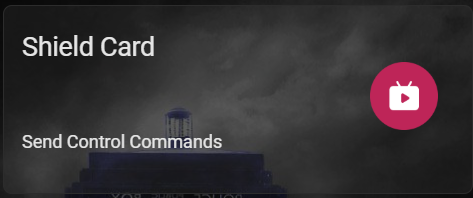
Testing the volume controls from the edit page works
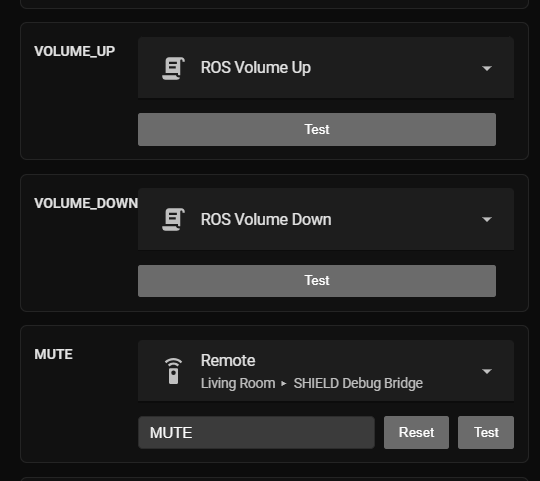
type: custom:aiks-tv-card
uuid: de5f1989-801c-4e33-aaf7-25ef71c7e864
tv_type: android_tv
tv_name: Shield
media_play_entity: media_player.shield
entities:
  - key: POWER
    type: select
    entity_id: select.harmony_hub_activities
    value: power_off
  - key: UP
    type: remote
    entity_id: remote.shield_debug_bridge_remote
    value: UP
  - key: DOWN
    type: remote
    entity_id: remote.shield_debug_bridge_remote
    value: DOWN
  - key: LEFT
    type: remote
    entity_id: remote.shield_debug_bridge_remote
    value: LEFT
  - key: RIGHT
    type: remote
    entity_id: remote.shield_debug_bridge_remote
    value: RIGHT
  - key: CENTER
    type: remote
    entity_id: remote.shield_debug_bridge_remote
    value: CENTER
  - key: BACK
    type: remote
    entity_id: remote.shield_debug_bridge_remote
    value: BACK
  - key: PLAY
    type: remote
    entity_id: remote.shield_debug_bridge_remote
    value: PLAY
  - key: PAUSE
    type: remote
    entity_id: remote.shield_debug_bridge_remote
    value: PAUSE
  - key: VOLUME_UP
    type: script
    entity_id: script.ros_volume_up
    value: VOLUME_UP
  - key: VOLUME_DOWN
    type: script
    entity_id: script.ros_volume_down
    value: VOLUME_DOWN
  - key: MUTE
    type: remote
    entity_id: remote.shield_debug_bridge_remote
    value: MUTE
  - key: UN_MUTE
    type: remote
    entity_id: remote.shield_debug_bridge_remote
    value: UNMUTE
  - key: SETTINGS
    type: remote
    entity_id: remote.shield_debug_bridge_remote
    value: SETTINGS
  - key: HOME
    type: remote
    entity_id: remote.shield_debug_bridge_remote
    value: HOME
  - key: MENU
    type: remote
    entity_id: remote.shield_debug_bridge_remote
    value: MENU
  - key: CHANNEL_UP
    type: ""
    entity_id: ""
    value: ""
  - key: CHANNEL_DOWN
    type: ""
    entity_id: ""
    value: ""
  - key: NUM_0
    type: ""
    entity_id: ""
    value: ""
  - key: NUM_1
    type: ""
    entity_id: ""
    value: ""
  - key: NUM_2
    type: ""
    entity_id: ""
    value: ""
  - key: NUM_3
    type: ""
    entity_id: ""
    value: ""
  - key: NUM_4
    type: ""
    entity_id: ""
    value: ""
  - key: NUM_5
    type: ""
    entity_id: ""
    value: ""
  - key: NUM_6
    type: ""
    entity_id: ""
    value: ""
  - key: NUM_7
    type: ""
    entity_id: ""
    value: ""
  - key: NUM_8
    type: ""
    entity_id: ""
    value: ""
  - key: NUM_9
    type: ""
    entity_id: ""
    value: ""
  - key: DELETE
    type: ""
    entity_id: ""
    value: ""
  - key: KEY_A
    type: ""
    entity_id: ""
    value: ""
  - key: KEY_B
    type: ""
    entity_id: ""
    value: ""
  - key: KEY_C
    type: ""
    entity_id: ""
    value: ""
I have tried deleting and re-adding the cards, still not updating.
I have been able to add a new Switch Card after refreshing but the TV Card will not refresh onto the remote.
I suggest using a script to handle the elements you cannot directly control, as relying solely on key values may not guarantee fully effective control.
The card was functioning perfectly fine prior trying to refresh and add scripts for the volume buttons. When testing in home assistant the scripts are working with the test button. Something is wrong or changed in the version I think for the TV card being the only card not updating.
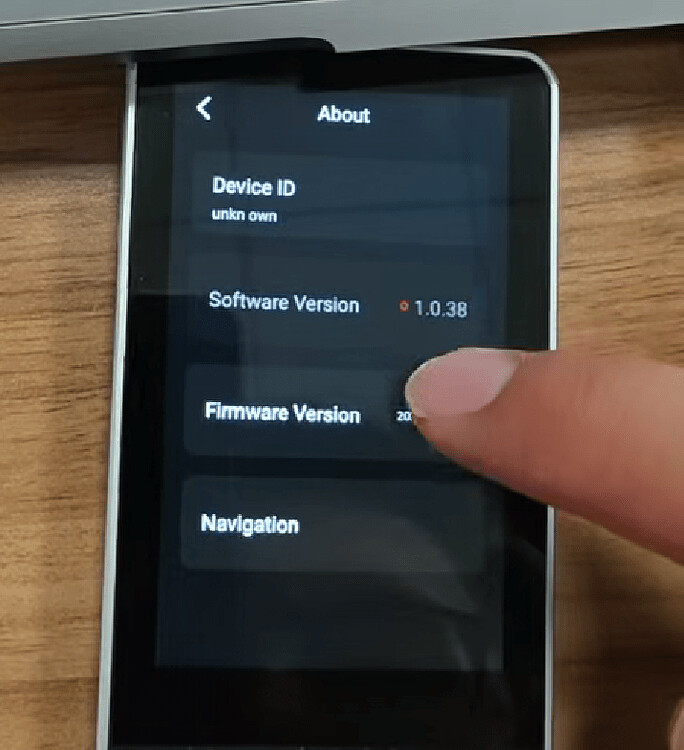
Updated software version on remote and everything is working as expected again.
I am now on V1.1.2.1
1 Like
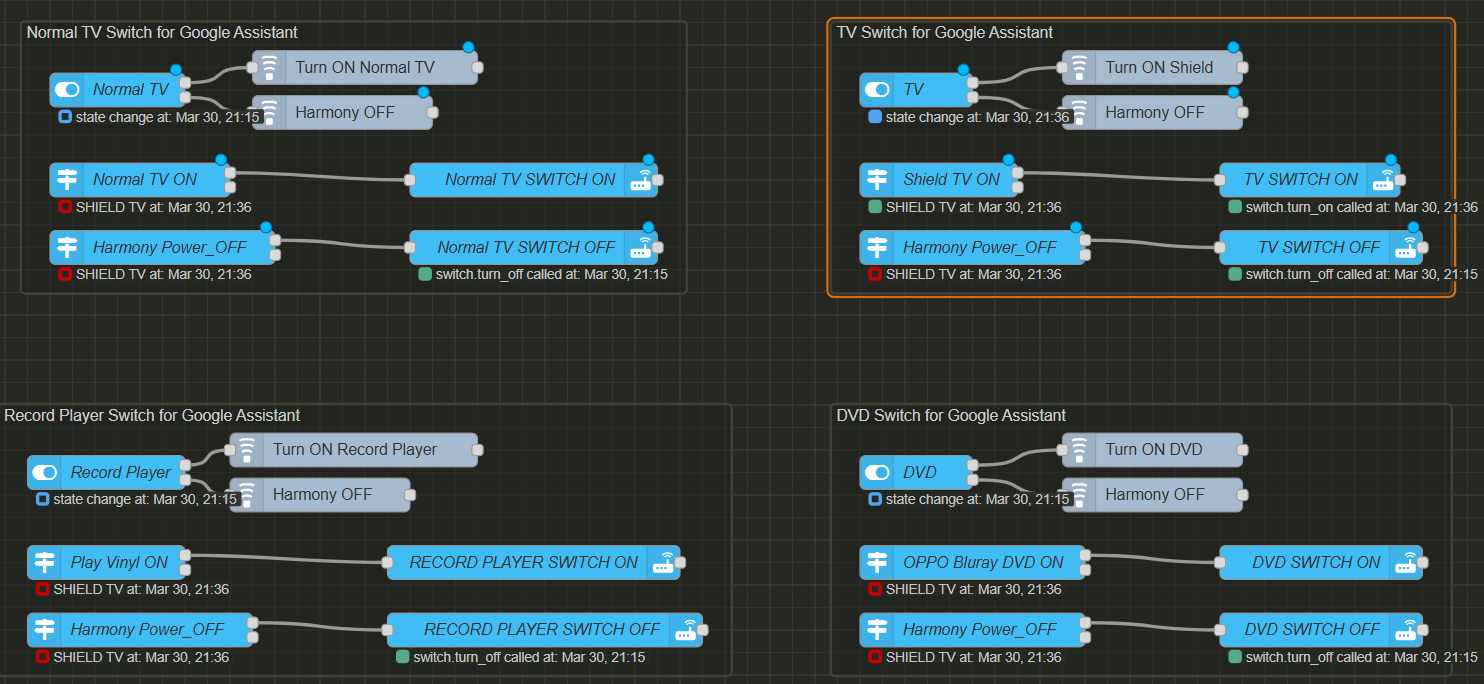
Using a script to toggle an activity on Logitech Harmony Hub is NOT ideal. I have created a switch that turns one particular Harmony Activity (Shield TV) on and off.
When I use the switch through the remote I get a constant power cycling between on and off states.
The switch works perfectly fine for voice assistants.
You need to either:
-
Add ON and OFF Commands to the TV ROS Card, so a particular state can be selected directly from the switch.
-
Add support to be able to select buttons and switches natively from the TV ROS Card.
-
Add the ability to select from a dropdown list natively from the TV ROS Card
-
Add the ability to toggle Harmony Hub entity on and off natively
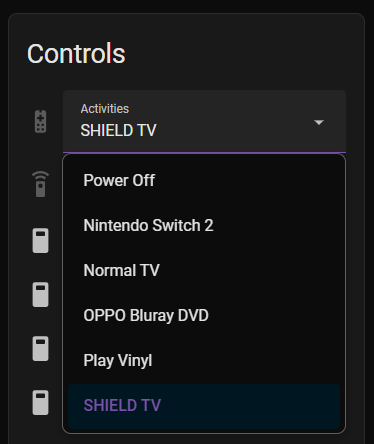
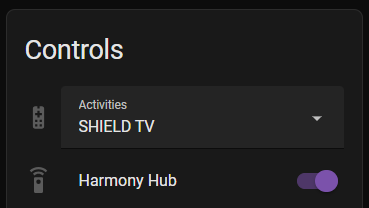
This is my NodeRED flow for the switch, that works perfectly fine for voice assistants.
1 Like
I am having exactly the same issue when trying to use a Tado thermostat - the thermostat displays temperature fine, but the + and - buttons do not respond.
I’m using a Tado Smart Thermostat integrated into Home Assistant via HomeKit Controller.
What works
- The thermostat appears correctly in Home Assistant as:
climate.tado_smart_thermostat_livingroom
-
The standard HA thermostat card (browser and iPhone app) works as expected:
-
Temperature can be increased/decreased
-
Changes are applied immediately
-
-
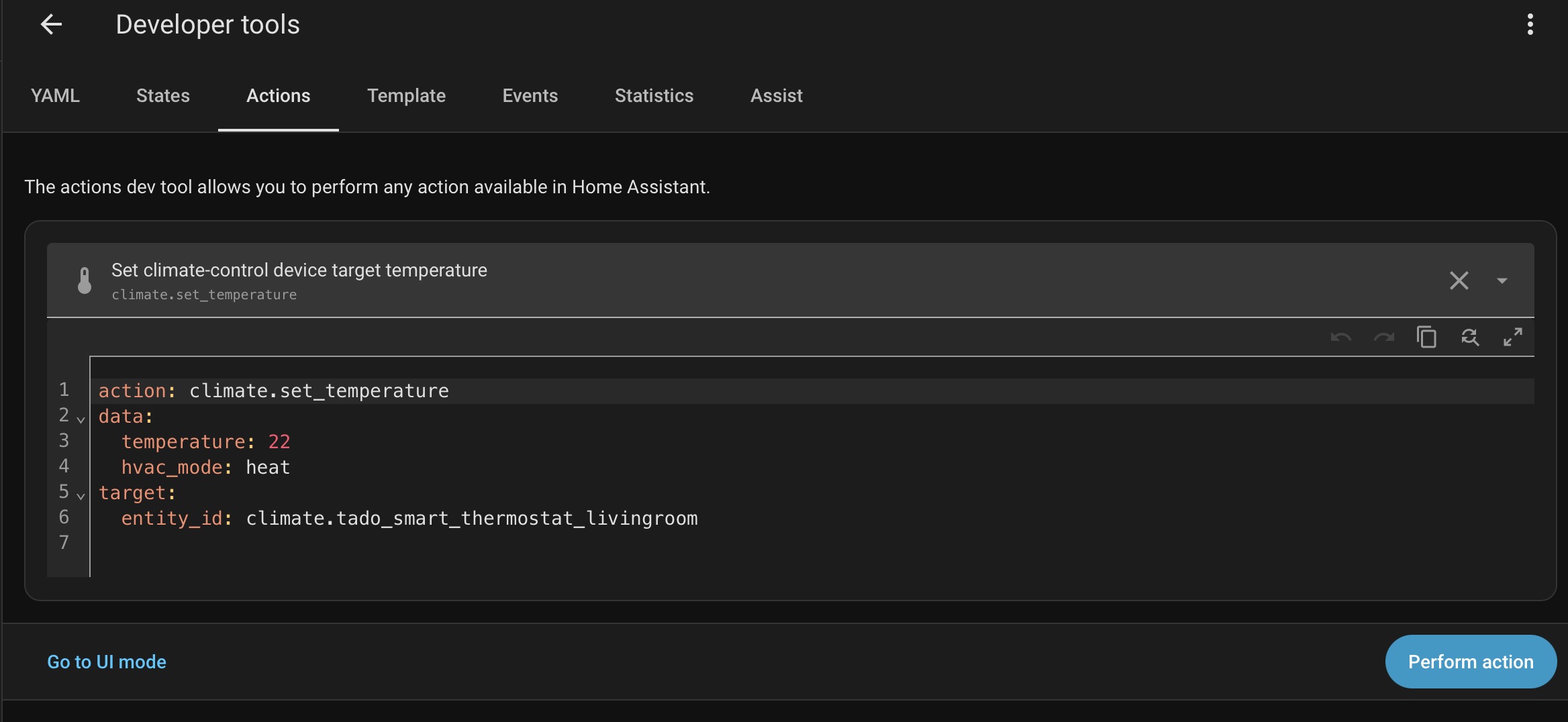
Manually calling the service in Developer Tools also works:
action: climate.set_temperature
target:
  entity_id: climate.tado_smart_thermostat_livingroom
data:
  temperature: 21
- → This successfully updates the thermostat
What doesn’t work
-
In RosCard, using the Climate Control card:
-
Current temperature displays correctly
-
Pressing + or - does nothing
-
No visible error, just no action
-
Conclusion
-
The climate entity is functioning correctly in Home Assistant
-
climate.set_temperature works as expected
-
The issue appears to be specific to RosCard Climate Control not sending or handling the temperature adjustment correctly for this entity (HomeKit-based Tado)
Welcome to the forum, Adam
Thanks a lot for your feedback, I will check with the team and update soon.
I find with my Tado A/C V3 the RosCard Climate Control works perfectly. Strangely when trying to adjust the temperature via HA thermostat card I find I actually have to open the card as a pop-up to make any adjustments.
Could you please test the affected commands using Home Assistant → Developer Tools → Services (call service) and check the raw entity response?