Hello everyone,
To complement our existing guides, we’ve published a concise video tutorial demonstrating the process of checking and updating the software for your Astrion ecosystem.
Video Link: https://youtu.be/TmLlHaACo74
For reference, here are the text-based steps covered in the video:
A. Updating the Astrion Remote (Android Device):
- Unlock the Remote and pull down the notification shade from the top.
- Tap the Settings (gear icon).
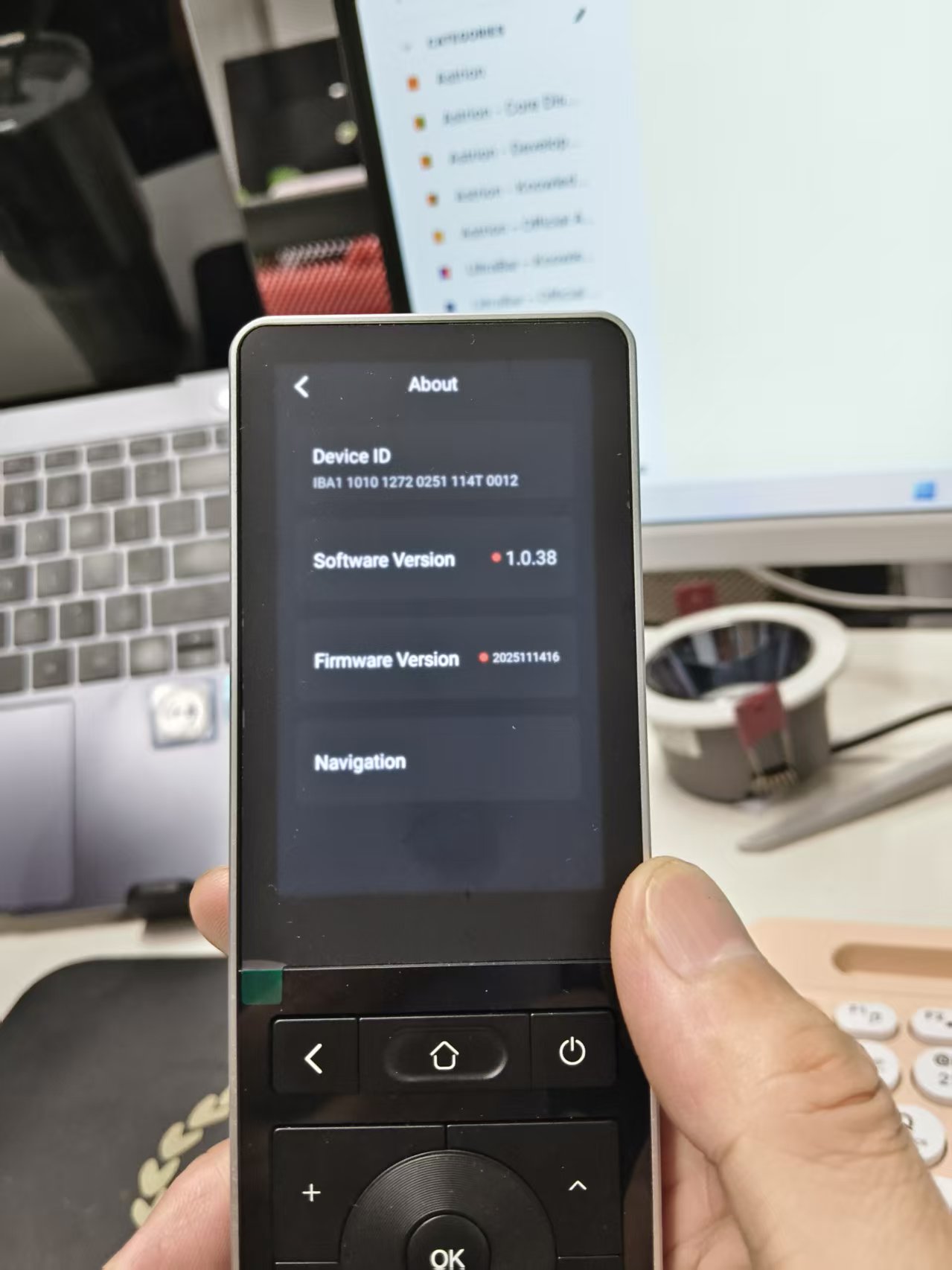
- Scroll to the very bottom and select “About.”
- On the “About” page, find “Software Version.”
- If your software is current, the version number is displayed.
- If an update is available, a small red dot will appear next to the version number.
- Tap the version number and follow the on-screen instructions to complete the update.
B. Updating the RosCard (via Home Assistant):
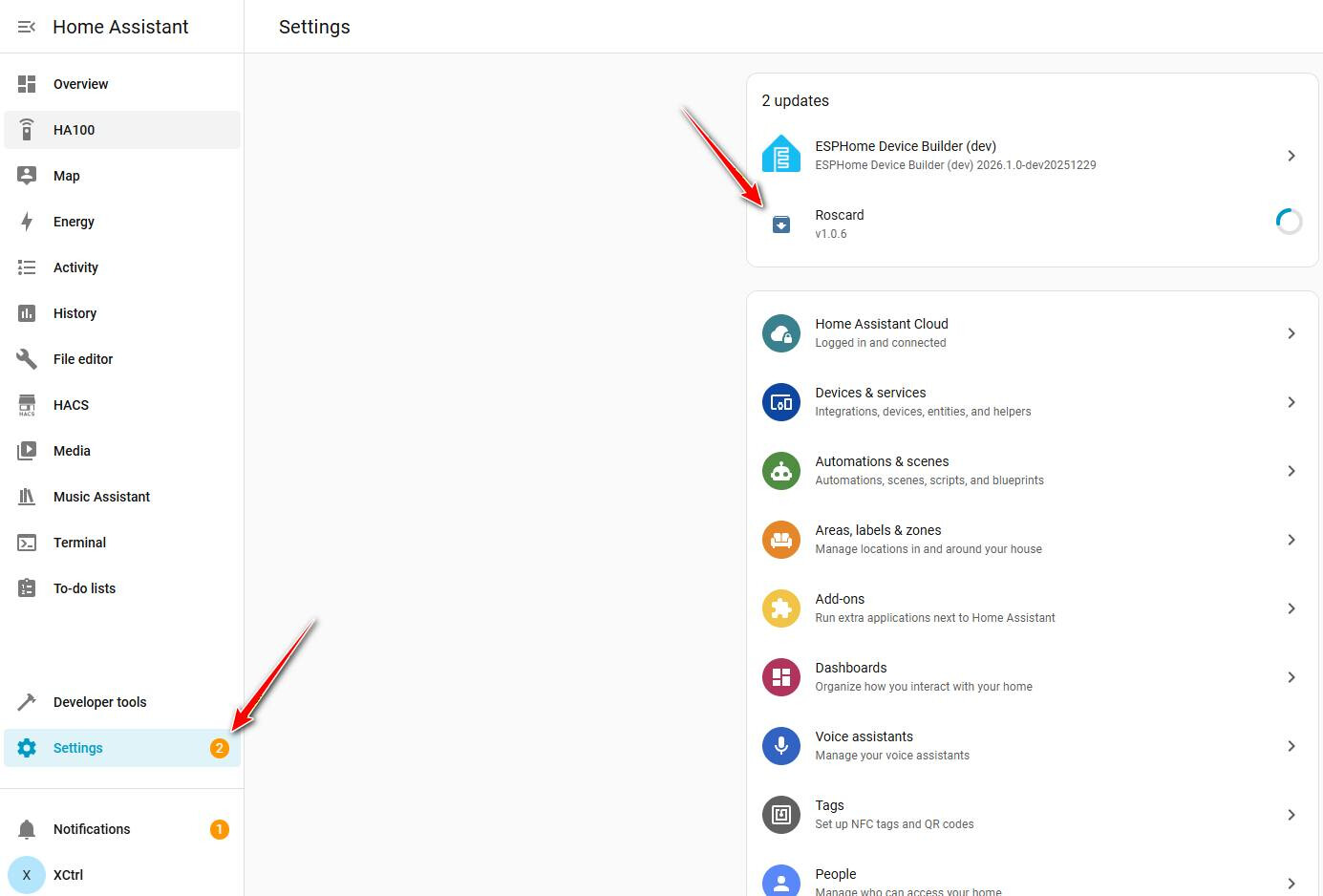
- On your computer, open your Home Assistant dashboard.
- Navigate to your Astrion system’s Settings page .
- If an update is available, you will see a clear notification or update button for the RosCard.
- Select it and follow the on-screen instructions .
Why update? Regular updates ensure you have the latest features, performance improvements, and security patches.
We hope this combined video and text guide is helpful. If you encounter any issues during the update process, please feel free to reply to this thread with details (e.g., current version, error messages).