
Android recording + AI real-time transcription + fullscreen captions + Web remote control
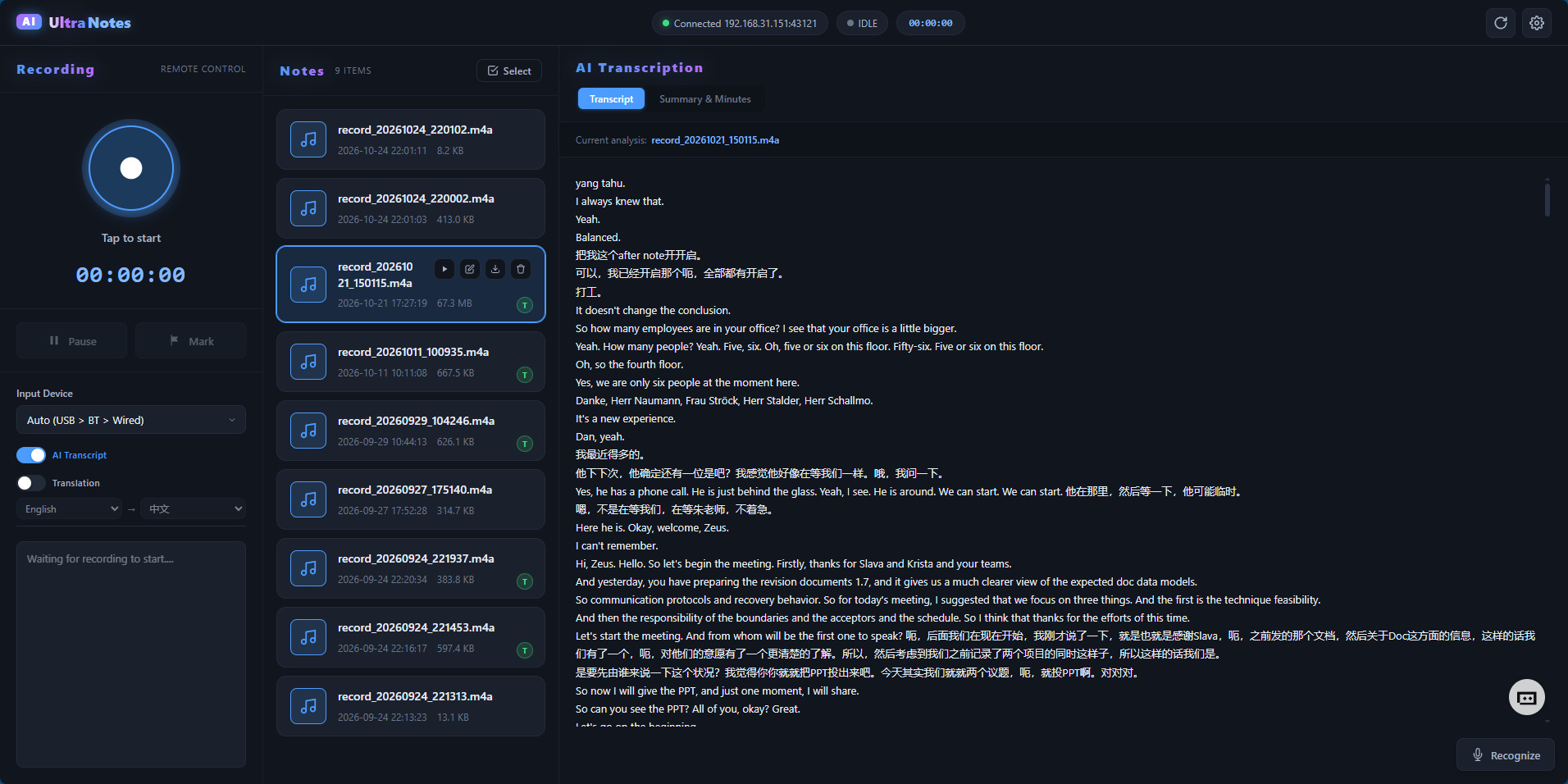
A recording notes app designed for ultrawide desktop displays, supporting real-time speech recognition, AI translation, dual-pane side-by-side display, and remote recording control via a LAN web page.




Features
Core recording
- High-fidelity recording: 48kHz sample rate, AAC/M4A format, supports Bluetooth HFP SCO microphone routing
- Real-time waveform: dynamic audio waveform shown while recording
- Marker system: drop markers at any time during recording; timestamps are automatically saved to meta.json
AI transcription & translation
- Real-time speech transcription: powered by Alibaba Cloud DashScope Paraformer, supports Chinese / English / Japanese / Korean and more
- AI translation: integrated with Alibaba Cloud Bailian LLM, supports multi-language mutual translation with a dual-pane side-by-side display
- Smart summary: after recording ends, generate meeting minutes, key-point reviews, and to-do items
Fullscreen caption mode
- Single-pane mode: large-font real-time transcription text, auto-scrolling
- Dual-pane mode: original + translation side by side, independent scrolling
- Translation toggle: one-click switch in the top-right corner, with language selection
Web remote control
- LAN control: open
http://<device-IP>:<port>in a browser on the same network to control - Real-time sync: recording state, AI toggle, translation toggle, Mark markers sync bidirectionally within 1 second
- Recording management: remotely start / pause / stop recording, view the recording list, download / delete files
LineOS plugin
- Runs as a CoreBar/LineOS desktop plugin, supporting one-tap recording from a card
- 3 Actions:
Start Recording/Start AI Recording/Stop Recording
Screenshots


Quick start
Requirements
- Android 6.0 (API 23) or above
- Ultrawide display (21:9 or wider recommended, e.g. 3440×1440)
- Network connection (required for AI features)
Configure AI services
First use requires an Alibaba Cloud DashScope API Key:
- Open the app → tap the settings icon in the top-right
- Go to “AI Service Configuration”
- Enter your DashScope API Key (get one here)
- Select the ASR model and LLM model
Web remote control
- Make sure the device and PC are on the same LAN
- The app displays the HTTP service address on launch (e.g.
http://192.168.31.6:44045) - Open that address in a browser to access the control page
- Scan the QR code on a phone or type the address manually
LineOS plugin
- Install UltraNotes on a LineOS device
- Open the CoreBar desktop and go to plugin management
- Add the “UltraNotes” plugin card
- Tap the card buttons to control recording
Version history
v1.4.14 (2026-09-13)
Full bidirectional sync for AI / translation / Mark, fullscreen layout optimization, dual sound-effect system
- AI Transcript toggle syncs bidirectionally between terminal and Web (1s polling, terminal is the source of truth)
- Translation toggle and language config sync on both ends; fullscreen translation entry button has two-state appearance
- Fullscreen transcription frame restored to 4 visible lines; translation button floats in single-pane / moves into the title bar in dual-pane
- Terminal Mark markers sync to the Web list in real time via
/api/status - Web/API/plugin stop recording now includes sound effects; marker callback released to prevent truncation
- Dual-tone sound effects: start = low→high 660→1320Hz, stop = high→low 1320→660Hz
- Added CoreBar/LineOS plugin integration
v1.3 (2026-09-05)
Optimized translation strategy
- Streaming trigger, continuous scrolling, instant output
- Fixed AI Recorder text recognition frame centering
v1.2 (2026-09-01)
Initial version
- Basic recording functionality
- AI real-time transcription
- Fullscreen caption display