[Tech Talk / Demo Show] WebView Always Laggy? How We Combined HA Lovelace with Native RosCards for Seamless D-Pad Focus Tracking & Custom Hardware Mapping

Hi fellow HA hackers and developers, long time no see!

As many of you know, since the Astrion smart remote gained traction in the community, “Native WebView Mode” and “Dedicated Local Cards (like RosCard with direct API control)” have always been two parallel lines that never crossed:

  • Go all-in on WebView: You get seamless compatibility with crazy HACS custom cards, but the physical buttons lose their edge, and navigating them on a small remote screen becomes an absolute nightmare.

  • Go all-in on Native Cards: You get that butter-smooth, tactile “blind-control” experience (latency < 20ms), but it can never keep up with the breakneck speed of your ever-evolving, heavily-modded Lovelace dashboards.

As the underlying R&D team behind the remote, we’ve been dead-set on cracking this pain point. We wanted a solution where you get “One Canvas (Lovelace Web) to rule them all” while retaining the “Physical Tactility (Native OS) for AV blind-control.”

Just this week, our R&D team hit a massive breakthrough.

Our Exploration: Semantic Focus Tracking + Native Hijacking for AV Devices

We have successfully validated a Hybrid Control Architecture:

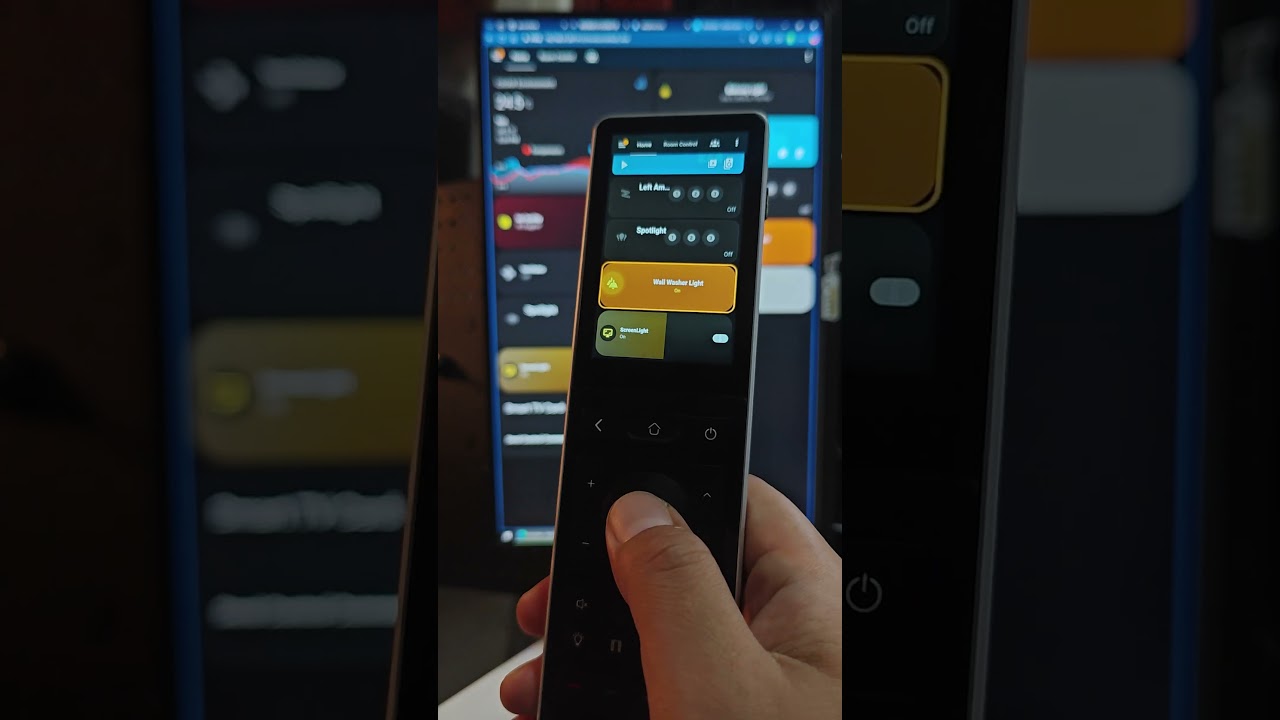
  1. Standard Smart Devices (Lights/Switches/Curtains/Sensors) via HA Lovelace: We wrote a custom Shadow DOM traversal algorithm directly inside the WebView. When you press the physical D-Pad to move your cursor, our native backend bypasses the web surface entirely, extracts the underlying entity_id , and fires commands via a local WebSocket connection. We’ve completely eliminated the clunky “simulated web clicks,” compressing the response latency down to around 20ms!

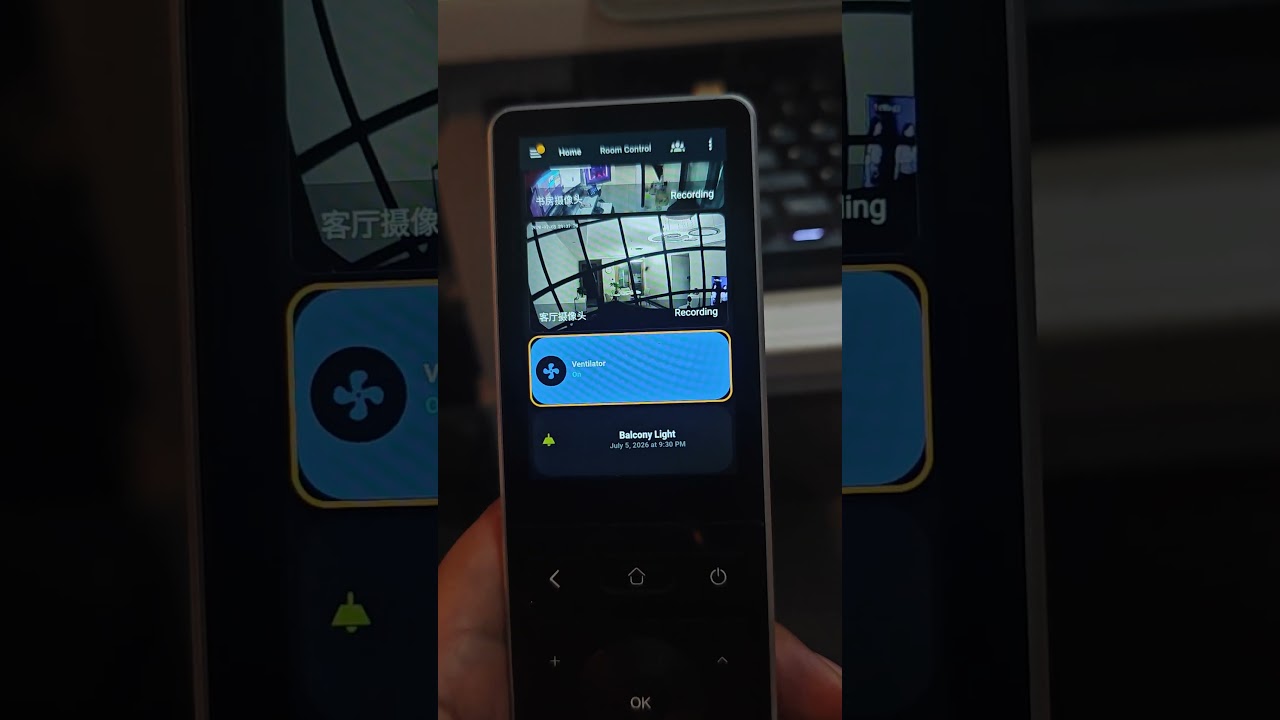
  2. AV/Media Devices via Native RosCard Logic: This is where the real magic happens. Let’s be honest—good TV/receiver/media player cards on HA are few and far February, and no one wants to look down at a touchscreen while changing channels during a movie. Now, the moment your focus hits or clicks an AV media card, the remote automatically detects it. You think you’re still browsing a webpage, but the remote’s physical keys (D-Pad, Volume, Play/Pause, Menu, Back) are instantly hijacked by the Native OS, or the remote smoothly fades in a dedicated RosCard control panel optimized specifically for our 480x800 screen.

Simply put: “Standard cards stay on the web to look pretty, while AV media components that heavily rely on tactical blind-control are highjacked by our native RosCard engine.” Even better, we support adding custom astrion_config data blocks in your YAML. This means you guys can completely design, script, and define your own proprietary physical button macro mappings and card behaviors.

[I’ve recorded a brief engineering-demo video here (Click to Watch)] Please pay close attention to:

  1. A prominent focus box miraculously appearing over the WebView.

  2. Smoothly switching Dashboard focus using nothing but the D-Pad.

  3. Controlling essential functions purely through physical hardware keys.

  4. Deep/advanced settings still seamlessly supporting touch interaction.

  5. The UI automatically routing to the local native RosCard controls upon selecting AV elements.
:warning: The Hardcore Bottleneck We Hit (And why we are posting this)

While the proof of concept runs flawlessly, we hit a massive brick wall when pushing it to production: We are redlining the hardware resources.

Our HA100 runs on an MTK6580 chip with 1GB RAM. When handling heavy, modded Lovelace dashboards loaded with WebGL, intense animations, and real-time history charts—on top of running our real-time semantic focus tracker and high-frequency button interception state machines—it easily triggers OOM (Out of Memory) errors, leading to WebView crashes or blank screens.

To unleash this “ultimate feature” smoothly and stably at a locked 60 FPS, we absolutely need to upgrade to a much more powerful, efficient 12nm 8-core MTK6762 platform backed by significantly larger memory.

Naturally, this will drive up the raw hardware manufacturing cost.
:speech_balloon: We’d Love to Hear Your Thoughts

As developers and the ultimate power-users of this device, your feedback means everything to us. We’d love to open the floor to two questions:

  1. For this hybrid “Lovelace Web View + Native RosCard Hijacking for AV” approach, along with the sheer hackability of defining hardware macros via YAML—do you see this as a killer feature? Does it resonate with your setup?

  2. To flawlessly support this feature without stutters or crashes, if we transition the next-gen hardware to the MTK6762 platform, would you be willing to accept the corresponding price premium for the upgraded specs?

This is more than just a software update; it’s our starting line for open-sourcing this entire core tracking logic to the GitHub HA community.

Drop your brutal roasts, feature requests, or feedback in the comments below. Our R&D team is camp-fired right here in the thread waiting for your input—your voice will directly decide how hard we push on the upcoming hardware overhaul!
I have been thinking about this. On one hand the dedicated app on the remote can be better optimized and have its functionality curated more carefully, it is easier to offer support for the app you manage, but on the other the freedom of unlocking the full android capability is extremely flexible, but users cant expect detailed support if they cant make it work.

I think people will mostly want to stick with the roscard system and the HARemote app if that is all the functionality they need, and more is being added as time passes.

The other side, opening up custom web based apps like running fullykiosk browser or the HA companion app, or other apps work very well when we stay within the hardware capabilities, but there are some caveats with button mapping that need attention.

I don’t think a hardware revision is particularly necessary, unless it were a “Pro” variant targeting advanced custom integrations that require more power, but it would have to remain an optional variant, alongside the standard model, with software development still targeting the base model primarily. Too many times have I seen software issues “solved” with hardware revisions and existing customers left behind, it must be an option and compatible.

The lag issues some people have seen with custom lovelace dashboards when leaving the default roscard system are mostly solvable issues that stem from Lovelace itself and the particular cards and mods that people are using for their dashboards. A purpose built dashboard can be very responsive and lightweight as some users have shown, even using animations and video streams.

A good middle ground would be to have A: an option on initial setup to give the user a basic android launcher and a blank slate for integrations, with the HAremote app present and able to be switched to if needed, just not set as the default launcher. and B: a card in the roscard system that presents a webviewer window for custom integrations.

option A: can be for advanced tinkerers who want to play with android, acknowledging that they may be on their own with troubleshooting and bugs if they venture too far off the path. this would ahve to come with some better button management, perhaps a lightweight background service that can take any button press and send it via MQTT for example so that button presses can be managed by the user however they need.

as for option B, a web or html card that we can configure from HomeAssistant with a target URL, that we can call up to show simple things like a medium resolution video stream, or a custom controller for some non-standard equipment. a custom app launcher for example, a solar power system, an electric car charger etc. things that many HomeAssistant users play with but this remote being aimed at AV, lighting, climate etc leaves out.

For now, I’d like to see A: type users given the option to go down that path, but with better button handling. and option B: users given some more card types for custom integrations, either the ability to define a custom card with a yaml or json etc they load onto the remote via ADB or file transfer, or loaded via Home Assistant. and a web viewer card that can open a web page so we can draw custom cards as needed, but these need some mechanism to map and capture buttons as needed.

2 Likes

Thank you so much for this incredibly insightful and mature feedback! You’ve hit the nail on the head regarding the delicate balance between standard usability and advanced hack ability.

I completely agree with your philosophy: software issues should never be lazily “solved” by forcing a hardware revision that leaves existing customers behind. Optimization comes first, and compatibility is non-negotiable.

Based on your brilliant breakdown and our latest R&D breakthroughs, here is exactly how we are structuring our product roadmap moving forward:

1. The Hardware Strategy: Standard vs. Pro (No One Gets Left Behind)

We have officially decided to follow your advice. The HA100 will remain our baseline, highly affordable standard model, and our core software development will continue to target and optimize for its hardware specs.

We will be introducing the HA200 as a “Pro” variant powered by the 8-core MTK6762 platform. However, this will be a purely optional choice meant for extreme power-users who want to load highly bloated dashboards containing multi-stream HD cameras, WebGL, or intensive 3D parsing. The software architecture will remain unified and fully backward-compatible.

2. The Unified Software Architecture: RemoteOS + WebView Integration

For our upcoming major software cycle, we are upgrading our current RemoteOS to natively integrate WebView windows dynamically, seamlessly merging the best of Lovelace and our native RosCard engine.

Here is how the hybrid lifecycle will work based on the exact user types you outlined:

  • For “Option B” (Hybrid) Users: The remote will render your custom Lovelace dashboard as a unified canvas. But we are implementing an AV/Media Component Intercept. When the D-Pad focus hits or the user clicks on a dedicated media card (like a Ros-TV-Card or specified media entity), RemoteOS will instantly intercept the event. Instead of opening a sluggish, un-optimized web pop-up, it will seamlessly transition into our native, ultra-responsive RosCard Android UI window for tactile, zero-latency blind control.

  • For “Option A” (Advanced Tinkerer) Users: We love the idea of a clean slate with a background key-handling service. We are looking into exposing a lightweight service that can broadcast hardware KeyCodes (via MQTT or local intents). This gives you the absolute freedom to map physical keys to whatever backend automation, custom HTML viewer cards, or solar/EV dashboard URLs you push via file transfer or Home Assistant configuration—meaning you can map buttons exactly how you need them when venturing off the beaten path.

This hybrid approach allows users to design their own proprietary cards and macro behaviors on a familiar canvas without sacrificing the snappiness of a dedicated remote control app.

1 Like

So this really interests me, because i think i might have done something very similar to this after taking inspiration from this post.

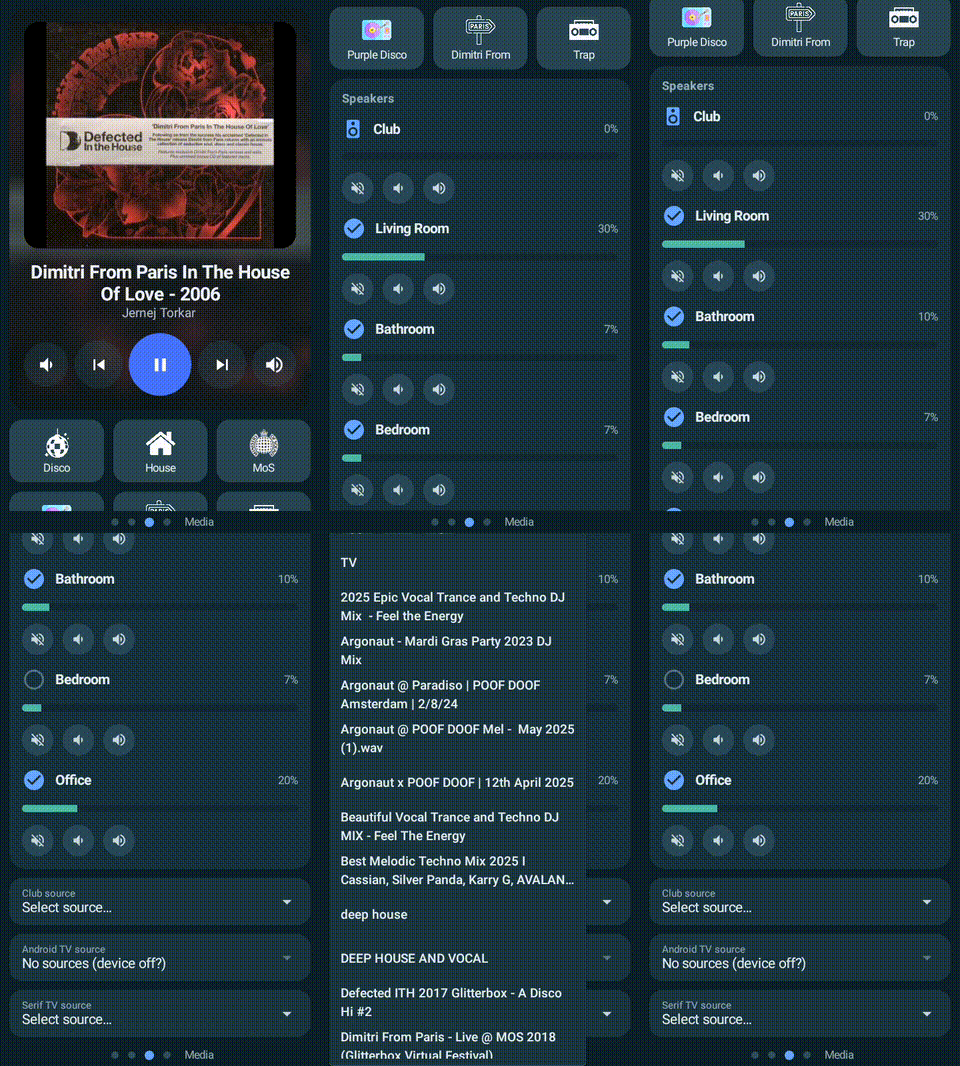
I am not very technical, so i asked Claude to explain what Claude did for me and ill paste it below, but in summary - I asked it to take the best of the HaRemote app, some example HA dashboards that I had made and build a solution that would be quick/responsive like the HaRemote app but allow custom card config and layouts etc.

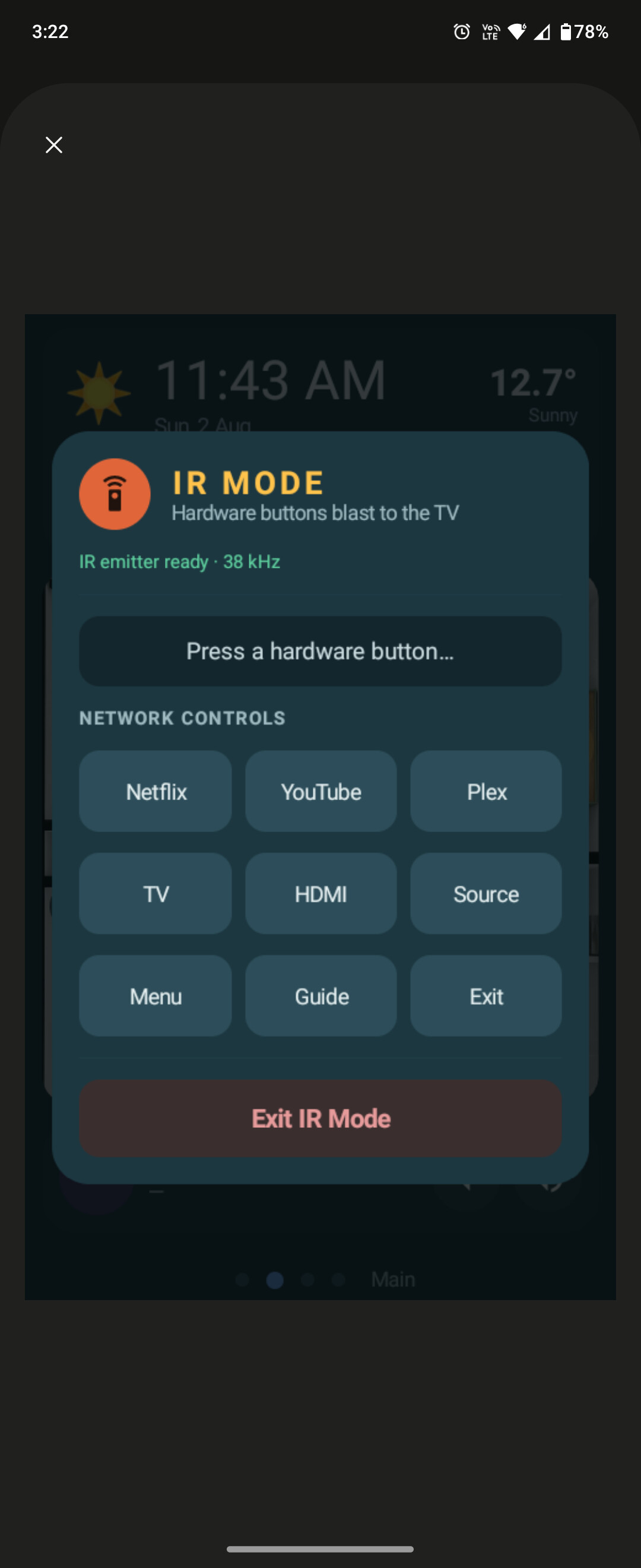
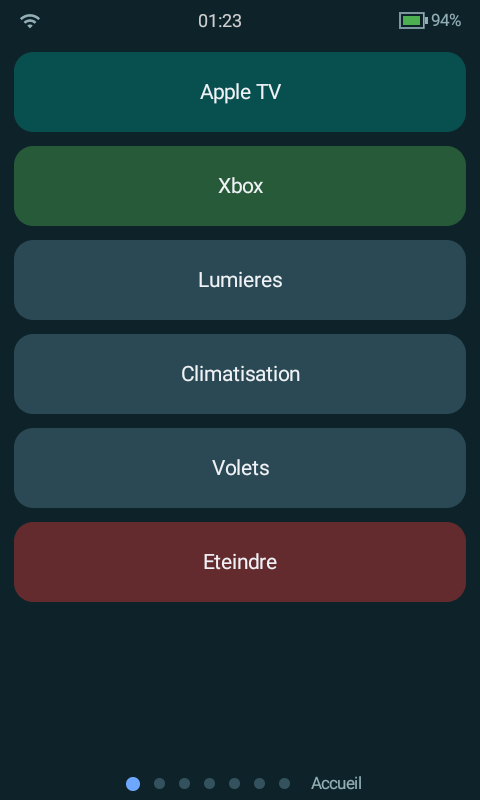
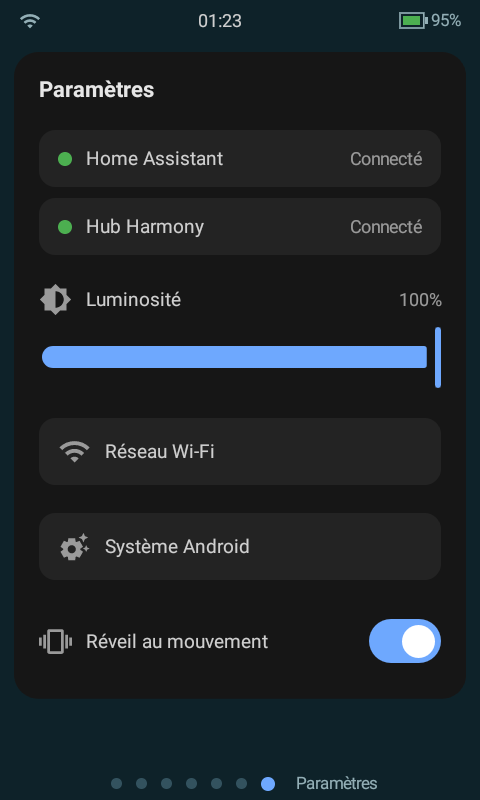
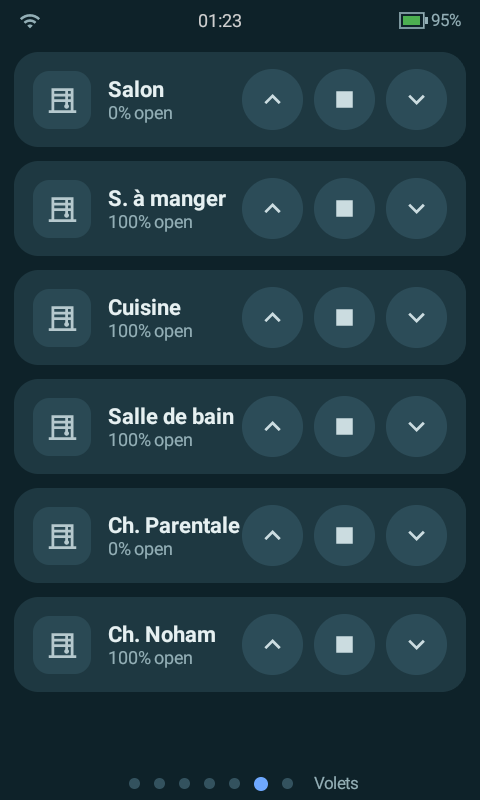
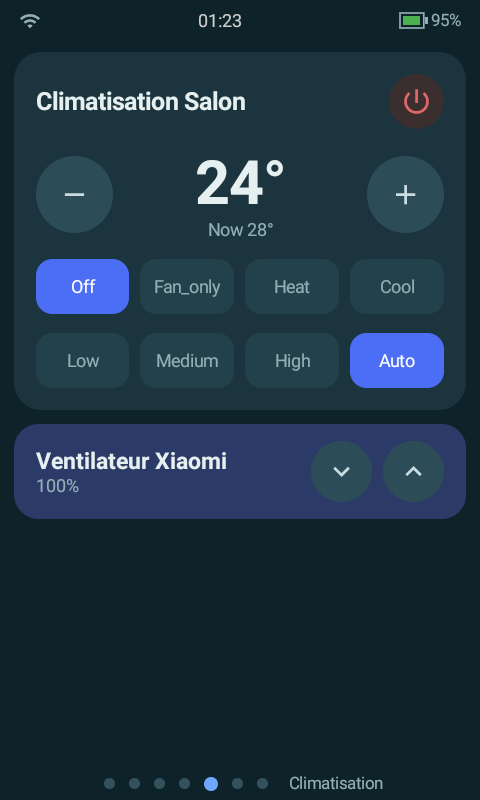
The remote buttons are mostly hardcoded to always work on my tv (dpad, power, back, menu etc) and vol always does the sonos which means if the tv is on it does tv and if music is on it does that. I put in script triggers so that ch up and down dim any light in the room that is on, and long press controls the blinds. The light, curtain, music and ac buttons all open a specific dash of my app (which is also swipe-able) and the color buttons below launch tv apps like netflix, plex etc and they also call scripts for scenes on long press.

Screen Vid -

Vids in use IRL -

Claude explaining what it actually made —

How it talks to HA: one standard WebSocket (/api/websocket), long-lived token auth → get_states seeds an in-memory entity map → subscribe_events keeps it live → every control fires call_service. No cloud, no vendor integration, no polling.

┌──────────────┐ auth (long-lived token) ┌────────────────┐
│ HA100 app │ ────────────────────────────────► │ Home Assistant │
│ (native, │ ◄──────────────────────────────── │ │
│ Compose) │ auth_ok └────────────────┘
│ │
│ │ get_states → seeds an in-memory entity map
│ │ subscribe_events → state_changed keeps it live
│ │ call_service → every button/slider/tap
│ │ weather.get_forecasts → forecast card (return_response)
│ │ media_player/browse_media → media library dialog
│ │ ping/pong → 30s heartbeat + auto-reconnect
└──────────────┘

The entity map is a Kotlin StateFlow; every card observes it, so any state change in HA repaints only the affected cards, instantly.

Album art / camera-style images are fetched over plain HTTP with the same token.

Why it’s fast: native Compose (no WebView/JS/CSS), one socket + one StateFlow entity map so state changes repaint only affected cards, plain columns instead of heavy lists, server-pre-scaled images, downscale-fake-blur (Android 8.1 has no blur API), and config as one small JSON file.

Technique Effect
Native Jetpack Compose, no WebView no JS engine, no DOM, no card_mod CSS
One WebSocket, one entity map no polling, no REST chatter
Plain Column + verticalScroll per page no heavy list machinery for ~10 cards
LazyRow only where there are many images (Plex posters) offscreen posters never decode
Posters requested pre-scaled from the server (~140×210) tiny decode, tiny memory
“Blur” = downscale-to-32px + upscale real blur APIs don’t exist on Android 8.1
Icons: vector Material icons + user PNGs from /sdcard no icon fonts, no network icons
Config = one small JSON file read at launch/resume no YAML parsing, no HA dashboard fetch

Cold start to fully rendered is ~1–2 s; card taps fire a service call in single-digit ms.

The Cards: Cards are tiny Kotlin classes registered in an open registry — adding a new card type is one class + one registration line. Current set:

Card type What it does HA services used
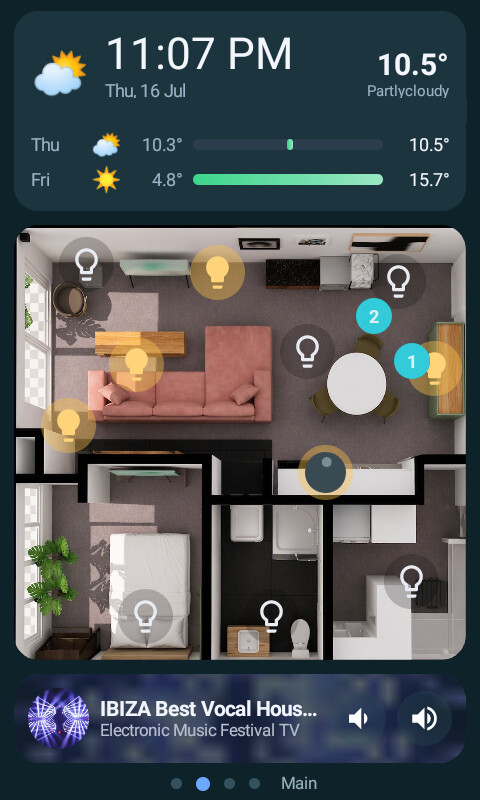
clock_weather Device-clock time/date + current conditions + N-day forecast with min/max gradient bars weather.get_forecasts
bubble_light Bubble-card-style light pill: tap-to-toggle icon, drag anywhere to dim, fill tinted with the light’s live rgb_color; long-press opens a colour/brightness popup (swatches + colour-temp presets, shown only if the light supports them) light.turn_on/off (brightness_pct, rgb_color, color_temp_kelvin)
picture_elements Floorplan image from /sdcard/astrion/floorplan.png with tappable icons at % positions; glow when on; supports an “all off” multi-target button light.toggle, light.turn_off
climate Setpoint steppers (respects the entity’s real target_temp_step + min/max), HVAC mode chips, fan mode chips, dedicated off button climate.set_temperature, set_hvac_mode, set_fan_mode, turn_off
cover Mushroom-horizontal tile: icon + name/state left, open/stop/close right cover.open/stop/close_cover
switch Toggle tile with icon + configurable on-colour (e.g. dark red for a heater) switch.toggle
media_player (compact) One row: round art, title/artist, vol−/vol+; tap body = play/pause; blurred-art background media_player.*
media_player (full) Big art, centred now-playing, vol−/prev/play/next/vol+, configurable action buttons at the top (e.g. Group/Ungroup scripts) media_player.*, any script
scene_grid Scene/script tiles — grid or horizontally swipeable row, per-tile colours, can be pinned to the bottom of a page scene.turn_on / script.turn_on (by domain)
button_grid Generic grid of buttons, each firing any service, with optional PNG icons from /sdcard anything
plex Native Plex browser: On Deck + Recently Added poster rows, tap → plays on the TV Plex HTTP API + remote.turn_on (deep link)
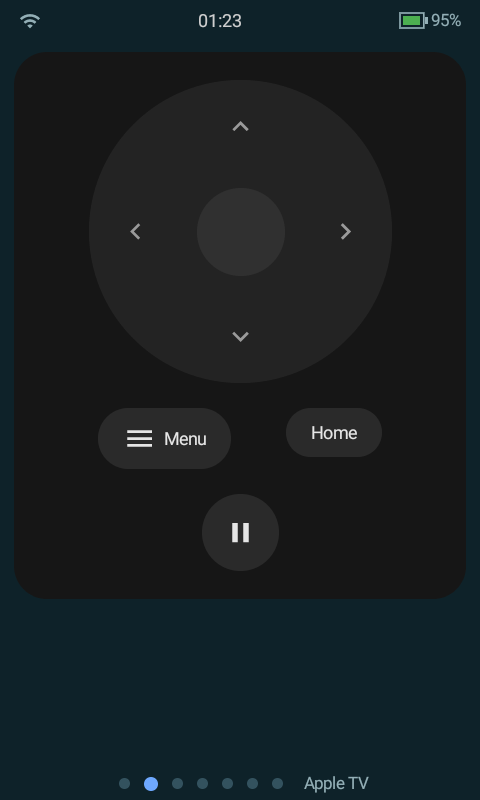
tv_remote On-screen D-pad/transport remote with a configurable command map remote.send_command
monitor Read-only sensor list with units none (read-only)
row Lays any two+ cards side by side --

Pages/Navigation: The UI is a horizontal pager with dot indicators — swipe between pages, tap a dot, or press a physical shortcut button. Example layout:

   Lights  ◄──swipe──►  Main  ◄──swipe──►  Media  ◄──swipe──►  Climate

14 light sliders clock/weather full player aircon + fan modes

+ pinned scene row floorplan group/ungroup heater switch

mini player playlist buttons covers

Plex browser

Hardware Buttons: The HA100’s buttons arrive as ordinary Android key events (keycode map extracted from the stock firmware), so the app intercepts them in dispatchKeyEventbefore the OS — and routes them through a config-defined table. Every button supports a tap action and an optional long-press (1.5 s) action; keys without a long-press binding keep Android’s native auto-repeat (hold-to-scroll / hold-to-ramp).

Button Tap Hold (1.5 s)
D-pad ↑↓<–> TV DPAD_* (auto-repeats while held) --
OK TV DPAD_CENTER script.long_center
Back / Home / Power TV BACK / HOME / POWER --
Vol ± speaker volume_up/down (auto-repeats) --
Mute TV HOME --
CH ▲ / CH ▼ brightness up/down scripts open / close blinds scripts
Light -> Lights page script.long_lights
Curtain -> Main page script.long_curtain
Music -> Media page script.long_music
Aircon -> Climate page script.long_aircon
Red / Green / Blue / Yellow launch Netflix / Plex / ABC / VLC on the TV script.long_redscript.long_yellow

App launches use media_player.play_media with media_content_type: app against the Android-TV media player; TV keys use remote.send_command against the Android-TV remote entity. The script.long_* targets are just HA scripts — put anything in them.

Configuration: Everything above is driven by one JSON file on shared storage:

/sdcard/astrion/dashboard.json      the whole layout + button map

/sdcard/astrion/floorplan.png floorplan render

/sdcard/astrion/icons/*.png custom button icons

  • On first launch the app writes its built-in default config out to that file, so there is always something to edit.

  • The file is re-read every time the app returns to the foreground — edit it with adb push, or any on-device file manager, then reopen the app. No rebuild, no reinstall.

  • If the JSON is broken, the app falls back to its compiled-in defaults and shows a small banner saying why — it never crashes over config.

Schema sketch:

{ "startPage": 1,

  "pages": [

    { "name": "Lights", "cards": [

      { "type": "bubble_light", "options": { "entity_id": "light.living_room", "name": "Living Room" } },

      { "type": "scene_grid",   "options": { "layout": "row", "pin": "bottom",

          "scenes": [ { "entity_id": "scene.movie", "name": "Movie", "color": "#663F51B5" } ] } }

    ] }

  ],

  "hotkeys":     [ { "key": "LIGHT", "page": "Lights" },

                   { "key": "UP", "service": "remote.send_command",

                     "entityId": "remote.tv", "data": { "command": "DPAD_UP" } } ],

  "longHotkeys": [ { "key": "PAGE_UP", "service": "script.open_blinds" } ]

}
Key names for hotkeys/longHotkeys: UP DOWN LEFT RIGHT CENTER, PAGE_UP PAGE_DOWN, VOLUME_UP VOLUME_DOWN MUTE, BACK HOME POWER VOICE, LIGHT CURTAIN SCENE AC, CUSTOM_1..CUSTOM_4 (the colour row).

HaRemote App: The stock HaRemote app stays installed as the home/launcher app (the device firmware expects it i think, and it is useful in its own right and enables some natural remote features). A button mapped in Key Mapper (or any launcher shortcut) opens this app on demand — both live side by side.

Stack: Kotlin + Jetpack Compose (Material 3), OkHttp WebSocket, kotlinx.serialization. minSdk 26 / targetSdk 34, one activity, zero native code, ~20 MB debug APK.

1 Like

Wow… reading your post honestly gave me goosebumps! You have essentially built the holy grail of what a hardware-integrated HA remote should feel like. What you’ve achieved independently with Jetpack Compose, WebSocket seeding, and memory entity mapping is strikingly identical to the core philosophy we’ve been arguing over in our R&D room for the past few weeks!

Hi folks. I stumbled upon this thread on Reddit, and couldn’t help but mention something eerily similar that I’ve been building for quite a while.

The screenshots don’t really do it justice, it’s more than it seems. You might want to give it a go?

Best!
kenny

Wow . Could you share the artifacts so I can try to replicate using Claude.

Thank You

I have added all the info here

4 Likes

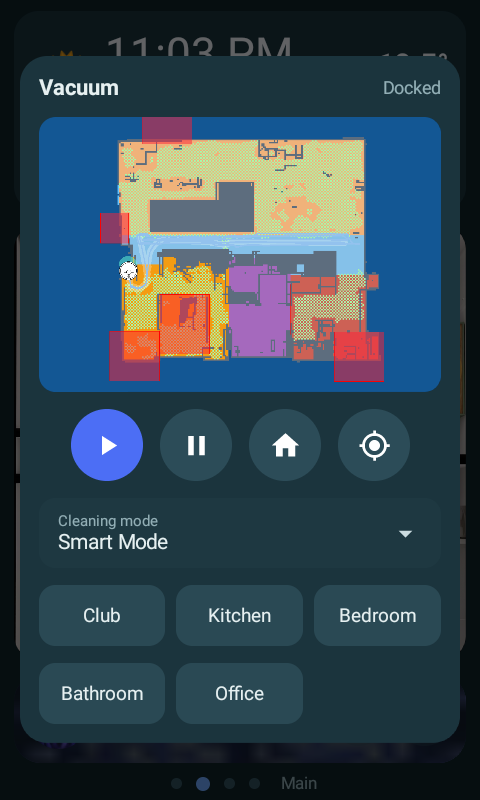
Have been enjoying the seamlessness of the claude app for a bit over a week now. Super intuitive, quick, easy. Have made a few tweaks like wake on lift and night mode, added sonos group and zone volume controls, added robovac control and tracking, and pulled in my ld2450 multi target tracking radar.

Also had to remove and replace the repo, but have updated it with the new config stuff. The link above should still work.

Strongly recommend you throw together a custom app like this based on your specific use case and needs. Asked Claude designer to have a look at the UI but I preferred my own - will let it continue to do the hard work in the background instead.

Can’t wait for my ultrabarx to arrive now to explore the native sonos and hue integrations. The os looks very promising on the hub page. But so happy with these remotes. Excellent hardware, the built in features are very well executed like the time our and screen lock and voice control settings and config, the fact it has ble, IR, wifi, and is happy to be blocked from the net is great, easy to get into adb and start messing around, excellent price point (glad i got 2), and easy to make it work flawlessly with in a weekend with Claude code and no real dev or coding knowledge.

From what i can see it looks like future updates are going to allow a lot of this stuff in the HaRemote app, which i think will deliver a strong out of the box low config option. previous updates and responses to bugs and feature requests have been rolled out incredibly quickly too. It feels like it meets the wants of the half of me that craves out of the box simplicity and the other half of me that wants everything highly custom, specific controls and interfaces tailored to my environment.

1 Like

Nice setup! Solid work on getting the LD2450 and Sonos/vacuum controls integrated so quickly.

I really agree on the balance here—having something that works right out of the box, but still lets you mess with ADB and build a custom UI when you need to, is pretty much what I’m going for with my own setup too. Impressive how fast you got that native UI running with Claude Code.

Definitely drop an update when your UltrabarX arrives, curious to see how it integrates with the rest of your gear.