Dear Astrion Users,
To help our engineers quickly identify and resolve issues where a ROS Card becomes unresponsive or cannot be controlled after being added, please provide the following information when reporting the issue.
The more complete the information provided, the faster we can reproduce and resolve the problem.
Step 1 — Describe the Issue in Detail
Please describe the behavior as clearly as possible. Examples include:
-
Is only a specific function failing, or is the entire entity unresponsive?
-
Does the issue affect touch controls, physical buttons, or both?
-
Is the entity functioning normally inside Home Assistant itself?
-
Did the issue appear after an update or configuration change?
-
Does the problem occur consistently or intermittently?
Detailed descriptions greatly help us narrow down the root cause.
Step 2 — Provide Home Assistant Entity Information
Please provide the entity attributes from Home Assistant:
-
Open Home Assistant
-
Navigate to:
Settings → Developer Tools
-
Select the Entities tab
(Please make sure you are using the Entities tab, not States or other sections) -
Search for the affected entity ID
-
Copy the complete entity attributes/information and send it to us
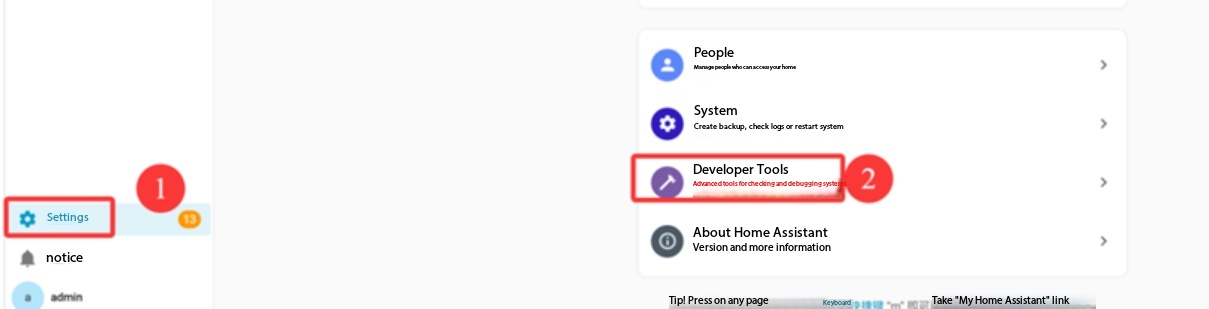
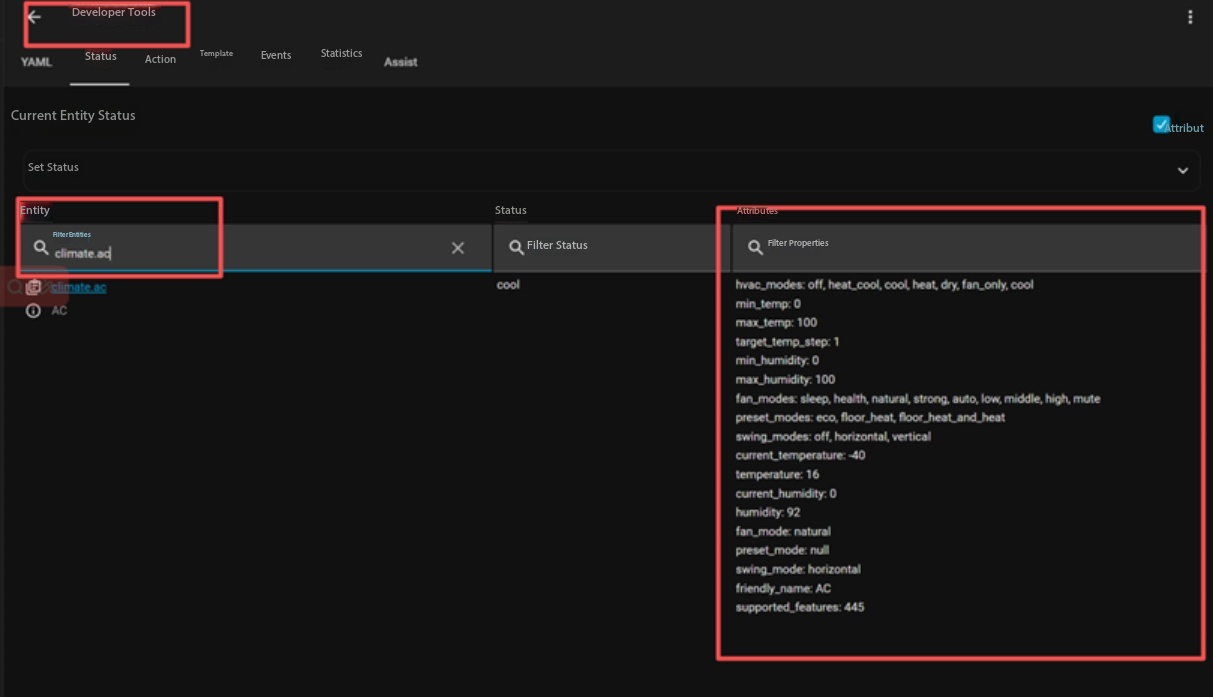
This information helps us understand how the entity is exposed to ROS Card.
Step 3 — Upload Remote Logs
Please enable log upload on the remote:
-
On the Astrion Remote, go to:
Settings → About → Log Upload
-
Enable the log upload switch
-
Return to the previous screen
-
Refresh the remote data once
-
Reproduce the issue by performing the uncontrollable action again
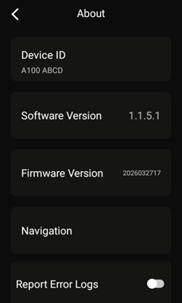
The remote will automatically record and upload relevant exception logs if an error occurs.
Step 4 — Provide Device Information
Please send us:
-
A screenshot of the About page
-
The device serial number
-
Current software version
-
Current ROS Card version
Additional Notes
-
Please provide all requested information whenever possible.
-
Screenshots and short videos are also extremely helpful.
-
If multiple entities are affected, please specify which entities are impacted.
Thank you very much for your support, patience, and assistance in helping us improve Astrion and ROS Card.