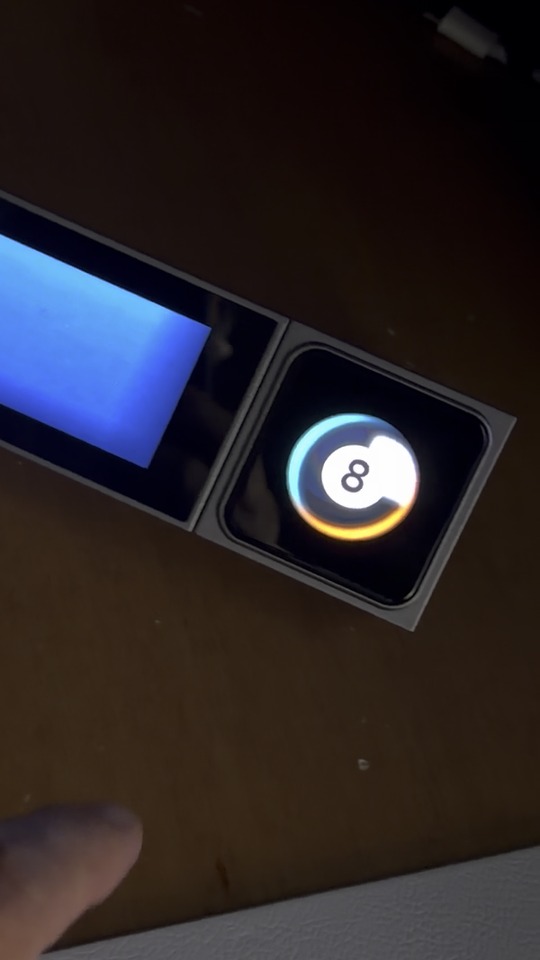
I built a Magic 8 Ball for the VivoCube. Tap the ball and it shows an answer for 8 seconds, then goes back to the ball.

How it works
- The cube shows the ball alone on layer 1 and three answers on layer 2, all custom images.
- The ball’s Click action is Open App, which opens a small Android app on the CoreBar. The app picks a random answer and switches the cube to it with the same layer-switch message the launcher uses.
Bugs (CoreBar LineOS 1.0.3. These are on the CoreBar/VivoCube side, so they should affect Windows users too; I tested with the macOS UltraWorkSpace 1.0.0.14)
- Only the first VivoCube button runs its actions. Every later button gets a doubled scene id, and the bar logs “场景不存在” (scene doesn’t exist) when it’s pressed. The LineOS 1.0.8 code on GitHub fixes this, but my bar is still on 1.0.3. How do existing bars get 1.0.8? Installing LineOS_v1.0.8.apk from GitHub on its own doesn’t work: the modules stop responding.
- The “App opened” automation trigger never fires. No matcher is registered for APP_STATE, and 1.0.8 is the same.
- Only 2 VivoCube layers can be switched to. Layers 3–6 are refused even when deployed. Does the VivoCube_V2_20260728 firmware change this?
Requests
4. An official way to switch the cube’s layer, and to run an automation, through the 7431 API. Act 1204 (SCENE_TRIGGER) is defined but has no handler.
5. A random action (pick one of several actions). That alone would let anyone build this without writing an app.
6. An option to hide the page dots when a layer has more than one widget.
7. Document the cube’s limits: about 1 MB of images per deploy (more shows a red X), and the visible area (images at 100% get clipped; about 88% fits).
8. Let Choose Icon accept a local PNG, if newer builds don’t already. I only see the online library in the macOS app.