đź§© How are you using Astrion Remote in your daily setup?

We’d love to see how everyone is using Astrion Remote :eyes:

Some ideas to share:

  • Which rooms do you control?
  • What do you bind to physical buttons?
  • Do you use it mainly for lights, AC, or media?
  • Desk setup, living room, or wall-mounted?

Feel free to post:
:camera_with_flash: Photos
:clipboard: Button layouts
:brain: Automation ideas

Your setup might inspire others!

Hi, I understand that it can be integrated with Home Assistant, but I wanted to know if it can also be used as a remote control for a home theater system that needs to control multiple devices, like the Logitech Harmony Touch, in short.

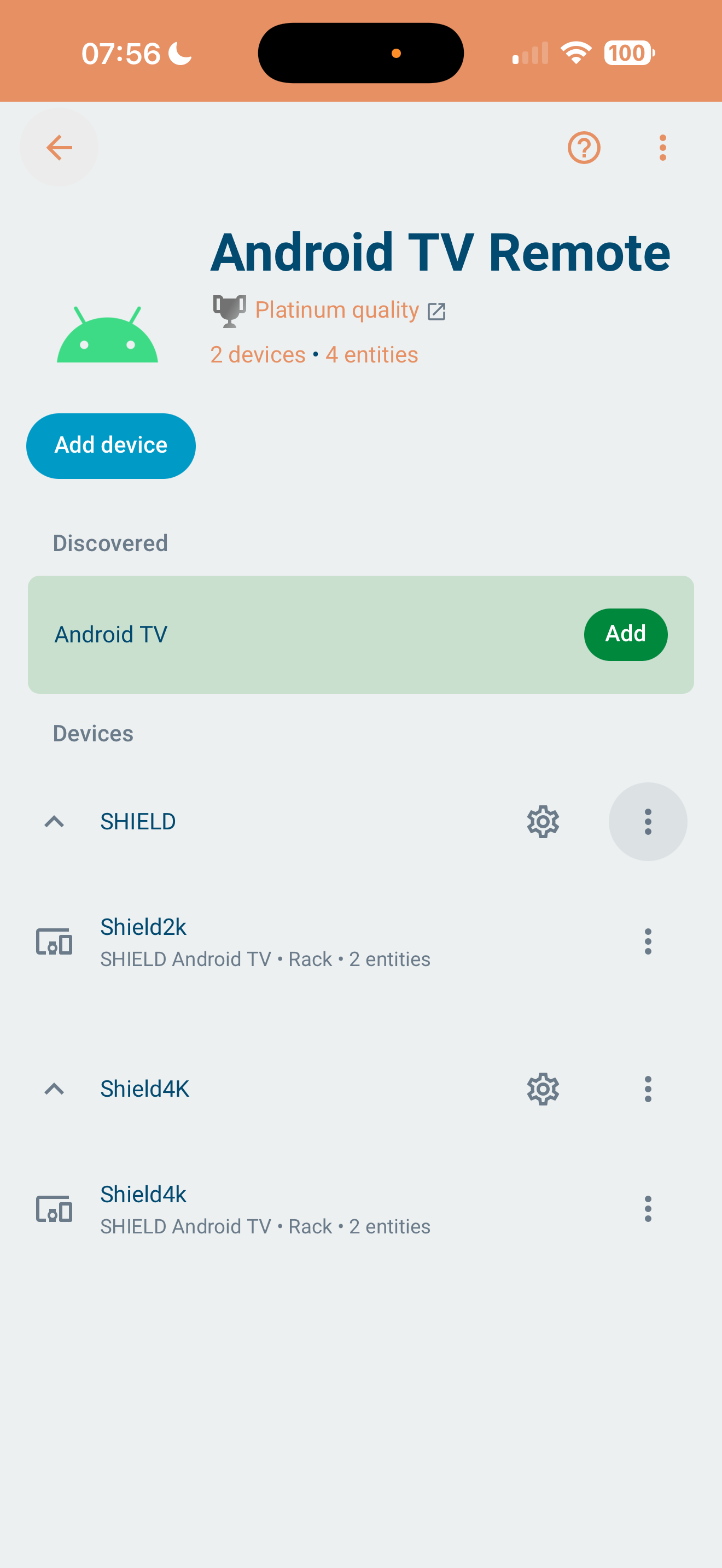
Currently can control Android TV, integrated with HA. They are working on updating the Roscard to enable it to control a harmony hub directly, another option would be for it to control any other IR hub.

Hi Massimiliano, welcome to the community! :waving_hand:
Great question — and yes, this is a very common use case.

Astrion can absolutely be used as a “home theater remote”**, but the approach is a bit different from Logitech Harmony.

How Astrion handles home theater control

Astrion is 100% Home Assistant–centric, so instead of directly learning IR codes itself like Harmony Touch, it works through HA as the control brain.

That means:

  • :clapper_board: Multiple devices (TV, AVR, player, projector, etc.) are controlled via Home Assistant
  • :repeat_button: Astrion sends commands to HA
  • :electric_plug: HA talks to your devices using:
    • Android TV / Apple TV integrations
    • Network integrations (Denon / Marantz, HDMI-CEC, etc.)
    • IR hubs (Broadlink, ESPHome IR, Harmony Hub, etc.)

If Home Assistant can control it → Astrion can control it.

Typical home theater setups we see

Some real-world examples from users:

  • Android TV / Apple TV directly via HA
  • AVR (Denon / Marantz) over IP control
  • IR-only devices via Broadlink or ESPHome IR
  • One physical button = Scene / Script
    • “Watch Movie”
    • “Power Off All”
    • “Gaming Mode”

This actually makes Astrion more flexible than Harmony in many cases, because you’re not limited to a fixed device model list.

About Harmony Hub

As Chykan mentioned:

  • Direct Harmony Hub control via RosCard is being explored
  • Today, the recommended method is:
    • Harmony Hub → Home Assistant integration
    • Astrion → triggers HA scripts/scenes that call Harmony

This keeps everything unified in HA and avoids vendor lock-in.

In short

  • Astrion ≠ traditional IR-learning remote
  • Astrion = smart, programmable control surface for Home Assistant
  • Ideal if you already use (or plan to use) HA as your central system

If you’d like, feel free to share:

  • Your current devices (TV / AVR / player)
  • Whether they’re IP or IR controlled

We’re happy to suggest a clean setup :+1:

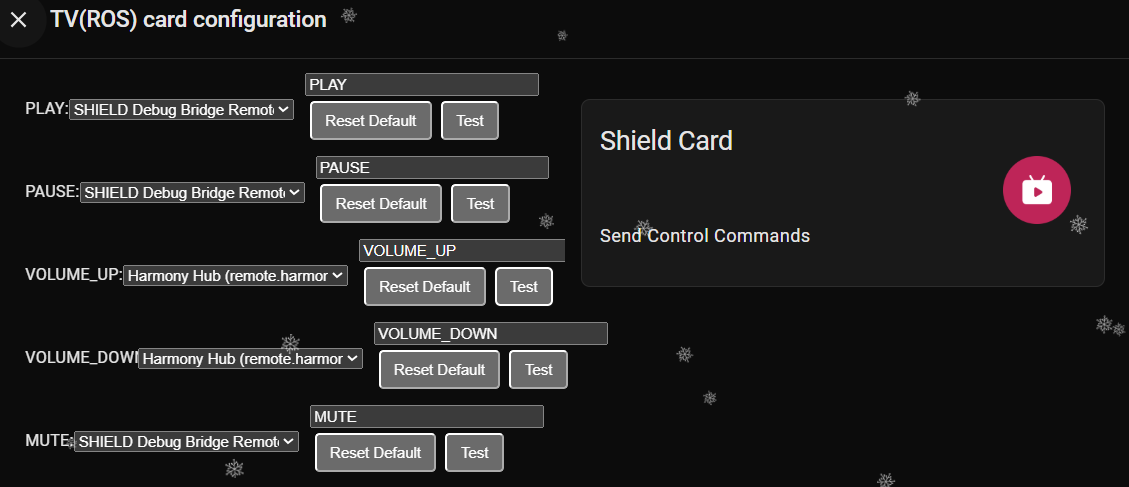
As seen below, I have managed to select my harmony as the volume control. But it does not work for volume control.

Need to be able to add a button.* entity for that command, within the TV card.

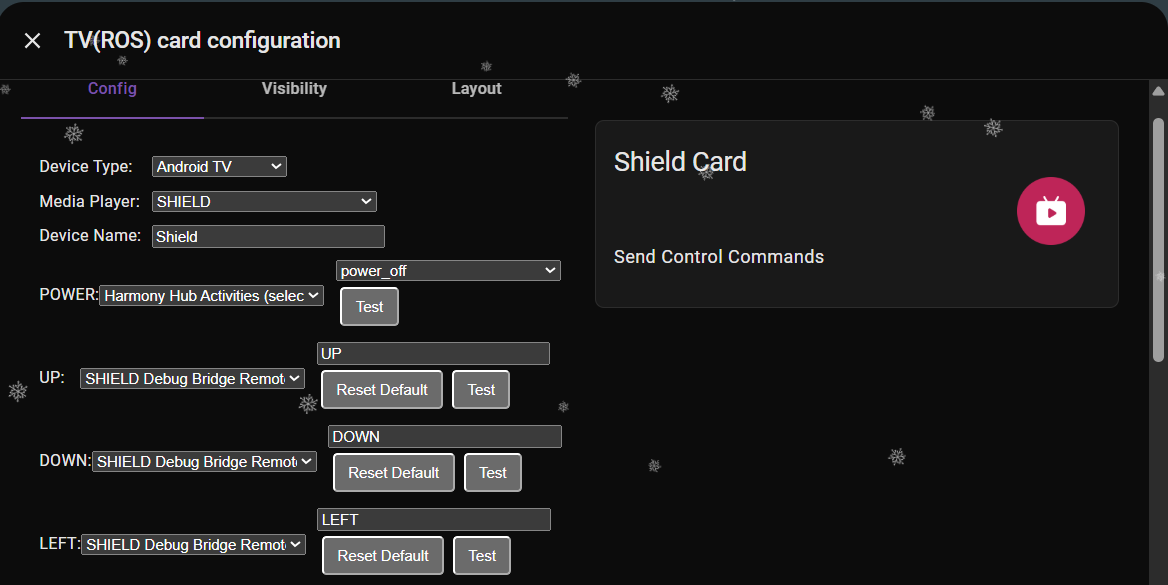
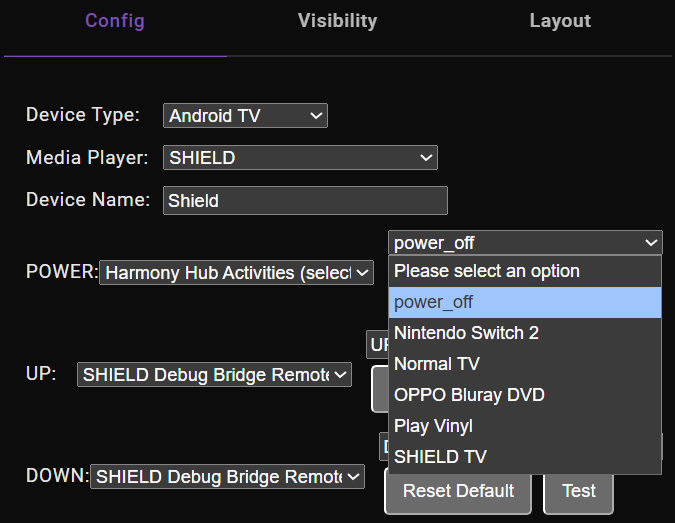
The Harmony power off activity can be mapped directly to a button. In my case below power_off works with the power button but only provides power off not toggling.

Hi @Chykan_Hunter, thanks for the detailed screenshots.

What you’re seeing is expected with the current implementation.
Although Harmony activities can be selected as a volume source, Harmony does not expose volume as a standard Home Assistant media_player volume entity (volume_up / volume_down / volume_set).

The RosCard TV card volume control currently relies on standard HA media_player volume services, which Harmony does not fully support. As a result, volume commands bound this way won’t take effect.

:backhand_index_pointing_right: At the moment:

  • Harmony power-off activities can be mapped and work
  • Harmony volume via TV card is not supported yet

We’re evaluating adding per-button command entities to the TV card in future updates to better support Harmony-style command-based control.

1 Like

On Power button only does power off (no toggle)

Good observation :+1:

This behavior is normal and comes from the Harmony integration itself.
Harmony activities usually expose power_off only, not a true on/off toggle state.

Because Home Assistant cannot reliably know whether the activity is currently on or off, Astrion:

  • Sends power_off only
  • Does not fake or assume a toggle state

If an integration exposes a true toggle service, Astrion will support it automatically.

1 Like

For Harmony it is an input_select list. Selecting any other option is ON and power_off is OFF.

Thanks for the clarification and screenshot :+1:
You’re correct.

In Home Assistant, the Harmony integration exposes activities as an input_select:

  • Any selected activity = ON
  • Selecting power_off = OFF

This also explains why Harmony does not provide a true toggle or volume-capable media_player entity. From HA’s perspective, Harmony is command-driven, not state-driven, which is why many advanced setups (including FireRemote) rely on explicit button entities or scripts.

This behavior is fully understood on our side.

Thank you for sharing the FireRemote YAML example — this is a very good reference.

What FireRemote does extremely well is:

  • Allowing device family + model selection
  • Treating every button as an overrideable action
  • Letting users bind buttons to any HA service, not just media_player services

Your requirement — “insert the above entities into the TV RosCard” — is valid and highlights a structural limitation of the current TV / Media Play RosCard design.


RosCard Media Play redesign (confirmed direction)

After internal discussion with the development team, we agree that the Media Play RosCard needs a structural redesign, and your example aligns very well with where we want to go.

Here is the proposed direction, point by point:


:one: Device family & model selection (FireRemote-style)

The Media Play RosCard will be redesigned to:

  • Select device family (Android TV, Apple TV, Fire TV, Shield, Harmony, etc.)
  • Optionally select model type, which defines:
    • Default key mappings
    • Default command behavior
    • UI hints / labels

This removes the assumption that one media_player entity fits all use cases.


:two: No UI switching required on Astrion Remote

On Astrion hardware:

  • Users do not need to switch cards or screens
  • Selecting a different playback device will:
    • Update the control context
    • Refresh the control UI automatically
    • Rebind physical buttons in real time

This keeps interaction hardware-first, not UI-first.


:three: Full physical button customization with “Default / Override” logic

Because Astrion’s physical buttons are fixed, we will expose full per-button customization, using this rule:

  • Default → Button keeps its native behavior
    Examples:
    • D-pad: navigation
    • OK: select
    • Volume ±: volume
    • Channel ±, Mute, etc.
  • Override → User-defined behavior takes precedence
    Examples:
    • UP / DOWN send scripts to Harmony or Shield
    • LEFT / RIGHT trigger HA button entities
    • Volume keys control a different device than the navigation target

This is essentially bringing FireRemote-style button_overrides into RosCard, but adapted for hardware buttons.


:four: The 4 custom function buttons

The four original customizable function buttons on Astrion will also be:

  • Fully configurable
  • Able to trigger:
    • Scripts
    • Scenes
    • App launches (Netflix, YouTube, etc.)
    • Any HA service call

These buttons will remain device-agnostic, making them ideal for global shortcuts.


Regarding the posted TV RosCard YAML

Your current YAML example clearly shows the limitation:

entities:
  - key: UP
    type: remote
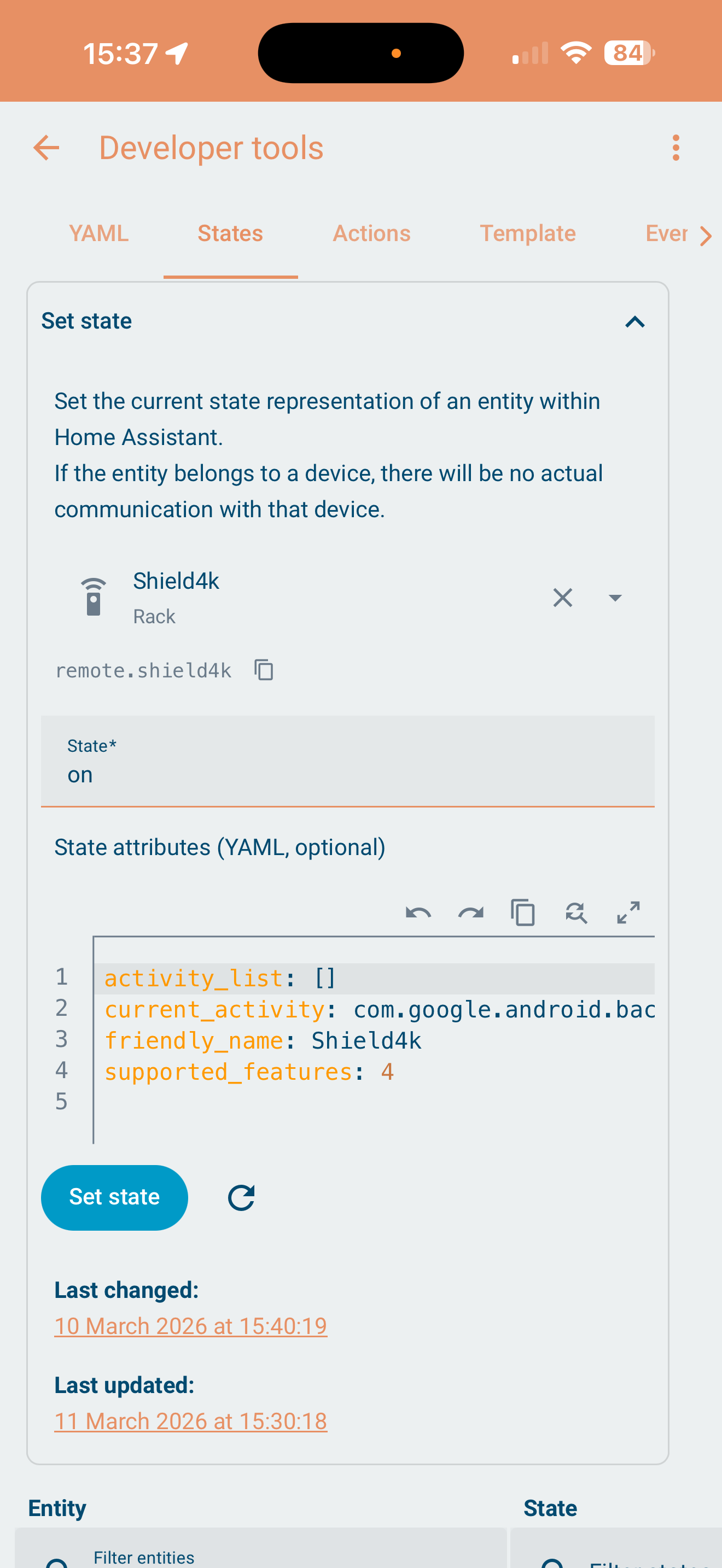
    entity_id: remote.shield_debug_bridge_remote

The redesign goal is to remove the need to hard-code this per card, and instead:

  • Let the card define a control context
  • Let users override button behavior without duplicating entire card definitions

This will make advanced Harmony + Shield + AVR setups much cleaner.


Reply — Default RosCard on wake (feature request)

Ability to set a particular Roscard as the default card to display full screen when waking the remote.

This is a valid and frequently requested UX improvement.

We’ve logged this as a standalone feature request, because it affects:

  • Power / wake behavior
  • Last-state memory
  • User workflow consistency

Once implemented, users will be able to choose:

  • Resume last card
  • Always open a specific RosCard on wake

Closing

Thanks again for the detailed YAML, screenshots, and explanations — this is exactly the kind of advanced, real-world usage that helps us evolve Astrion and RosCard in the right direction.

We’ll announce the Media Play RosCard redesign officially once the implementation plan is finalized.

@Chykan_Hunter @Massimiliano_Riitano

How do you interact with Up, Down, Left, Right navigation controls?

Do you get a D-pad style UI on the touchscreen?

I have an LG TV, I’m thinking of using an old Harmony Hub for the sole purpose of allowing the Astrion to display the D-pad for navigation.

Hi @NeilsOnWheels, thanks for the detailed follow-up — this is a great question and a good opportunity to clarify how Astrion works today :blush:

One of Astrion’s core design principles is that physical function keys adapt automatically based on the controlled device type, rather than being hard-coded to one use case.

Here’s how it works conceptually:

:small_blue_diamond: Context-aware button behavior

The same physical buttons will behave differently depending on what you’re controlling:

  • Media devices (TV, Shield, Apple TV, etc.)
    • Up / Down / Left / Right → navigation
    • OK → select / confirm
    • Volume ± → volume
    • Channel ± → channel or track control
  • Dimmable lights
    • Volume ± → brightness percentage
    • Channel ± → color or color temperature adjustment
    • OK → confirm selection
  • Other device types
    • Directional keys and function buttons automatically map to the most logical actions exposed by Home Assistant for that device

This means you don’t need to “rethink” the remote every time — the same muscle memory applies, while the function adapts to context.

:small_blue_diamond: Why this matters

This adaptive behavior is what allows Astrion to feel like:

  • A media remote
  • A lighting controller
  • A scene controller
    …without requiring constant mode switching.

As we continue improving RosCard (especially the upcoming media control redesign), this context-driven button logic will remain a core foundation, with even more flexibility added on top.

Thanks again for taking the time to describe your expectations — they line up very well with how we want Astrion to evolve.