The volume of my AV receiver is available as an entity in HA. How can I display it on the remote control, ideally on the TV card?
Hi Dewohn, welcome to our community!
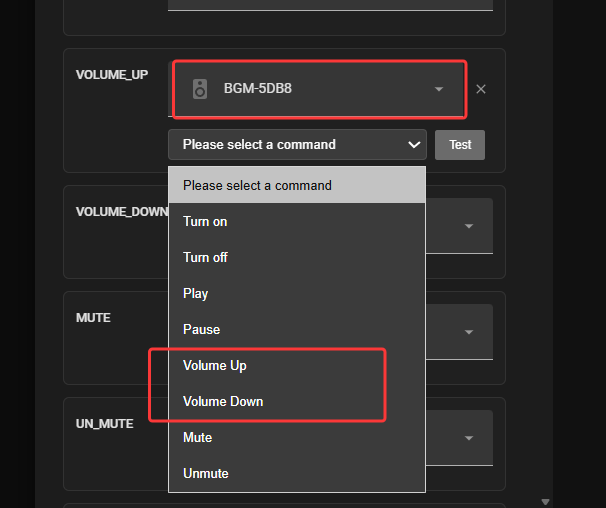
When binding the volume buttons on the TV card and selecting the entity you mentioned, did it not show the corresponding key code values? As shown in the image below:
Hi Leewei,
Thanks for the quick reply.
I tried adjusting the volume using the volume up and volume down controls, but unfortunately the value isn’t displayed correctly. My AV receiver starts up at the last volume setting (usually -45 dB), but this isn’t shown correctly on the remote control. It would be ideal if I could read the volume value from the Entity of my HA.
Hi Dewohn,
We would like to confirm a few details to better understand the issue.
-
Did you select the “Media” entity inside the TV card, and also map the volume control in the button binding section? If so, we assume the volume control is working correctly.
-
After turning on your AV receiver, it automatically resets to your pre-set default volume. However, on the TV card’s media interface, does the volume display still show the value from before the device was turned off?
To clarify how our system works: Normally, the TV interface is designed only for volume control, not for volume display. The volume value shown on the TV’s Media Player interface is supposed to be read directly from the Media entity.
If your situation is not exactly as described above, could you please provide more details, along with a screenshot of your configuration and a short operation video? This will help us pinpoint the issue more efficiently.
Thank you for your time and cooperation!
Hi Leewei,
Zur Beschreibung, mein System besteht aus AV Stufe, Apple TV und Projektor, die Lautstärke wird an der AV Stufe eingestellt. Als Media habe ich den Apple TV eingestellt (“Heimkino”)
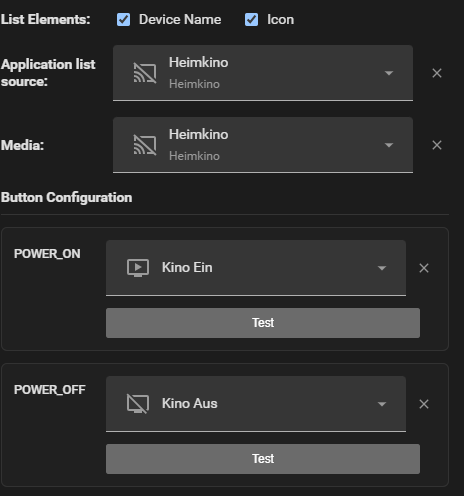
The ‘Volume Up’, ‘Volume Down’ … controls are set the AV receiver.
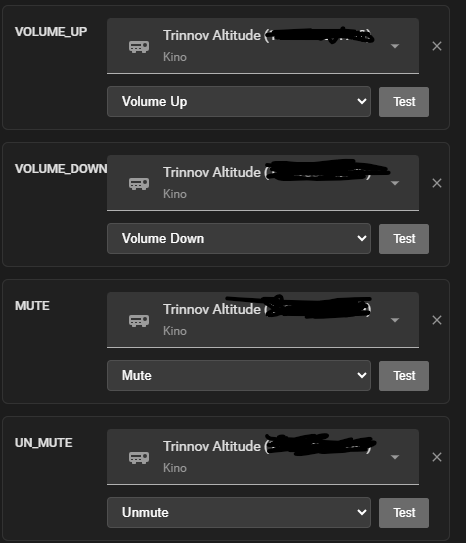
Everything works as it should. I’d just like the option to have the current volume level, expressed in dB, displayed on the remote control. This information is provided by a sensor entity.
Sorry, here the translation of the first sentence: To explain, my system consists of an AV receiver, an Apple TV and a projector; the volume is adjusted on the AV receiver. I have set the Apple TV as the media source (‘Home Cinema’)
Ah, I see! You would like to have the volume level displayed in real-time on the remote. However, our TV card is currently designed primarily as a control interface to provide physical button controls. Therefore, we are not considering displaying the volume value at this stage, as the volume level can be seen on the corresponding player device.
That said, in our upcoming new version, we will allow direct reading of the HA native dashboard. If you have programming skills, you will be able to develop your own custom components to display the device’s volume in the future.
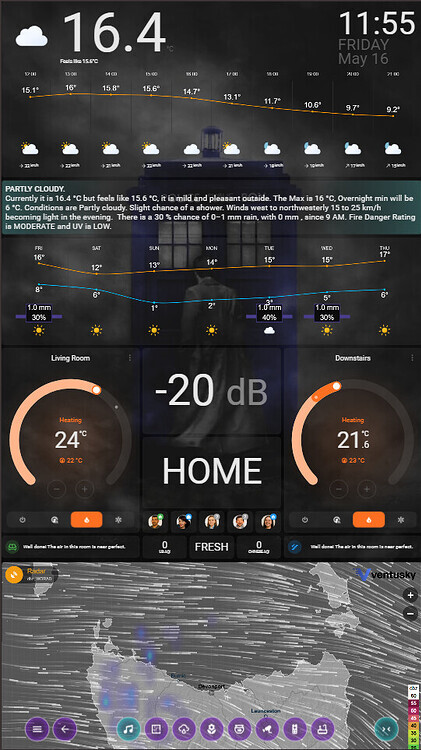
I use a Ulanzi Clock and Node Red to display my amplifier volume. Also have volume displayed on a dashboard as well.
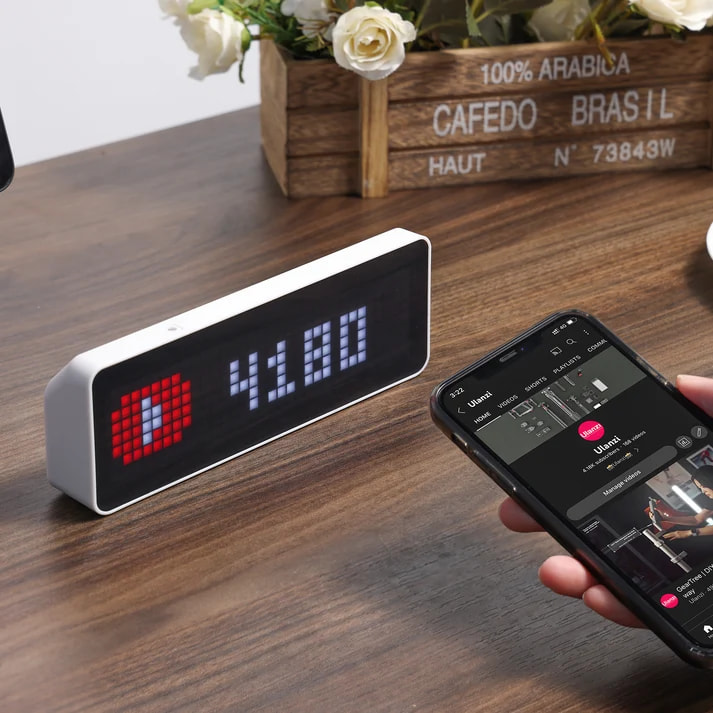

Hi Leewei,
Thanks a lot, i will wait for the next update.
Hi Chykan_Hunter,
That’s a cool idea – I’ll have a look at the watch; I can already think of a few ways to use it. Thank you very much
1 Like
Just to add…some of us have the UI overlay disabled on the AVR to reduce processing of video signal. I would very much like for the remote to reflect the volume value in real time. Its very similar to how things like light level and HVAC temp work currently (as I change them I see the value/meter on the remote reflect the info) so I would think it should not be difficult.
Heap of ideas here.
Hello Rafael_Smith,
OK, I understand. I have noted your request and will bring it up in our next feature discussion meeting.
Based on the reason you provided—which is because you have disabled the UI overlay on your AVR to maintain the best possible picture quality—it sounds like you actually cannot see the current volume value on your TV screen either.
We will record this requirement along with your specific reasoning, as it is very helpful for us to understand the real-world use cases of our users.
Thank you for your valuable feedback!
What it would require is enabling the volume sensor to display a value on the ROS TV card.
1 Like
OK, I will note this suggestion down. Thank you!
1 Like
Correct…and my AV rack is in the back of the room so cant even see the display on the AVR.
I know this is a niche use case but still…seems like volume feedback would be a nice QOL feature to have.
Got it. I will make sure to record this use case carefully and pass it along to the team!
Thanks for sharing.
Same situation as mine, the rack is in the next room, and I don’t like it when the volume is displayed on the screen during a movie.