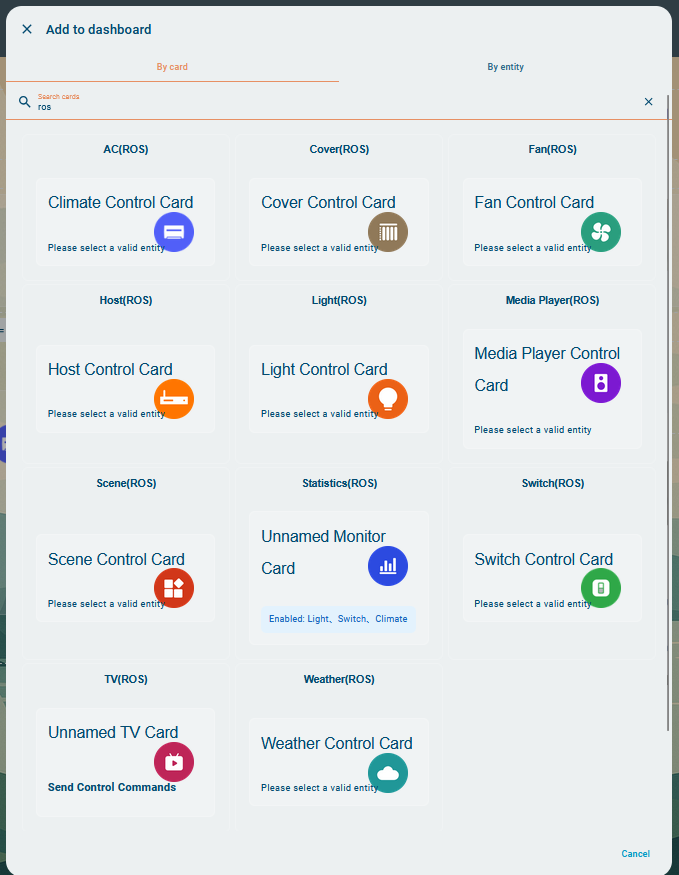
Not sure if Astrion works well with a specific device?
Ask here about:
- Air conditioners / climate entities
- TVs & media players
- Curtains, covers, switches
- Zigbee / Matter / IR devices
Please include:
- Brand / model
- HA integration used
- Entity type
Not sure if Astrion works well with a specific device?
Ask here about:
Please include:
Trying to setup remote to work with FireTV. Have it setup in HA and configured with ROS cards. I mapped all my buttons with android adb bridge. I noticed that there is lag though and the bridge disconnects. Is there a way to speed up button inputs or connect remote through IR/ Bluetooth?
Hi Joe, welcome to the Astrion community! 
Great to have you here, and thanks for the detailed question — you’re already doing a lot of things right.
Regarding Fire TV control via Home Assistant (ADB / Android Debug Bridge):
 About the lag and ADB disconnects
What you’re experiencing is a known limitation of ADB-based control, not specific to Astrion or RosCard.
ADB over the network:
Relies on TCP/IP keep-alive connections
Can introduce latency for rapid button presses
May disconnect if the Fire TV enters a low-power / sleep state or if the network is unstable
This behavior is common across all HA remotes and dashboards that use ADB.
 Can Astrion speed up ADB button inputs?
At the moment:
Astrion sends commands exactly as HA exposes them
We do not add extra delay, batching, or throttling on top of HA
So if there is lag:
It usually comes from the ADB integration itself
Or from network latency / Fire TV power management
 IR or Bluetooth support?
Good questions — here’s the current status:
 Infrared (IR)
Astrion Remote has built-in IR transmitter hardware
Direct IR control from the remote is technically possible
However, IR learning and standalone IR control are still under evaluation and not yet released
For now, IR control must go through HA (e.g. Broadlink → scripts → RosCard)
BluetoothDirect Bluetooth HID control (like an original Fire TV remote) is not supported yet
This is something we are actively discussing internally, especially for AV-centric use cases
 Practical tips to improve responsiveness (now)
You can often improve ADB performance by:
Keeping Fire TV and HA on the same LAN (wired if possible)
Disabling aggressive sleep / power-saving on Fire TV
Using scripts or scenes for common actions instead of rapid repeated button presses
Mapping fewer “step-by-step” commands and more direct actions
 What’s coming
AV control (TVs, media players, IR devices) is a major development focus for Astrion:
More flexible button mapping
Better media / TV card behavior
Expanded AV control methods beyond ADB
Your feedback is exactly the kind we need to prioritize these improvements 
If you’re open to it, feel free to share:
Fire TV model
How it’s connected (Wi-Fi / Ethernet)
Whether you’re using the official Android TV ADB integration or another custom setup
Thanks again for joining, and welcome aboard! 
Hi, I actually use it for an android tv and it works great, but I’d like to have more button like Netflix, disenyplus and prime and specially a button to go directly to the TV channel. I have also an lg TV that actually doesn’t work and would be great to use it as well on the astrion
Hi Miki, thanks a lot for sharing your experience 
Great to hear that Astrion is working well with your Android TV 
Your suggestions are absolutely on point:
• Dedicated app buttons (Netflix, Disney+, Prime Video, etc.)
• A direct “TV / Live Channel” button
• Better support for LG TVs
All of these are already part of our AV control roadmap.
For Android TV, these buttons can be implemented via:
We’re actively working on making it easier to map custom buttons on Astrion directly to scripts, scenes, or helpers in HA, so app launch and TV channel shortcuts become straightforward.
LG TVs (webOS) work well in Home Assistant via the native LG webOS integration, but today they’re not yet fully supported inside the TV (ROS) card.
This is a known limitation, and script / helper support inside the TV card is one of the most requested features — it will also unlock better LG TV control.
As a temporary solution, you can:
Thanks again for the great feedback — this is exactly the kind of input that shapes Astrion’s next updates.
I’m running Fire TV 4k I have a Nvidia Shield I might try. The native Android tv integration doesn’t work with fire stick. My internet is not that great right now everything running wirelessly. So far loving the remote! I’m moving into my new house beginning of February so will have more integrations to try out then. Can’t wait for future updates and improvements!
Hi Joe, thanks a lot for sharing your setup — and great to hear you’re enjoying the remote already!
You’re absolutely right about Fire TV:
Your idea of testing with the NVIDIA Shield is perfect
The Shield works very well with Home Assistant’s Android TV integration and is one of the most commonly used media devices with Astrion.
Regarding the network:
The exciting part is what you mentioned next 
“I’m moving into my new house beginning of February”
That’s where Astrion really shines:
We’re actively improving RosCard, media control, and multi-device scenarios, so future updates should fit your expanding setup very well.
When you’re settled in:
Thanks again for the support — and welcome to the Astrion community!
Wishing you a Merry Xmas and prosperous New Year 2026!
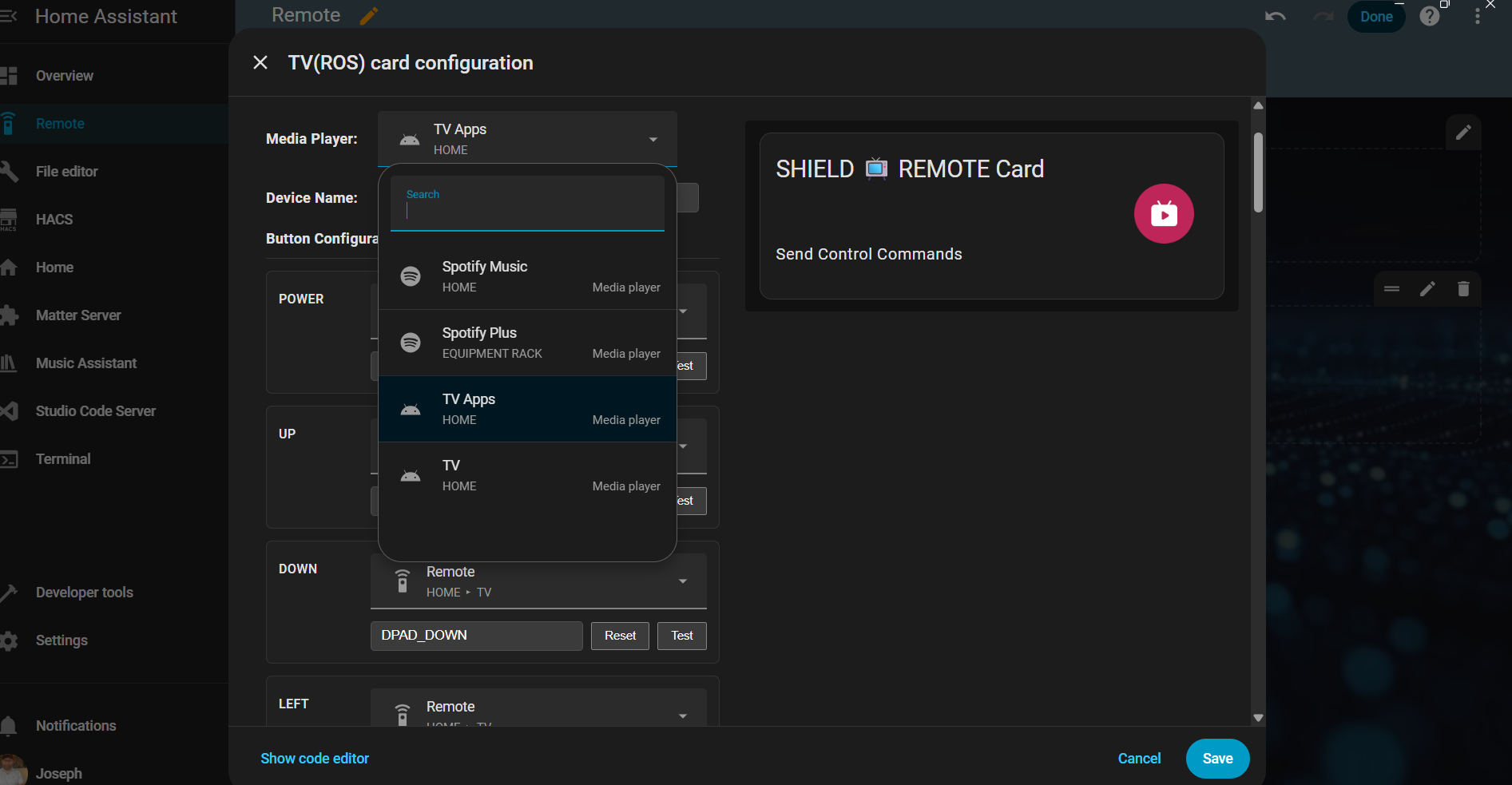
Switched to Nvidia Shield and now Android TV integration working much better. I set up a mix of media control on the ROS TV card. The media player is still under Android Debug bridge as the Android TV integration doesnt show an apps tray for some reason. All other buttons run through Android TV integration. I wish long press was an option for buttons but doesnt seem to be working. Noticed my clock wont change to 12hour format even with android settings set to 12 hour time. The voice search only works for home assistant commands cant do voice search like for youtube. Would also like spotify playlist in the que for playlists just shows empty que.
Hi Joe, thanks a lot for the detailed feedback — this is very helpful
Let me reply point by point and also clarify a few terms that may be confusing.
About the “application tray”Good question — this term can be unclear.
By “application tray”, we mean the list of installed apps (Plex, YouTube, Netflix, etc.) that can be queried and launched via the Android TV integration in Home Assistant.
In your case:
So to clarify:
 Your TV / Shield is still displayed and controllable on Astrion
It’s just that the Android TV integration itself isn’t reporting the app list, which is outside of Astrion’s control.
Long-press button behaviorLong-press is supported, but currently with some scope limitations.
At the moment:
 Long-press works mainly for:
 Long-press is not yet available for all buttons on the Media / TV card
We’re aware this is a common request, and expanding long-press and multi-action behavior to more buttons is already part of our ongoing R&D plan.
12-hour time formatYou’re right — at the moment:
 12-hour / 24-hour time display synchronization is already noted and will be added in a future update.
Voice search behaviorCurrently:
This is a known limitation due to how Android TV and ADB handle voice input. We’re still evaluating possible approaches, but for now voice control is HA-command-focused.
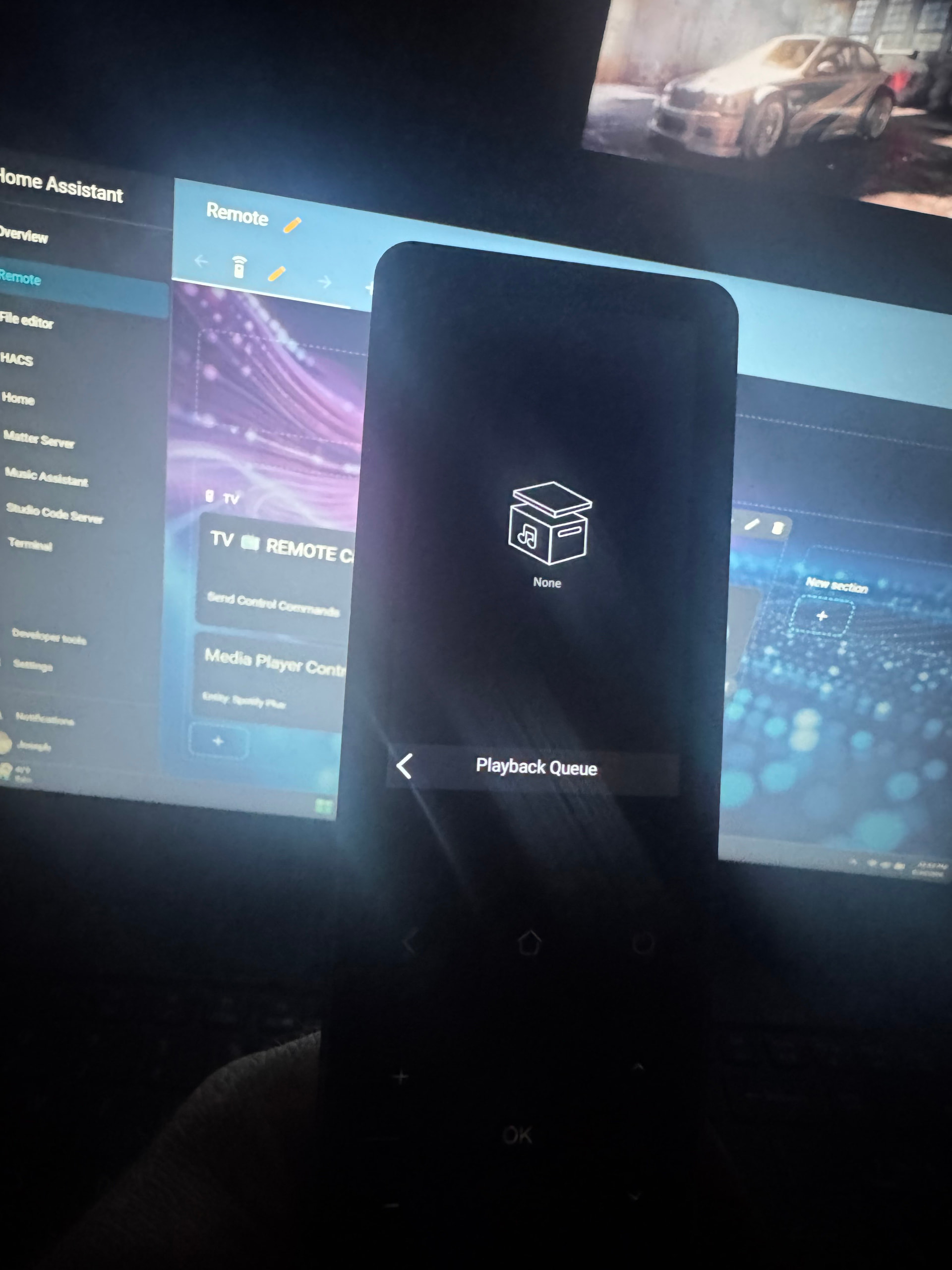
Spotify playlists showing emptyThis is also expected behavior for now.
 Improved playlist handling (including Spotify) is planned and will be enhanced in later versions.
You’ve actually set things up in the best possible way with current integrations:
Your feedback aligns very well with what we’re actively improving, especially around:
Thanks again for taking the time to share your experience — posts like this directly help shape upcoming updates
Hi team,
I just wanted to reach out and provide some device compatibility requests.
I have an LG TV. It’s the main device I used for watching media through apps such as Netflix, Emby etc. I can use Home Assistant to do MANY things to control the TV using the WebOS integration.
I know there is development proposed for LG TV, so I thought I would provide some details on how I expect the Astrion to operate my TV.
Here is my wishlist:
Hi @NeilsOnWheels, welcome to the community — and thanks for jumping straight into such thoughtful feedback
You’re absolutely right to point out the FireRemote-style media control approach, and I want to reassure you that this is very much aligned with the direction we’re taking.
A previous community member shared an excellent FireRemote YAML example, and after internal discussion, we agreed that it clearly highlights some structural limitations in our current Media / TV RosCard design. That example has already influenced our thinking around:
media_playerWe are currently actively working on this redesign, and I’ll also forward your comments to the development team as additional confirmation that this is the right direction.
Thanks again for raising this — feedback like yours helps validate our design decisions and keeps us focused on real-world usage.
Hi is there anyway to trigger an automation when you select the media card ? Example
I want to control my shield Tv so I setup the send control commands Ros card which controls my Shield and the vol of my Tv, but I have to manually turn on the tv first, select the correct input etc. is there anyway for the remote to trigger an automation when I press on the Ros card I can do this In home assistant.
Hi @Skeltonmfc, welcome to the community — and great question
Yes — what you’re trying to achieve is possible, and you’re thinking about it exactly the right way.
Short AnswerYes, you can trigger a Home Assistant automation when interacting with a Ros Card — but the method depends on how you want it triggered:
| Trigger Type | Supported Now | Notes |
|---|---|---|
| Pressing a button inside Ros Card | Yes |
Recommended approach |
| Opening / selecting the Ros Card itself |  Not directly Not directly |
Requires workaround |
 Recommended Method (Best Practice)
Instead of triggering the automation when the card is opened, the best current solution is:
 Bind a Home Assistant script or automation to a button on the Ros Card
For example, create a script in Home Assistant:
script:
  shield_tv_startup:
    sequence:
      - service: media_player.turn_on
        target:
          entity_id: media_player.tv
      - delay: "00:00:02"
      - service: media_player.select_source
        data:
          entity_id: media_player.tv
          source: HDMI 1
      - service: media_player.turn_on
        target:
          entity_id: media_player.shield
Then bind that script to a Ros Card button such as:
Watch Shield
This way one press:
turns on TV
switches input
starts Shield
prepares remote control
This is actually the intended architecture of Astrion’s automation design — actions should be tied to explicit buttons, not UI navigation events.
 Why Card-Open Trigger Isn’t Native (Yet)
Triggering automations on card open is currently not built-in because:
UI navigation events are considered passive states
Button presses are considered explicit commands
Explicit triggers prevent accidental automation runs
That said — your use case is valid, and this exact idea has already been discussed internally as a future enhancement direction.
 Advanced Workaround (Power Users)
If you really want automation triggered on card open, you can simulate it by:
Creating a dedicated “Launch Media” button
Making it the first and most prominent button
Styling it visually as a header or entry action
This gives almost identical UX while remaining stable and predictable.
Summary
Yes, your scenario is achievable today
Best method = trigger automation via a Ros Card button
Card-open triggers are not native yet but are being evaluated
2 questions
Hi Skeltonmfc,
I wanted to follow up and summarize the key points from our discussion regarding Ros Card automation and button setup:
Summary
Yes, you can trigger Home Assistant automations from a Ros Card.
The recommended and most stable method is to bind an automation or script to a button inside the Ros Card, rather than triggering it when the card opens.
Card-open triggers are not currently supported natively because UI navigation is treated as a passive action, while button presses are treated as explicit commands (which prevents accidental executions).
How to Achieve Your Goal
To create a “Launch Media”–style action:
Create a script or automation in Home Assistant that performs your desired sequence (turn on TV, switch input, start device, etc.).
Open the Ros Card editor.
Add a button element inside the card.
Bind that button to the script you created.
Optionally style the button as the first or main control so it visually acts as a launch action.
If You Don’t See Button Options
This usually means:
The card type selected does not support buttons, or
You are viewing a predefined card template instead of a customizable layout.
In that case, switch to a card type that supports custom controls (for example, a general or host-control type card), then add buttons manually.
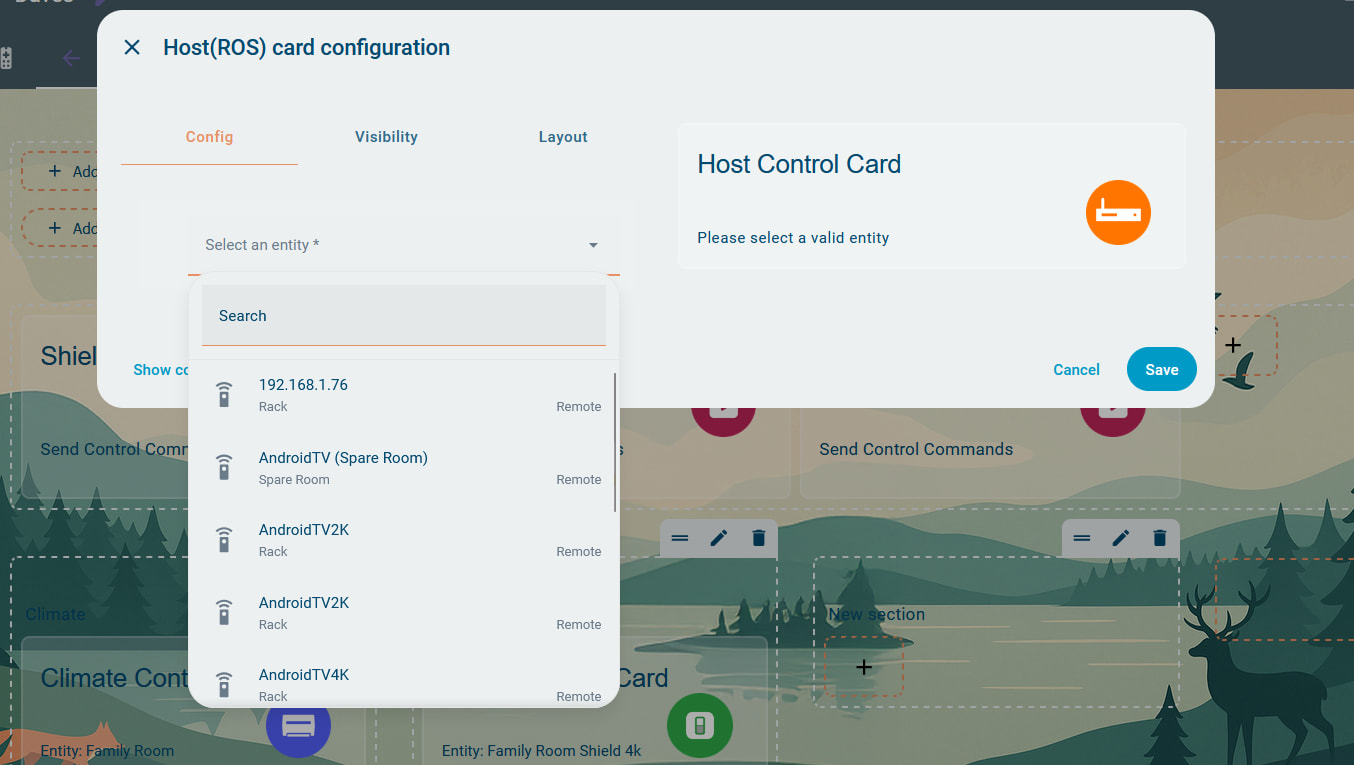
I do not have a general roscard, i have a host rosscard but i can only select .remote please see attached images
Hi @Skeltonmfc,
Thank you for the clarification and the screenshots — that helps.
Let me explain a bit more clearly:
RosCard itself is simply a configuration tool inside the Astrion Remote. It does not directly execute commands. The Astrion Remote communicates with Home Assistant using the official Home Assistant WebSocket API, which is responsible for sending service calls and receiving real-time state updates.
Previously, when users wanted to trigger automations, scripts, or scenes created in Home Assistant, this was typically done through Scene Cards.
In the upcoming V1.1.1 update, TV Cards will support direct script binding, meaning buttons can execute Home Assistant scripts directly. This should better support advanced control scenarios like yours.
Regarding your specific issue:
You mentioned that you only see “.remote” available inside the Host RosCard.
That is expected behavior.
At the moment, the Host Card is designed specifically for AIKS / LinkOn series Audio-Visual Controllers. It does not function as a general-purpose RosCard. Therefore, if you are not using those supported controller models, you do not need to use the Host Card.
For your scenario, please focus on:
TV Card (especially after V1.1.1 for script binding)
Scenes & Scripts Card
Remote entity bindings
We will publish an official announcement once the Host Card expands to support broader functionality.