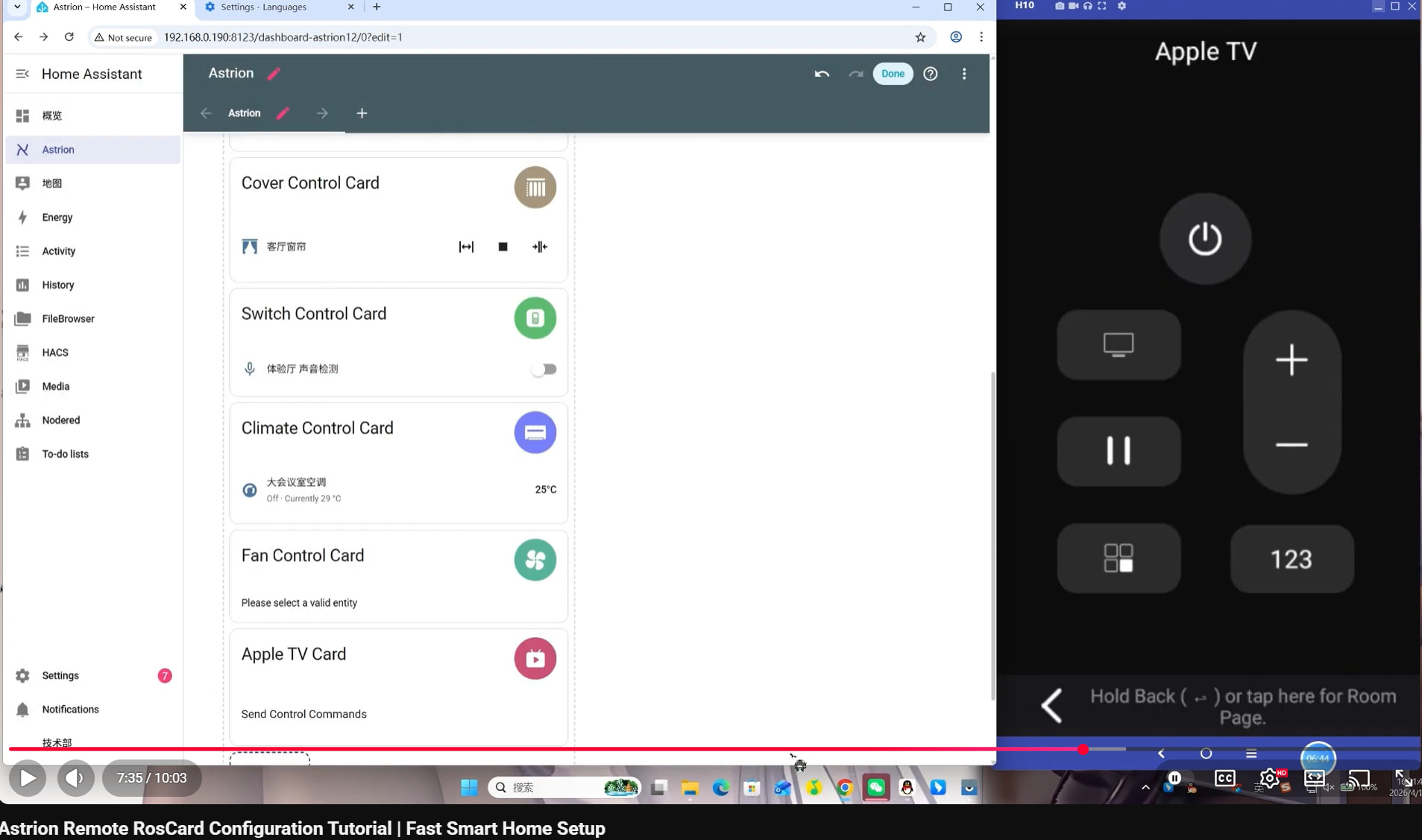
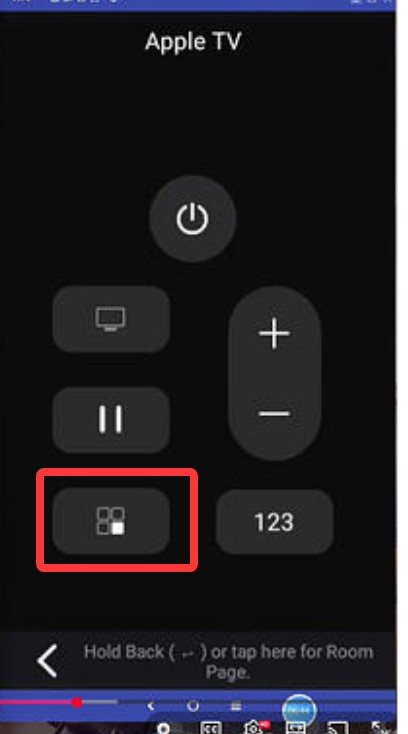
I’m just starting out with the remote controlling Apple TV but the app shortcuts button isn’t visible as shown in the recent RosCard YouTube tutorial. Has anyone else had this same issue?
I’ve updated RosCard to v1.1.3, Astrion is on v1.1.5 and all Apple TV’s are running 26.5 but no matter what I try in HA such as; deleting then re-adding Apple TV devices, creating new dashboards and TV(Ros) cards but the app icon never appears in remotes UI.
I even tried the TV(Ros) card device type set to Android TV (as it was in YT tutorial for some reason) and that did add the keyboard button but no app button.
Welcome to the forum, and thank you for the detailed report.
Based on the information you’ve provided:
Astrion Remote: v1.1.5
RosCard: v1.1.3
Apple TV: tvOS 26.5
your versions appear to be up to date.
The App Shortcut button shown in the recent RosCard video was demonstrated using an Android TV device, where Home Assistant can retrieve and expose installed application information through the underlying integration. This is why the tutorial may show slightly different behavior from what you are seeing with Apple TV.
At the moment, Apple TV and Android TV integrations expose different capabilities to Home Assistant. While Apple TV supports media control, navigation, power functions, and application launching in some scenarios, it does not always expose the same app metadata and app-list functionality that Android TV devices provide. As a result, the App Shortcut button may not appear even when everything is configured correctly.
To help us verify whether this is a limitation of the current Apple TV integration or a RosCard issue, could you please provide:
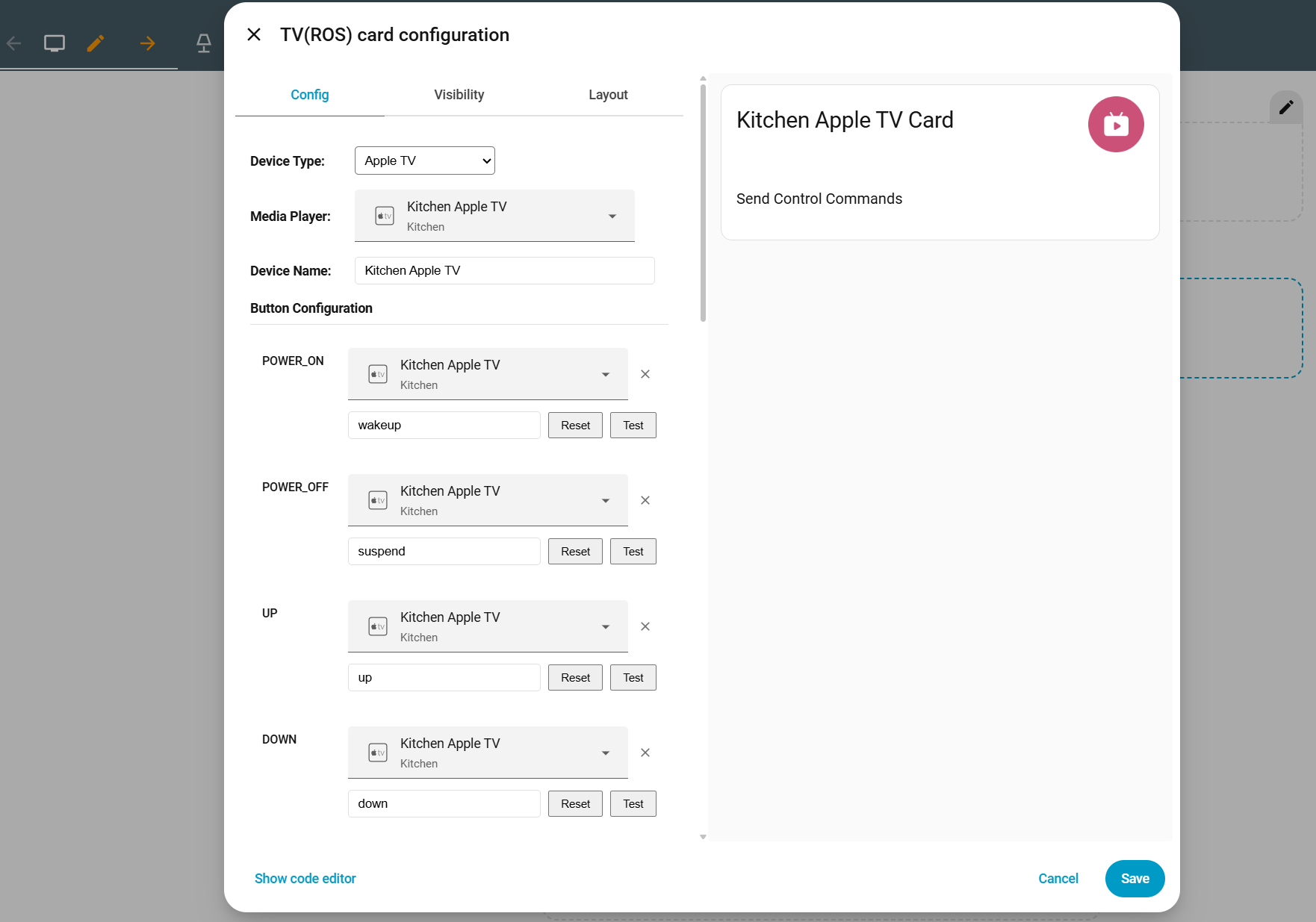
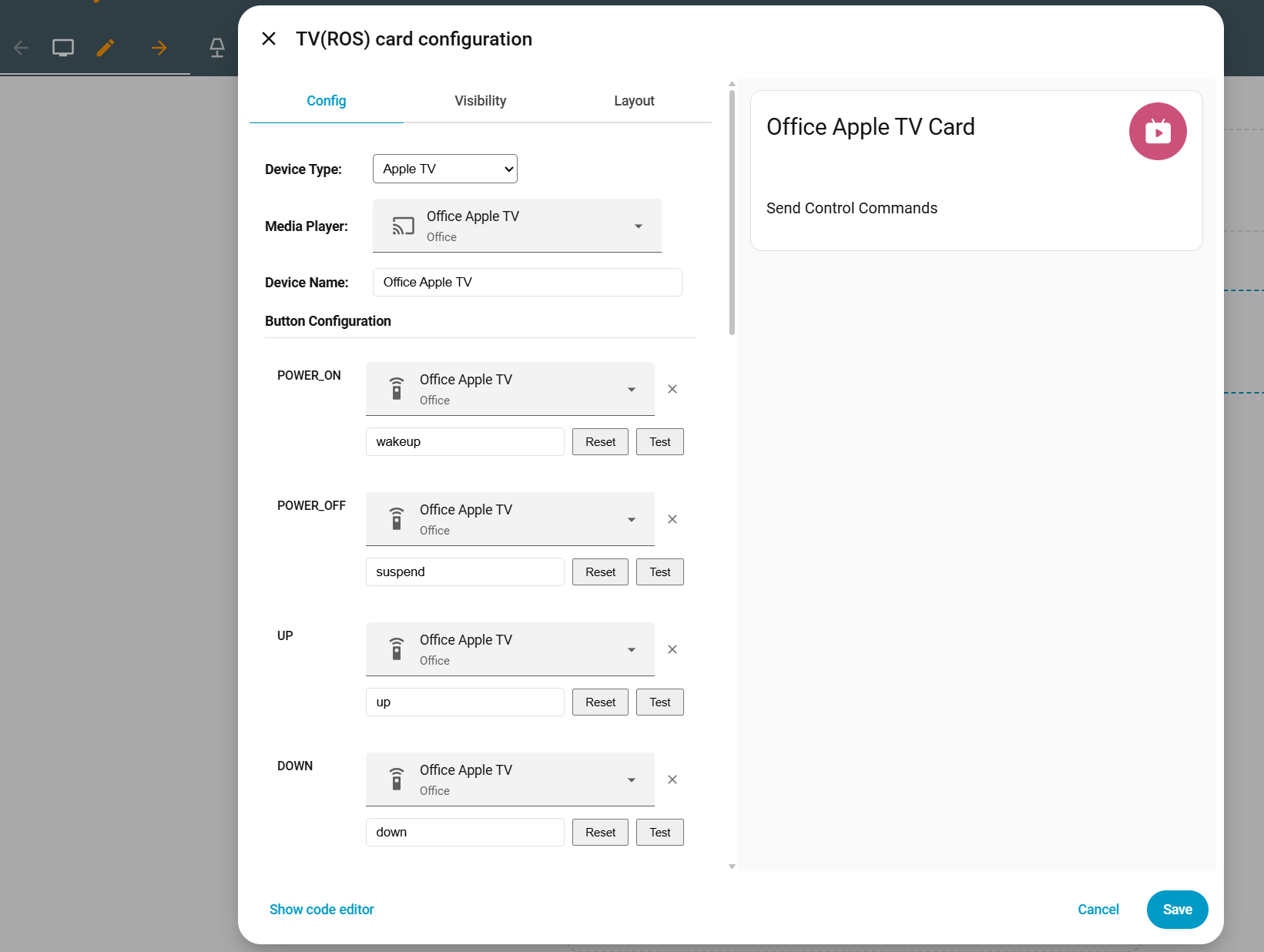
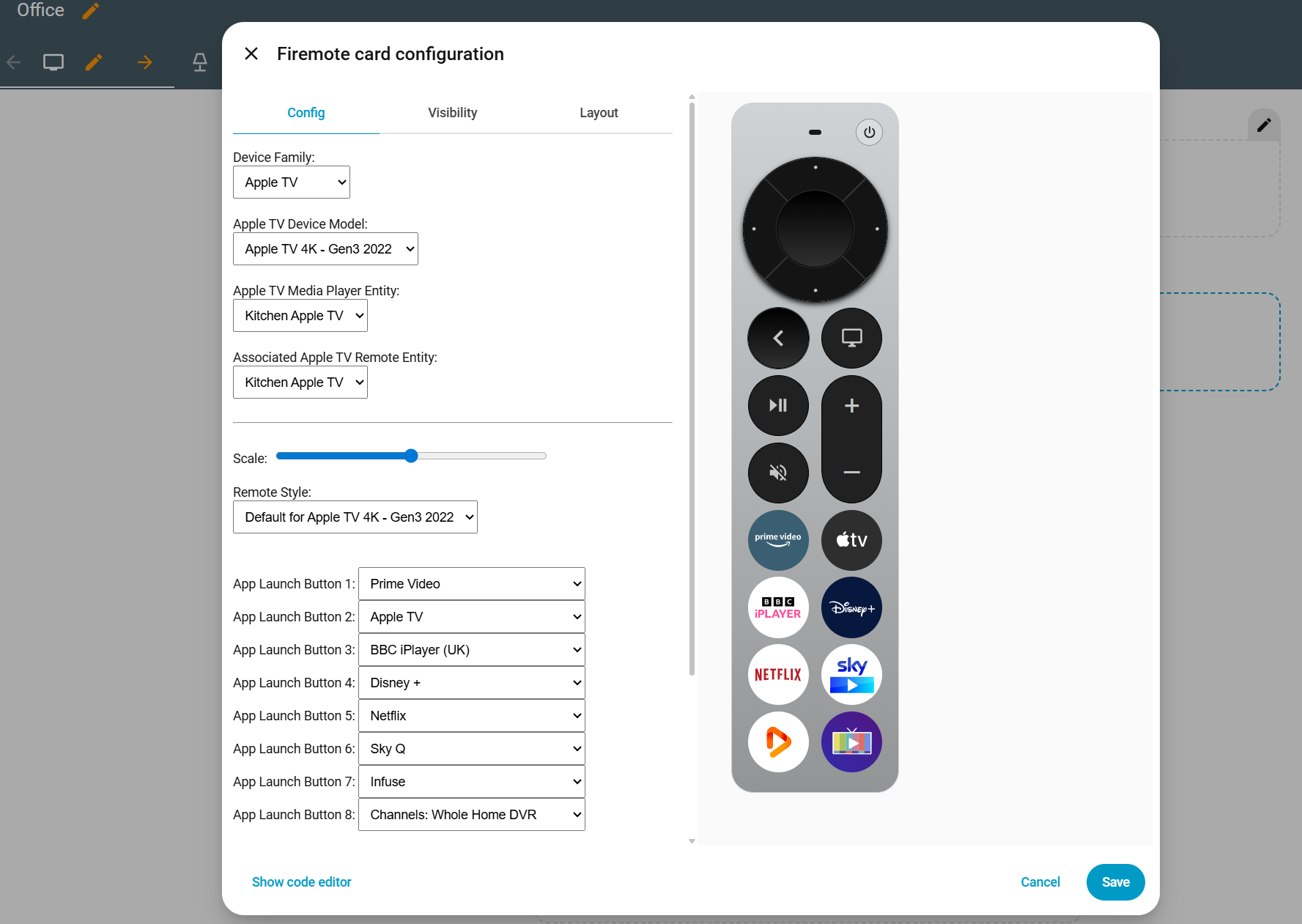
A screenshot of the TV(Ros) card configuration page.
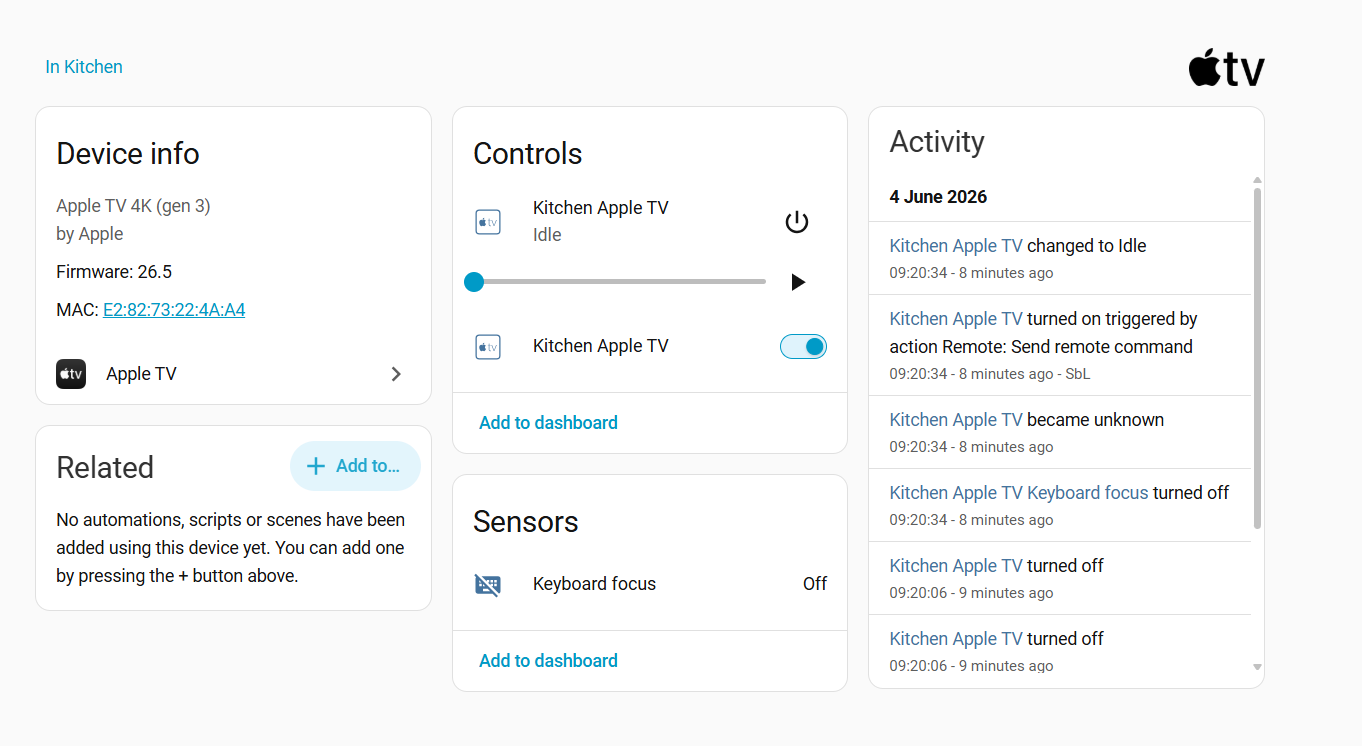
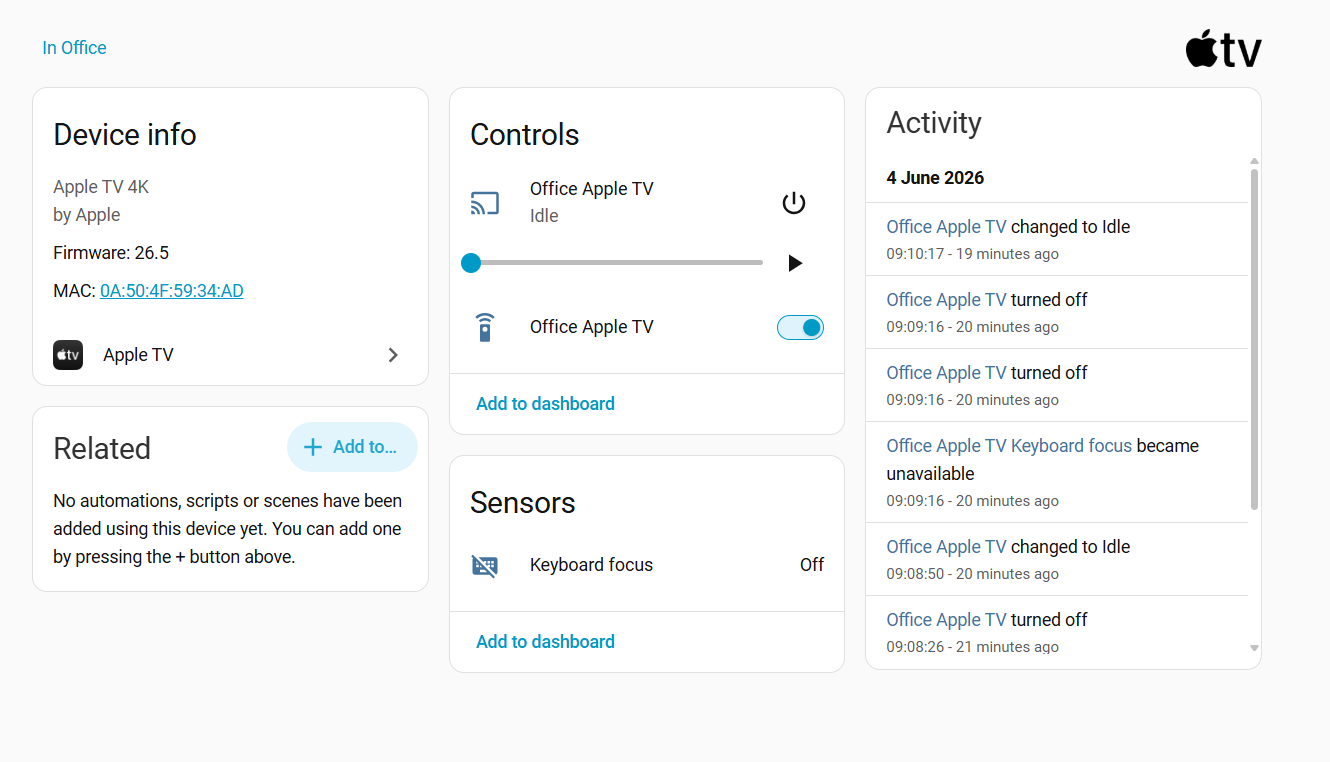
A screenshot of the Home Assistant Apple TV device information page.
Confirmation of which Apple TV integration you are using in Home Assistant (official Apple TV integration or another method).
We’ll also ask the engineering team to test against the latest Apple TV integration and compare the exposed entity attributes with Android TV devices.
Thank you for bringing this to our attention. If this turns out to be a compatibility limitation, we’ll add it to our development and feature review list so we can improve the Apple TV experience in future releases.
Thanks for your reply, here’s the screenshots and info.
I’m using the official Apple TV HA integration via auto discovery.
I have tried with two different Apple TV Models - 4K 3rd gen (A2737 / Kitchen) and 4K 1st gen (A1842 / Office) and both do not show the app shortcut or keyboard buttons.
Thank you very much for providing the screenshots and detailed information. This is extremely helpful.
From the screenshots, I can confirm that the Apple TV integration is being detected correctly and that the TV(Ros) card is communicating with Home Assistant as expected.
Regarding the area highlighted in red in the tutorial video, that section is actually the Application List feature of the TV(Ros) card. The applications displayed there need to be supplied by the underlying Home Assistant integration.
What we’ve found so far is that the official Apple TV integration does not appear to expose application icons and app metadata in the same way that some Android TV integrations do. Because of this, RosCard currently has limited information available to build the application shortcut list automatically.
You may also notice that some applications shown in our demonstration videos already have icons. In many cases these icons are part of our pre-built icon library rather than being retrieved directly from Home Assistant.
We’re actively investigating whether there is a reliable way to obtain:
Application names
Application identifiers
Application icons
through the Apple TV integration or other Home Assistant APIs.
If anyone in the community has successfully retrieved Apple TV application icons through Home Assistant, we’d be very interested in learning more about the method.
In the meantime, if you can provide:
The names of the Apple TV applications you commonly use
Screenshots showing the applications and their icons
we can begin collecting and processing them for future icon library updates and compatibility improvements.
Thank you again for helping us test this. Apple TV support continues to be an area we’re actively improving, and feedback like yours helps us identify where the current integration limitations are.
Thank you for the suggestion and for sharing the screenshot.
What you’re describing is actually very close to what we have planned. App shortcuts with richer presentation (including app icons and easier application launching) are already on our development roadmap and are currently scheduled for the version after next.
One of the challenges we are working through is that Home Assistant does not always expose application artwork or icon resources in a consistent way across different integrations (Apple TV, Android TV, Shield, Fire TV, etc.). Because of that, we’re evaluating several approaches, including:
• obtaining icons directly from supported integrations,
• maintaining a built-in icon library,
• allowing user-provided icons,
• and providing a fallback text-based app list when icons are unavailable.
Your Firemote example is actually a very good reference for the user experience we’d like to achieve.
You can follow the progress of this feature and other upcoming improvements in our roadmap thread. We update it regularly as features move through development and testing.
Thank you again for the feedback and for helping us improve the TV(Ros) experience.
Sounds very promising Charles, and I’m really looking forward to how development progresses as there is great potential moving forward with Astrion Remote